Guide
Create a Support Portal Account
To create a support portal account so that you can access the support portal, navigate to the following address:
-
Click on “Sign up” in the top-right navigation.
-
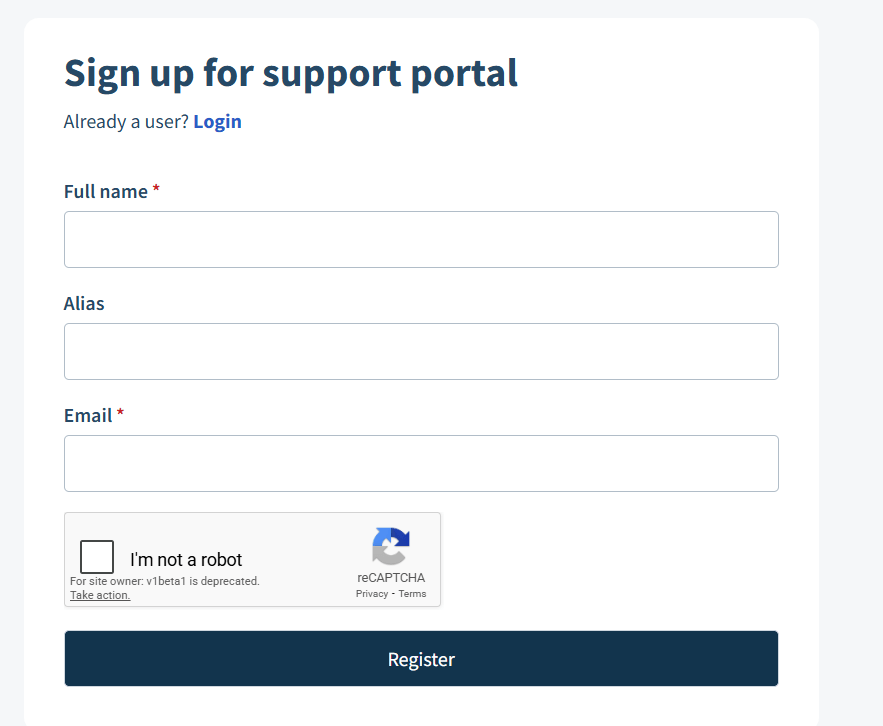
On the new dialog, enter your Full name, Alias, and company email address (try to avoid admin or dev accounts).
-
Enable “I’m not a robot” and complete the reCAPTCHA.
-
Click “Register”.
-
An activation Link will be sent to the email address supplied.
-
Access the email (remember to check the junk folder) and click the link.
-
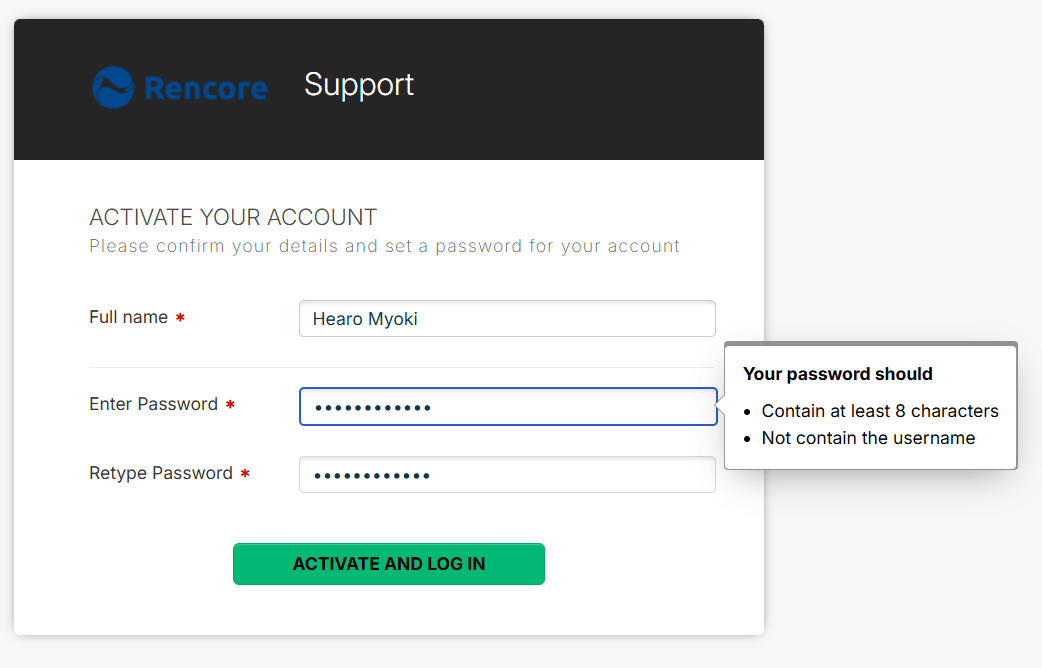
In the new browser window, create and re-enter a password of at least 8 characters.
-
Click “ACTIVATE AND LOG IN”.
-
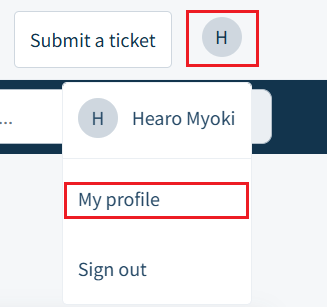
Once logged in, click on your “Profile” and “MY profile”.
-
Set your title, add a photo, phone numbers, and, importantly, set your Time Zone (this helps our support team when arranging remote sessions).
-
Once your profile is updated, click “Save”,