Guide
Remove an Environment
If a customer has it contracted to delete their data from the system without storing it for 30 days.
Note: This process cannot be reversed. Make sure you want to completely remove the environment, all gathered data, all policies, and dashboards, once processed, cannot be recovered.
Go to the corresponding Admin Portal for the datacenter where the workspace is located.
-
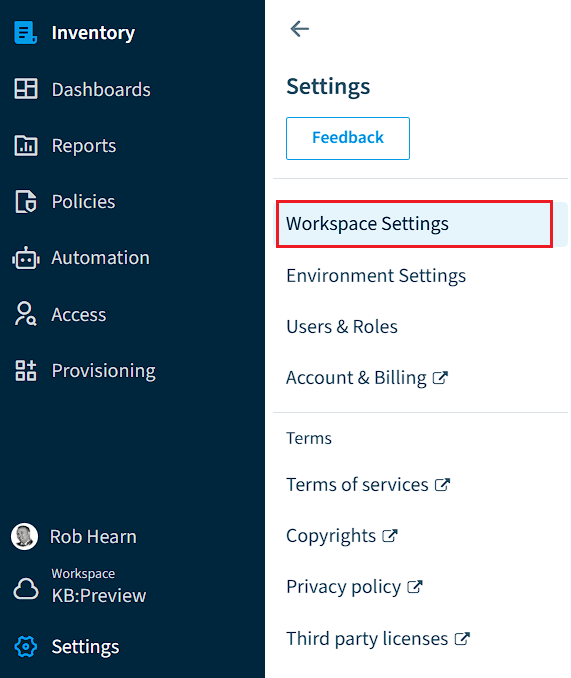
Click on “Settings”.
-
Click on “Workspace Settings”.
-
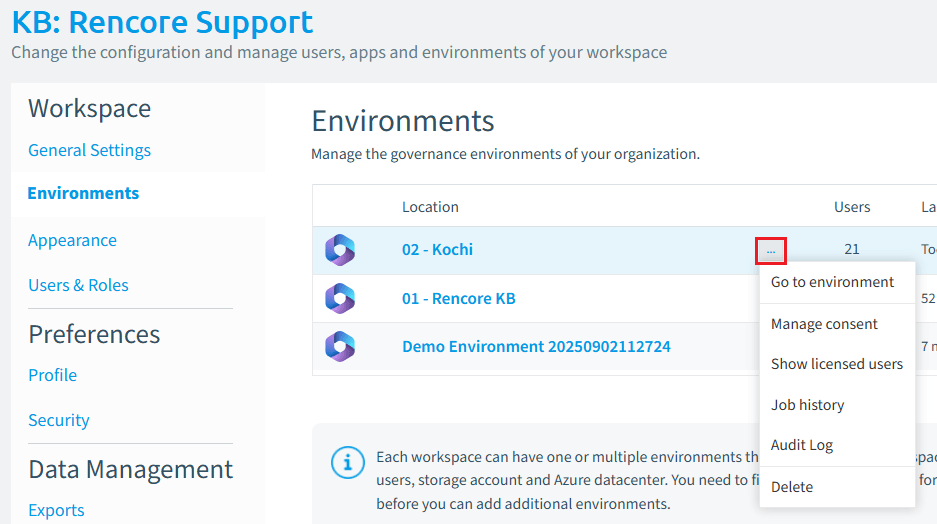
Click on “Environments”.
-
Click on the Ellipses Menu ([…]) next to the environment you want to remove.
-
Click “Delete”.
-
A Dialogue window will ask “Do you want to delete environment <Environment Name>, All gathered data, all policies and dashboards will be deleted and cannot be recovered”.
-
Click “Delete Environment”.
be