Guide
Create a Custom Role
To create a custom role, you will first need to:
-
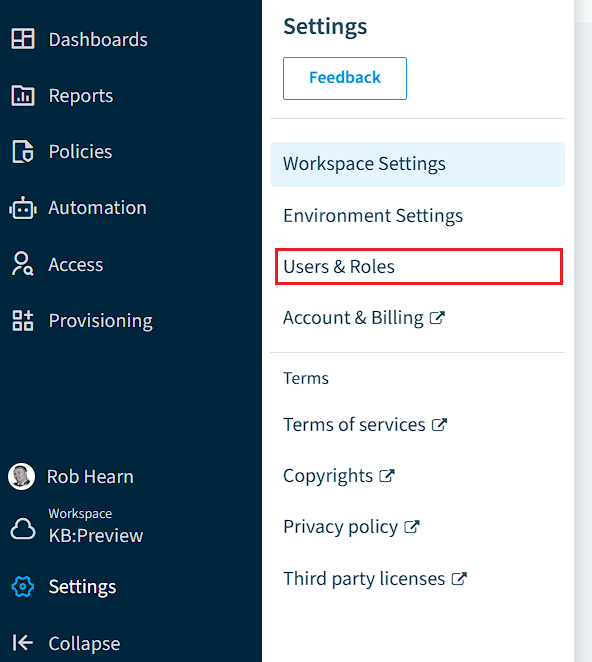
Click on “Settings”.
-
Click on “Users & Roles”.
-
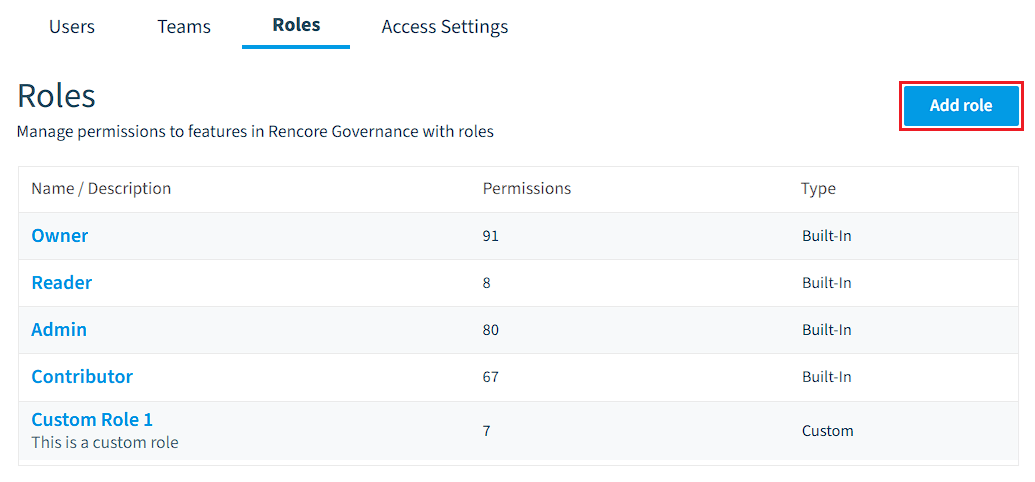
Next, click on “Roles” and then “Add Role”.
-
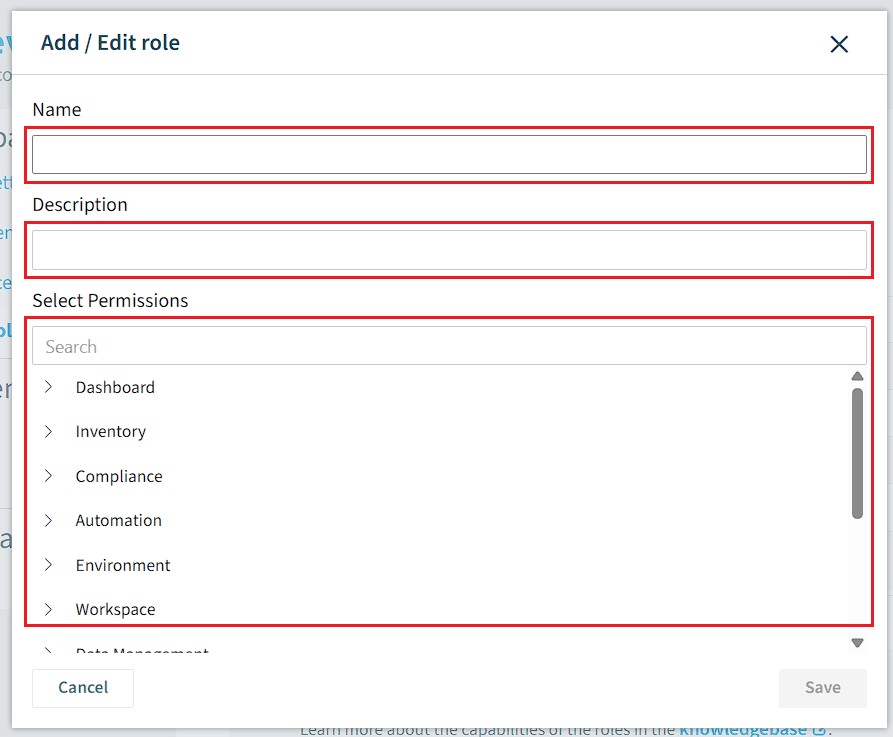
On this new screen, you need to give the Custom Role:
- A Name to the Role.
- A Description of the Role.
- Assign the desired permissions (Which are listed here) to the new Role.
-
Once happy, click “Save”.