Guide
Switch between Environments
To switch between environments and virtual environments in a workspace, you will need to:
- Click on the “Workspace & Environments selector” in the bottom-left corner of Rencore Governance.
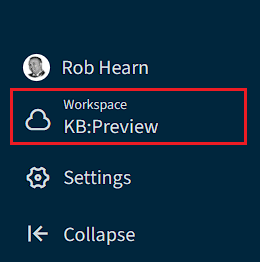
- In the Environments selection screen, select any Environment or Virtual Environment.
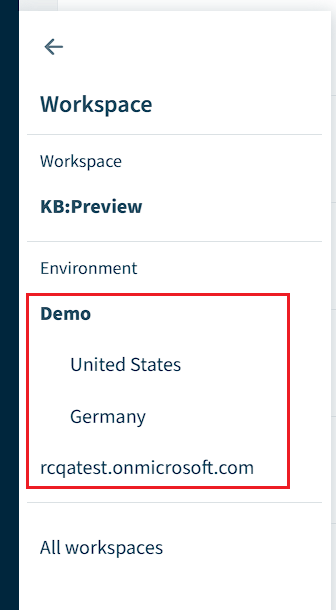
- This will then load the Environment data in the workspace.