Guide
Import an Automation
Rencore Governance has been developed to permit the sharing of automation between different environments and Workspaces. As such, this article will explain how to import an Automation.
To import an Automation into Rencore Governance, you will need to:
-
Click on “Automation”.
-
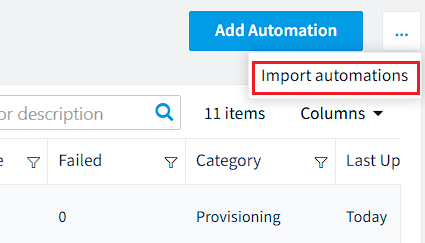
Click on the “Automation Action Menu” and click “Import automations”.
-
Click “Browse”.
- Navigate to the .automation (.json) file that you want to import.
-
Click “Open”.
-
Click “Import” and the automation will be imported.
If the Automation is triggered by "On Policy Violation", a dialogue will appear stating 'On automation import, policy "<Policyname>" will be created'. Click "OK" to continue.