Concept
SharePoint and OneDrive Scanning Performance
- Timeline: Rolling out CW 41
- Impact: All Rencore Governance SharePoint and OneDrive Scans
What is changing?
We’re introducing a more granular job structure for SharePoint and OneDrive scans to improve performance and support future enhancements.
The following changes will be implemented:
-
SharePoint will be split into two job types:
- SharePoint (base)
- SharePoint Files/Folders
-
OneDrive will be split into two job types:
- OneDrive (base)
- OneDrive Files/Folders
To support this, a new Azure AD application will be added: Rencore Governance for OneDrive (Full Control).
- This new AAD App is required for the OneDrive Files/Folders jobs.
- No new SharePoint AAD App is required, as two existing applications already support SharePoint scans
Impact
-
Inventory representation will not change.
-
Inventory updates will now follow the new job type split:
- Files, Folders, and File Shares → updated by Files/Folders jobs.
- All other artifacts → updated by base jobs.
Performance Improvements
Once consent is granted to the new Azure AD application:
-
Rencore Governance will be able to execute SharePoint Files and OneDrive Files jobs in parallel with either OneDrive (base) or SharePoint (Base).
- This results in a significant improvement in scan performance.
Currently, Rencore Governance will run jobs in parallel under the following constraints:
- One job from either SharePoint (base) or OneDrive (base)
- One job from either SharePoint Files/Folders or OneDrive Files/Folders
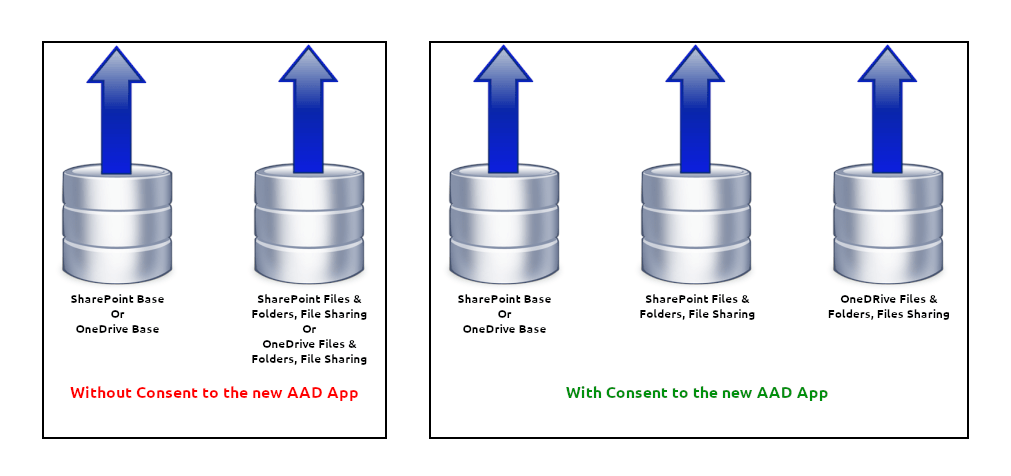
If consent to the new AAD App is not granted, scans will continue to run with the current performance level.
Reason for Change
This change is a prerequisite for introducing partial scans (Enterprise Scans), a feature designed to reduce time-to-value, allowing faster, more targeted data collection.
Action Required
Please grant admin consent for the new Azure AD application: Rencore Governance for OneDrive (Full Control)
Doing so will enable parallel scan execution for Files, Folders, and File Sharing and deliver improved performance.
Providing Consent
To Provide Consent for the new AAD app, follow the details on the knowledge base article Re-Consent Permissions and provide consent for “OneDrive Permissions”.
