Guide
Integrating Rencore Nova
To integrate Rencore Nova into your MS Teams, you will need to be a Workspace Owner.
-
In Rencore Governance_,_ click “Settings”.
-
Click “Environment Settings”.
-
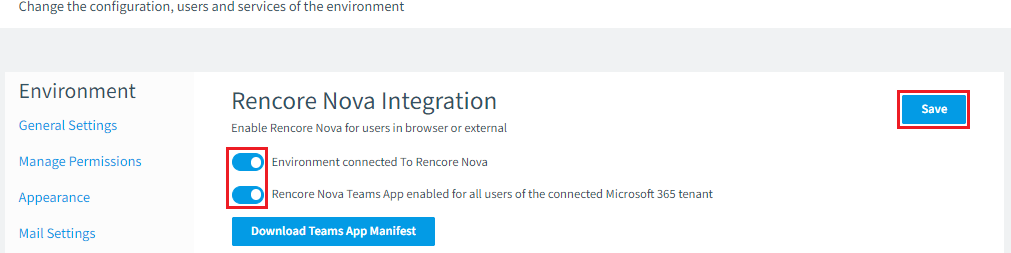
Click “Rencore Nova Integration”.
-
Enable “Environment connected To Rencore Nova”. If it is not already enabled.
-
Enable “Rencore Nova Team App enabled for all users of connected Microsoft 365 tenant”.
-
Click “Save”.
 To restrict users' access to Rencore Nova, whether by the Teams application or by web access, follow the details in the knowledge base article Restricting Azure Users to Rencore Governance & Rencore Nova