Guide
Remove a Segment
Rencore Governance has been developed to permit customizable environments. As such, this article will explain how to remove a Segment you do not require.
To remove a Segment from Rencore Governance, you will need to:
-
Click on “Inventory” on the Nav Panel.
-
Either hover over the desired Service and click “Go to Inventory” or click “Inventory Options”([…]), then select “Go to Inventory”.
-
Navigate to the specific Segment you want to remove.
-
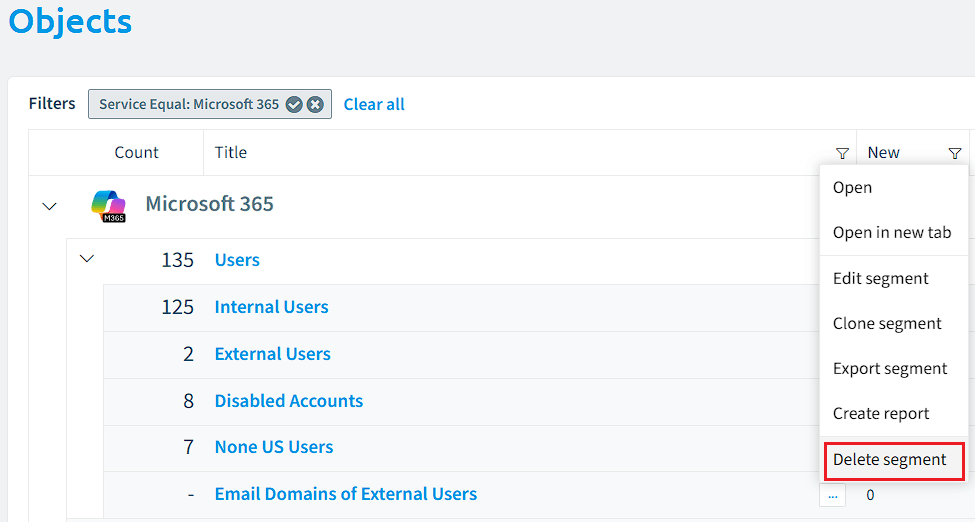
Click on the “Action Menu” ([…]) menu against the Segment.
-
Select “Delete segment”.
-
A prompt will pop up with a dialogue asking, “Are you sure you want to delete segment ‘<name of segment>’?
-
Click “OK” if you want to remove the segment.
Warning: The removal of a workspace is not reversible.
-