Guide
Creating Explore & Learn Links
Explorer & Learn provides administrators with the ability to link to external (outside of Rencore) sources, such as an internal SharePoint site with guidance on company Governance Guidelines, Documents, or YouTube videos. To create a link:
-
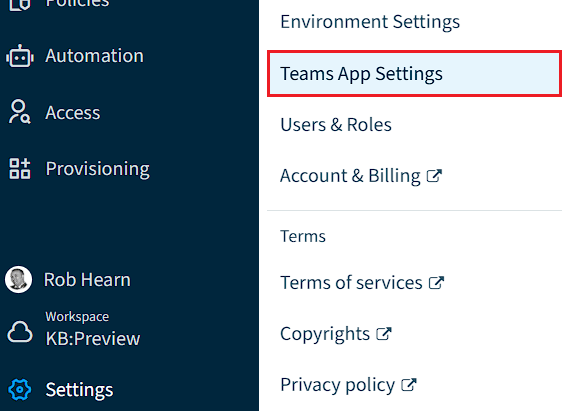
Click on “Settings”.
-
Click on “Teams App Settings”.
-
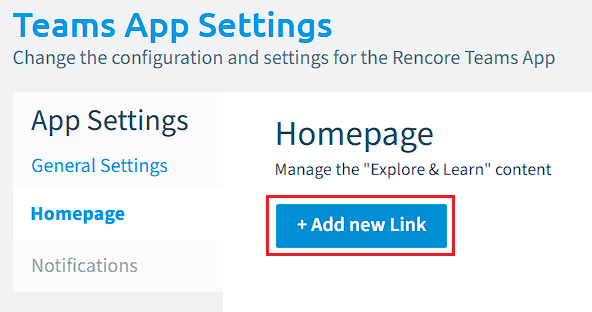
Click on “HomePage”.
-
Click ”+ Add new Link”.
-
-
On Link 1, enter a Title, Description, URL, and select an icon for the link.
-
Click “Save” to complete the action or click “+Add new Link” to add additional Links.
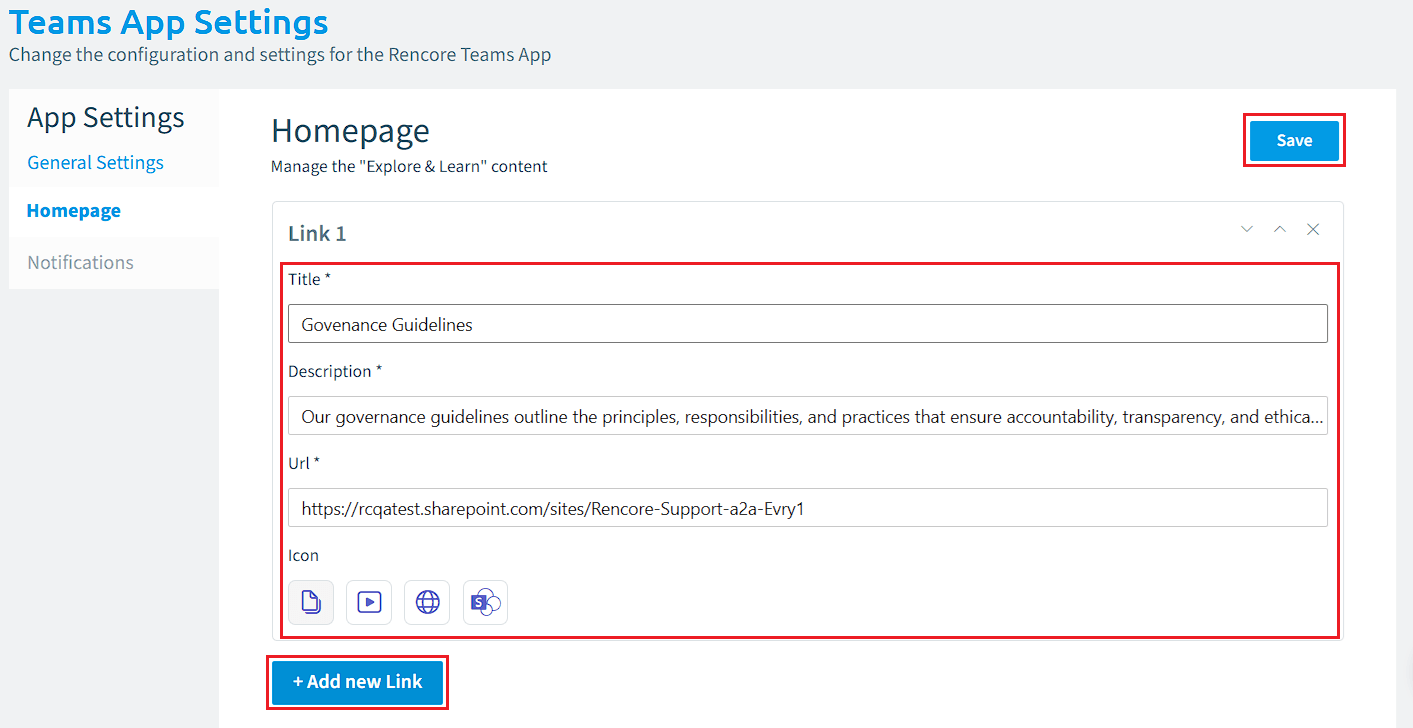
- Repeat the same steps for additional links and click “Save” once complete.
Info: A maximum of 5 links can be added to the Homepage of the Rencore Teams App.