Guide
Enable or Disable a Provisioning Template
To enable or disable a Provisioning Template in Rencore Governance, you need to:
-
Click on “Provisioning” on the Nav Panel.
-
Click “Manage Provisioning Template”.
-
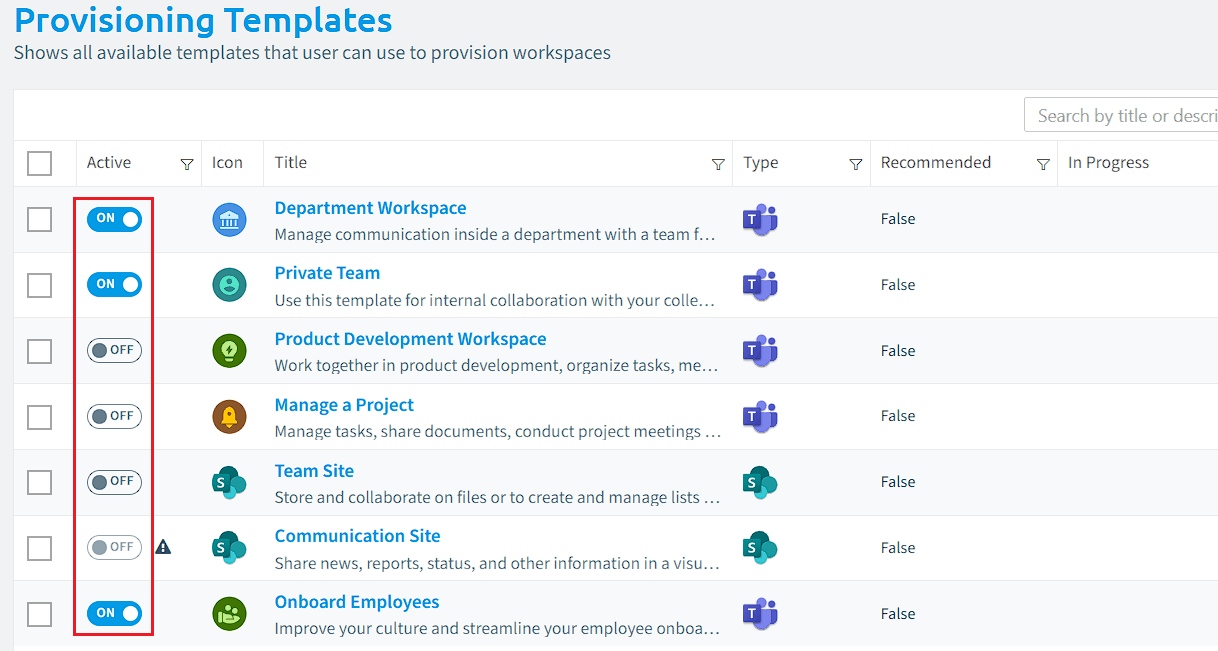
Against the desired Template, toggle “On” or “Off” in the “Active” Column.
-
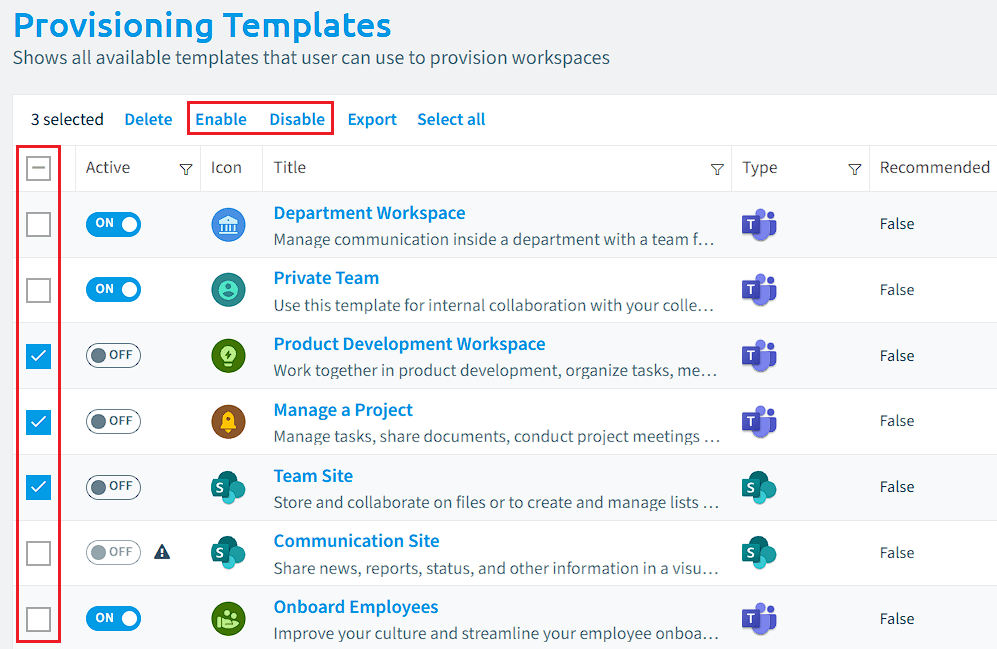
Alternatively, you can do this for multiple templates at a time.
- To enable or disable multiple templates, simply tick the box on the left of the corresponding template.
- Once you have made your selection, click on the “Enable” or “Disable” located at the top of the Datagrid.