Reference
Un-anonymize user data
On September 1st, 2021 Microsoft enabled pseudonymization of user data for reports in all M365 by default. This is affecting data returned by all M365 report APIs. The following objects are affected in Rencore Governance:
- Message redirect rules
- User Activity Report
- Teams User Device Usage Reports
- Teams Usage Reports
- Teams User Activity Reports
- User Mailboxes (Shared Mailboxes not shown)
- User Registration Credentials
- Yammer Groups
Example
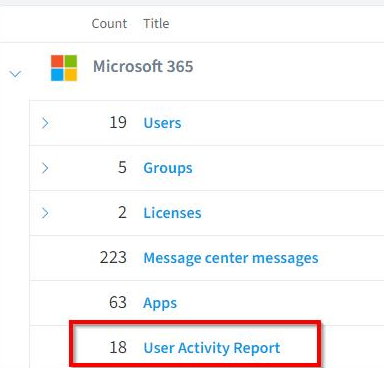
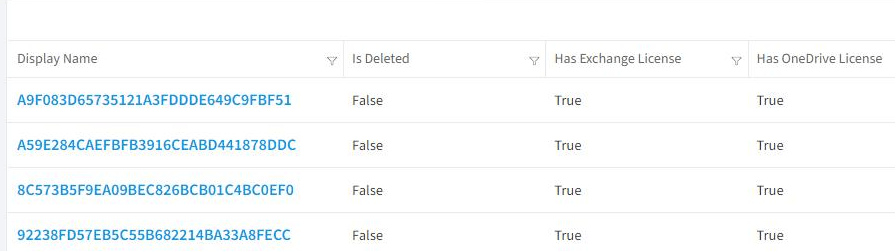
Global administrators can revert this change for their tenants and show identifiable user information if their organization’s privacy practices allow.
This can be achieved in the Microsoft 365 admin center by going to “Settings” > “Org Settings ”> “Services” and selecting Reports. Under Choose how to show user information, uncheck In all reports, display de-identified names for users, groups, and sites. As shown below:
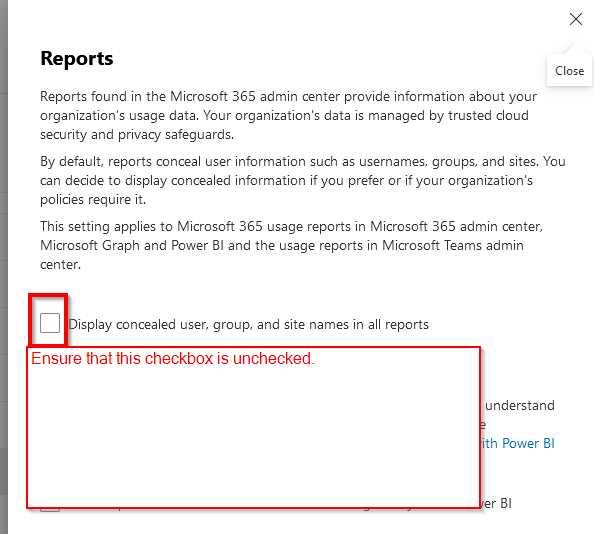
After the next scan of the M365 service in Rencore Governance (usually daily) the data will be un-anonymized again.