Guide
Action Permissions
Built-in actions allow you to perform actions within the Environment (for a full list of current actions, click here). By default, any user can use built-in actions, which permit the restriction of Built-In actions for a Role.
-
Click on ” Settings”.
-
Click on “Users & Roles”.
-
Click on “Roles”.
-
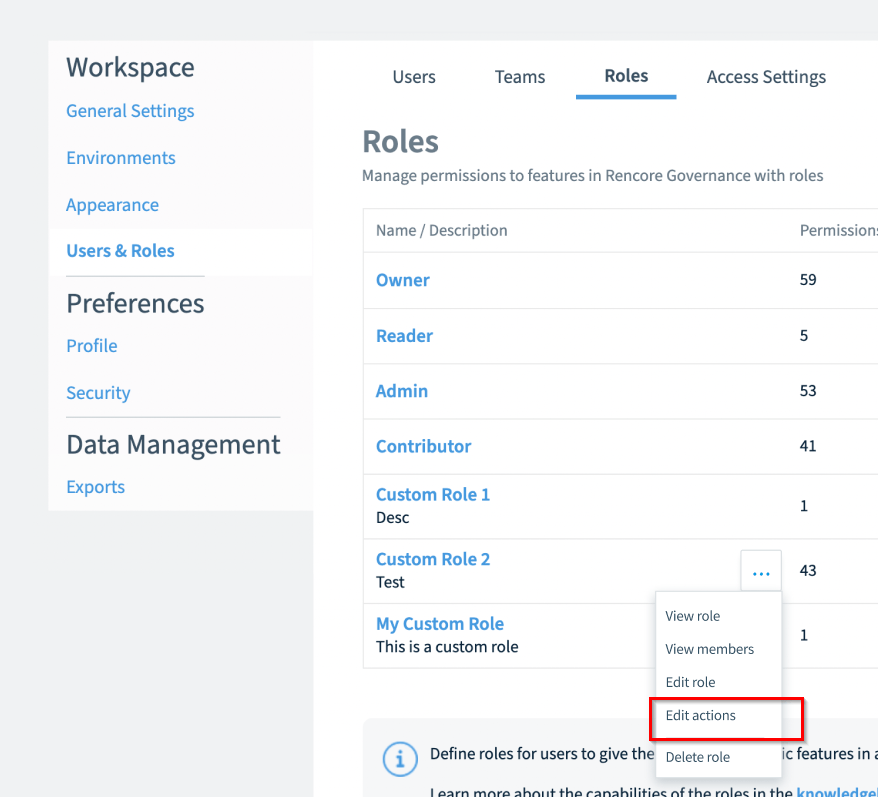
Click the “Action Menu” ([…]) next to a role.
-
Click “Edit actions”.
-
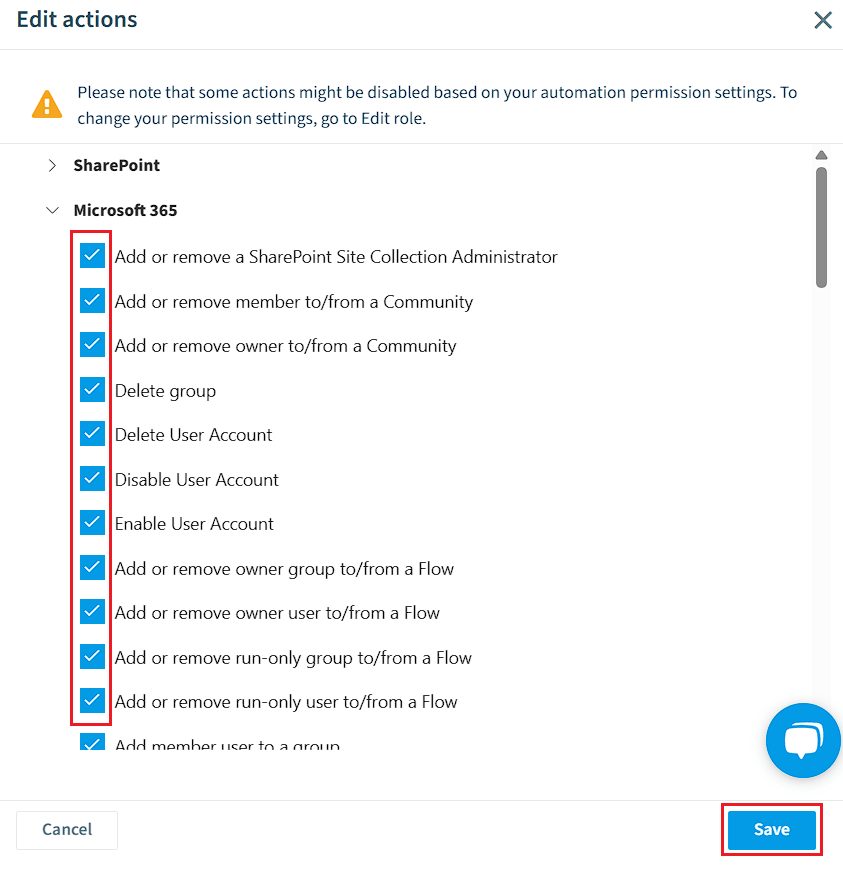
On the next dialog, check the boxes for each available automation action.
-
Once all the Actions have been selected or deselected, click “Save.” The selected actions can then be used by the role.