Guide
Create a Suggested Teams Channels
To create a custom Provisioning Template for your governance, you need to:
-
Click on “Provisioning” on the Navbar.
-
Click “Manage Provisioning Template”.
-
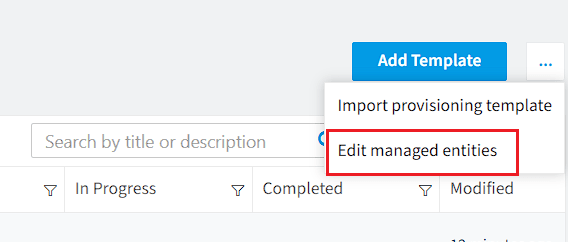
Click “Ellipses menu” and choose “Edit managed entities”.
-
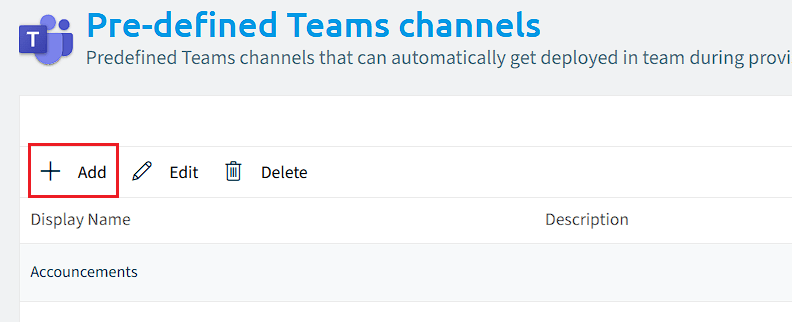
Click on “Pre-defined Teams Channel”.
-
Click “+Add”.
-
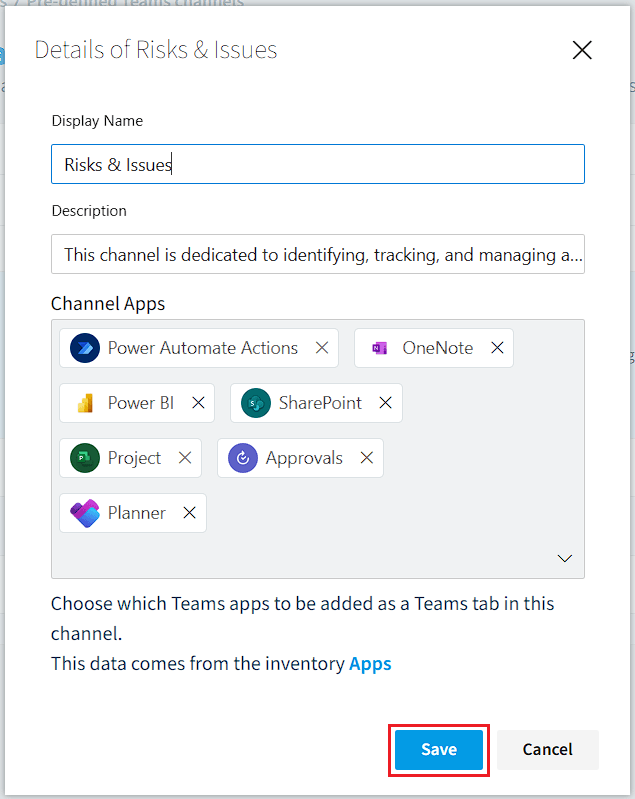
Enter the specific information for the Teams Channel.
-
Display Name: Enter the name that will be displayed for the Teams Channel.
-
Description: Enter the description for the Teams Channel.
-
Channel Apps: Enter the apps that will be available to the Teams Channel.
- Click in the box and type the name of the App you want to add to the channel.
- Repeat this for each app you want the channel to have as a default.
-
-
Once all options have been configured, click “Save”.