Guide
Enable Beta Preview
Rencore provides early access to beta features. These beta features enable functionality that might be released in the future for all users and can be manually enabled to gather feedback. Owners can choose to enable beta features under the following conditions:
Disclaimer
The Rencore Governance beta features:
• Are enabled at your own risk.
• Might be removed or changed at the sole discretion of Rencore without prior notice.
• Might not be included in the current subscription plan once rolled out into the product.
The Rencore Governance beta features:
• Are enabled at your own risk.
• Might be removed or changed at the sole discretion of Rencore without prior notice.
• Might not be included in the current subscription plan once rolled out into the product.
To enable Beta Preview in a workspace so that you can use features that are in beta, you will need to:
-
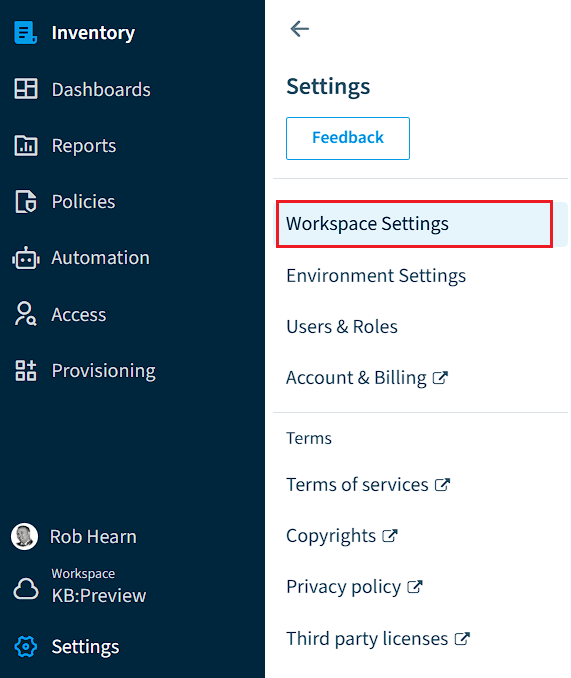
Click on “Settings”.
-
Click on “Workspace Settings”.
-
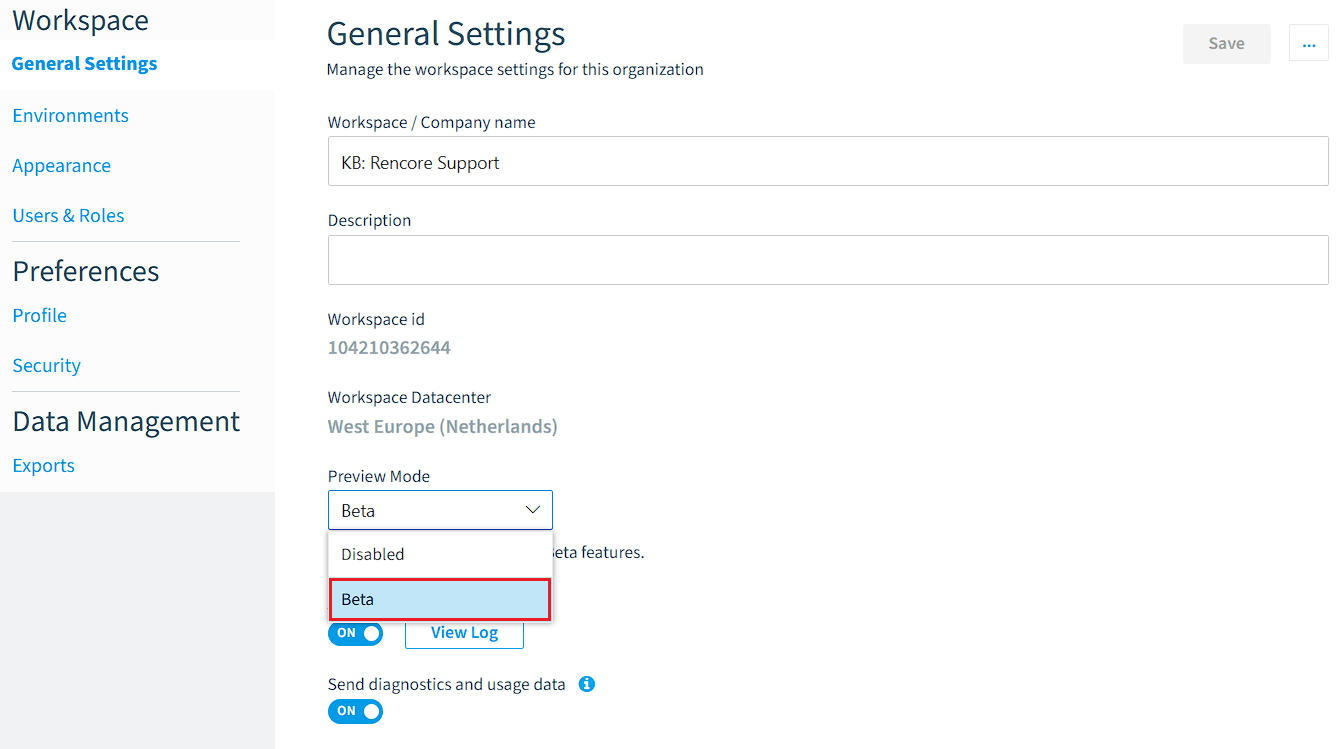
Below the “Workspace ID”, change the “Preview Mode” to “Beta”.
-
Click “Save” at the top of the page to save the changes to the settings.