Guide
Automation Batch Page
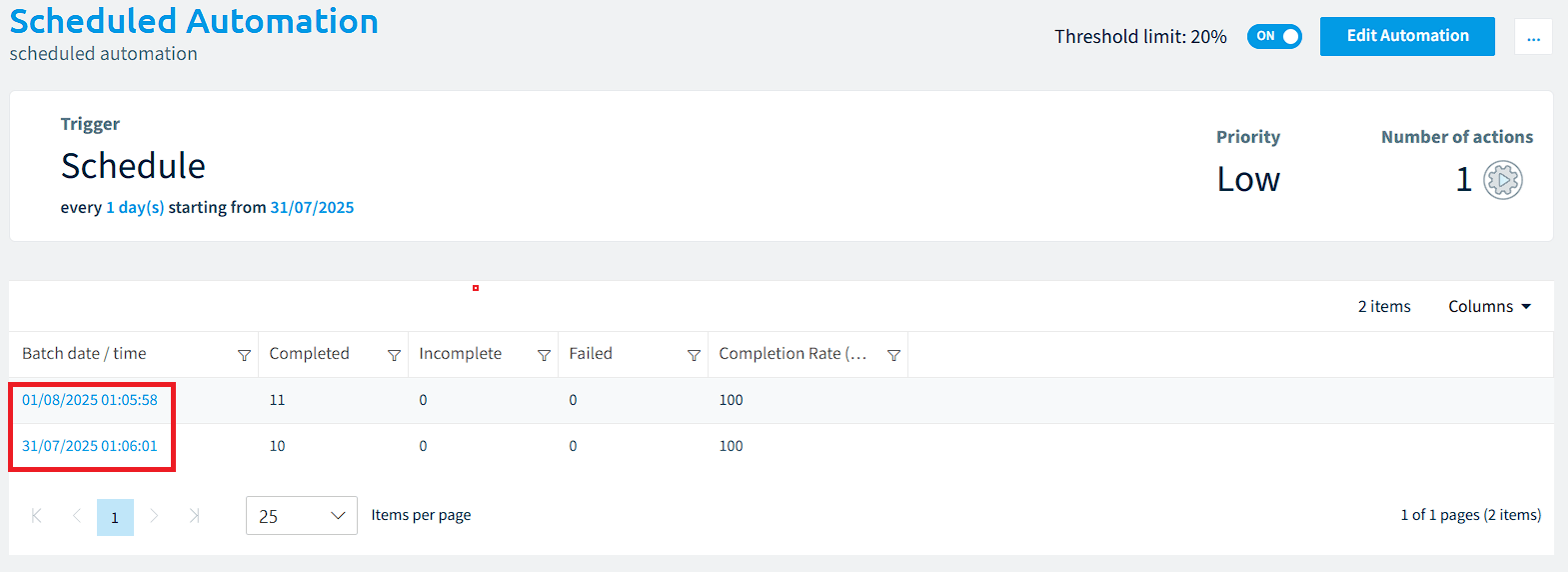
The “Automation Batch Page” provides a grouped view of all automation runs associated with a specific automation. These runs are grouped using the GroupId property, which typically corresponds to a unique timestamp for when the automation was triggered.
To access the Automation Batch page
-
Click “Automation” on the Nav Panel.
-
Click on an Automation.
This will show the “Automation Batch Page”, where all triggered runs for the automation are grouped by date.
-
Clicking on the “Batch date/time” will display all automation runs for the specified period.