Guide
Export an Access Review
Rencore Governance enables the sharing of Access Reviews across various environments. Here’s a guide on how to export an Access Review.
To export an Access Review from Rencore Governance, you will need to:
-
Click on “Access”.
-
Navigate to the Access Review you want to export.
-
Highlight the desired Access Review and click on the “Action menu” ([…]) to the right of the title.
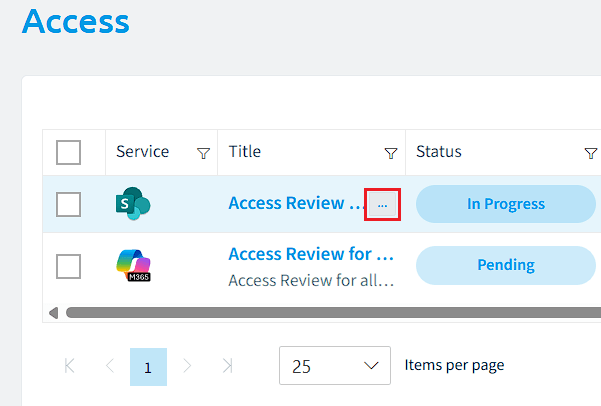
-
Select “Export access review”. This will automatically download the .review file (which is a .json file). This file can then be shared and imported back into Rencore Governance.