Guide
Update Rencore Teams App
To update the Rencore Teams App, you will need to:
-
Download the zip file, which contains the Teams App Manifest file:
- Click “Settings”.
- Click on “Teams App Settings”.
- Click on “Setup”.
- Click “Download Teams App Manifest”.
-
Go to Teams Admin Center and log in with a Teams admin account for your tenant.
-
Click on “Teams Apps”.
-
Click “Manage Apps”.
-
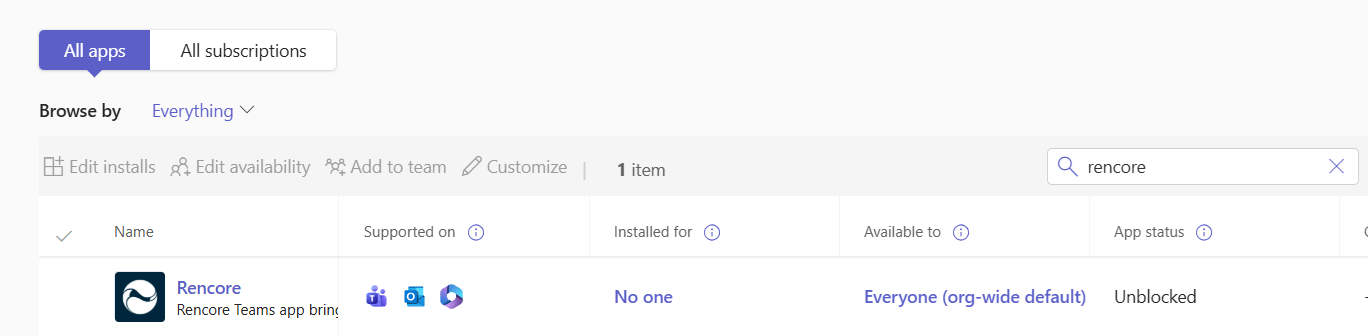
Search for “Rencore” if you did not rebrand the app else search for the rebranded name.
-
Click on the app.
-
-
Click “Upload file”.
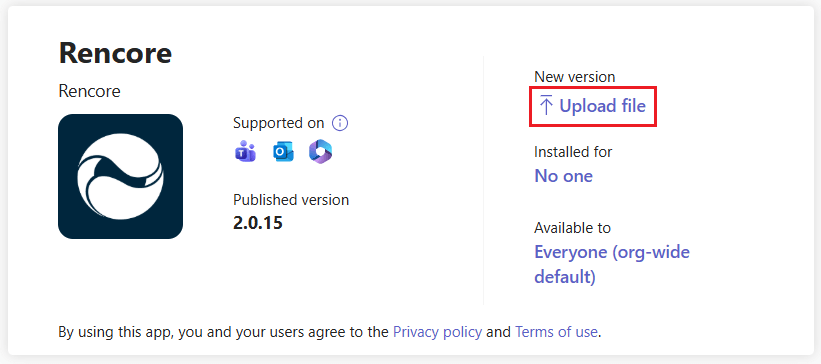
- Click “Select File”.
- Select the zip file you downloaded and click “Open”.
The installation will take up to a minute to finish.
To use the Rencore Teams App, make sure you have established an environment in Rencore Governance that is linked to the same tenant where you installed the app.