Guide
Assign a User a Role and Team
To assign a user a role and place them in a team, you will first need:
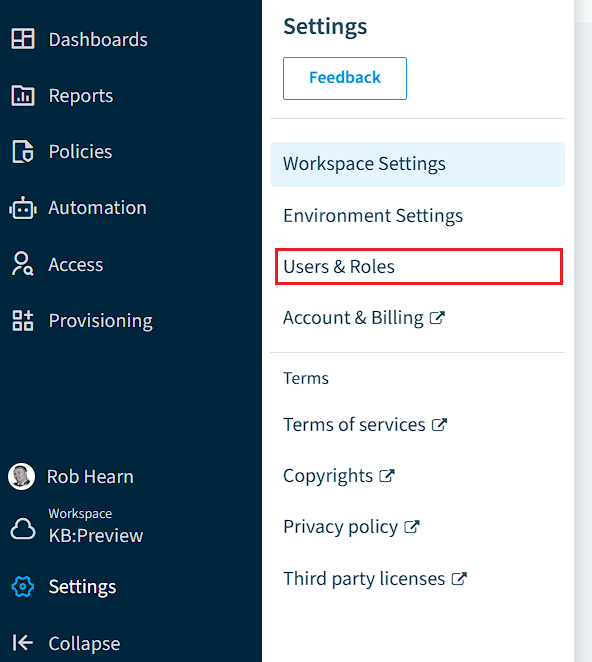
- Click on “Settings”.
- Click on “Users & Roles”.
Assigning a User a Role
To assign a role to a user:
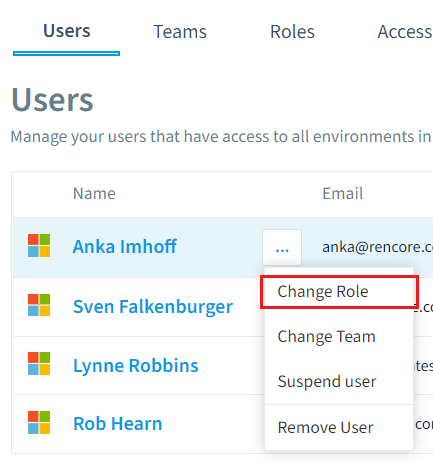
- Click on the “Action menu” ([…]) to the right of the user you want to assign a role.
- Select “Change Role”.
- On the new dialog that loads, select the desired role from Owner, Admin, Contributor, Reader, or Custom Roles.
- Click “Change Role”.
Assigning a User to a Team.
In order to assign a user to a team:
-
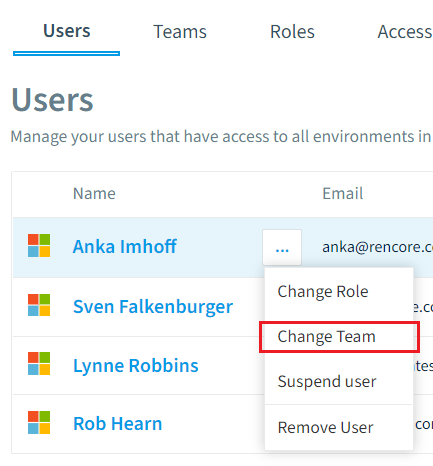
Click on the “Action Menu” to the right of the user you want to assign to a team.
-
Select “Change Team”.
-
On the new dialog that loads, select the desired team(s) from All Services, Microsoft Services, Power Automate, Power Apps, SharePoint, OneDrive, Azure Active Directory, Teams, Yammer, Exchange, and Custom.
-
Click “Change Team”.