Guide
Delete a Report
Rencore Governance lets users create reports. However, in the rare instance that you need to delete a report, this article will provide step-by-step instructions on how to do so.
To delete a report from Rencore Governance, you will need to:
-
Click on “Reports”.
-
Navigate to the report you want to delete.
-
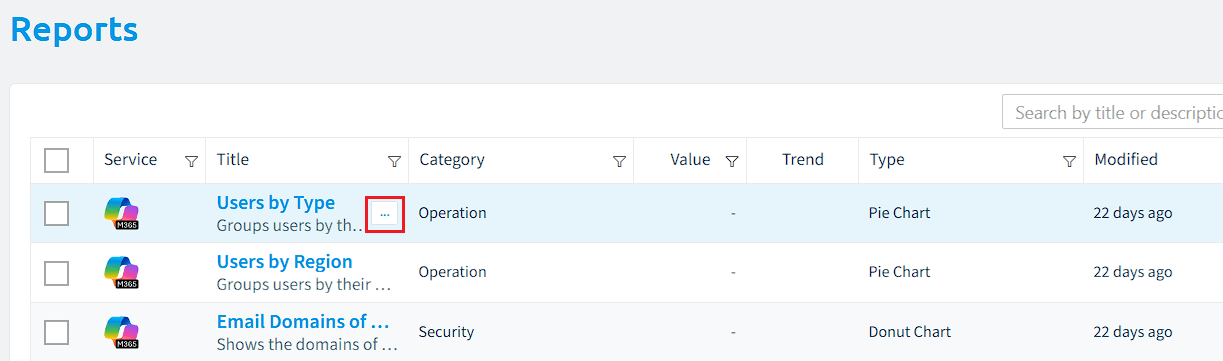
When hovering to highlight the desired Report, click on the action menu to the right of the title.
-
Select “Delete report”. A dialog box will appear asking if you ‘Are sure you want to delete the report “<report name>”?’.
- Click “OK” to delete the report.
Please note that deleting a report is a permanent action and cannot be undone. If you are unsure whether the report is necessary or not, we recommend exporting it first. This way, you will always have the option to re-import it if needed.