Guide
Update Rencore Nova
To update the Rencore Nova Teams app, you will need to:
-
Download the zip file, which contains the Teams App Manifest file:
- Click “Settings”.
- Click “Environment Settings”.
- Click “Rencore Nova Integration”.
- Click “Download Teams App Manifest”.
-
Go to Teams Admin Center and log in with a Teams admin account for your tenant.
-
Click on “Teams Apps”.
- Click “Manage Apps”.
- Search for “Nova” in the search box.

-
Click “Upload file”.
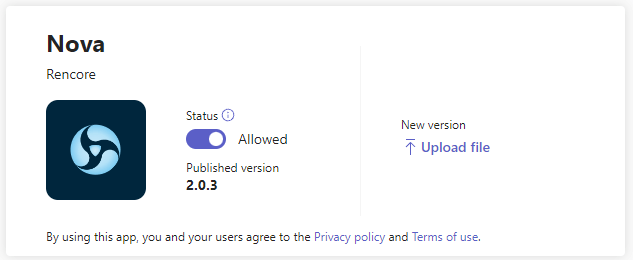
-
Select the zip file you downloaded and click “Open”.
The installation will take up to a minute to finish.
To use Rencore Nova, make sure you have established an environment in Rencore Governance that is linked to the same tenant where you installed the app.