Guide
Export Policies
Rencore Governance has been developed to permit the sharing of policies between different environments. As such, this article will explain how to export a check.
To export a Policy from Rencore Governance, you will need to:
-
Click on “Policies” on the Nav Panel.
-
Either hover over the service where the policy would reside and click “Go to Policies” or click the “Policy Menu” ([…]), click “All policies”.
-
Navigate to the Policy you want to export.
-
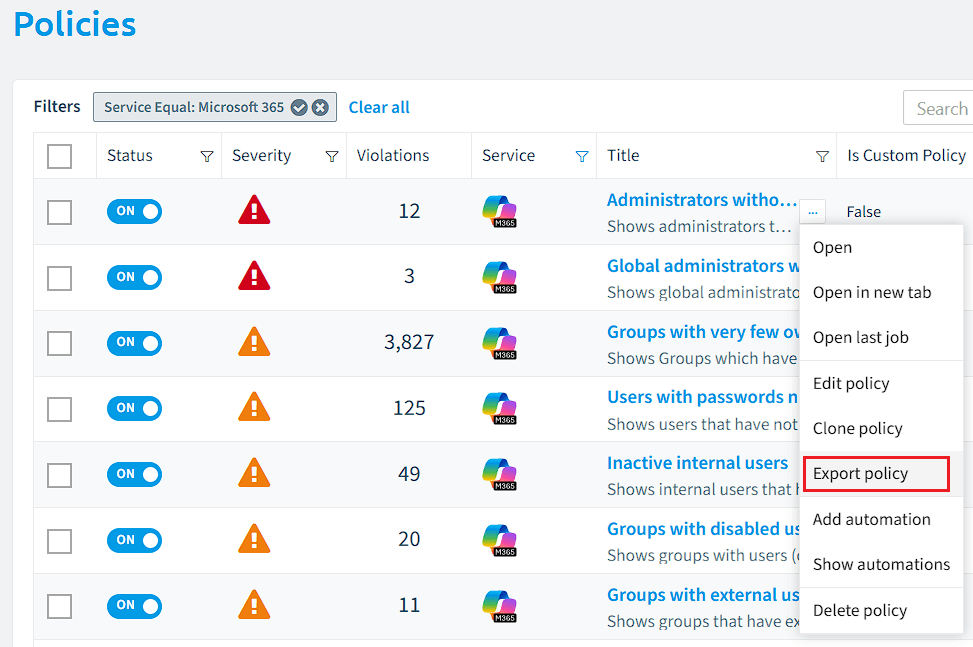
Click on the action menu against the policy you want to export.
-
Select “Export policy”. This will automatically download the .policy file (which is a .json file). This file can then be shared and imported into Rencore Governance.