Guide
Approving Access Reviews
To review and approve Access Reviews in Rencore Nova, you need to:
-
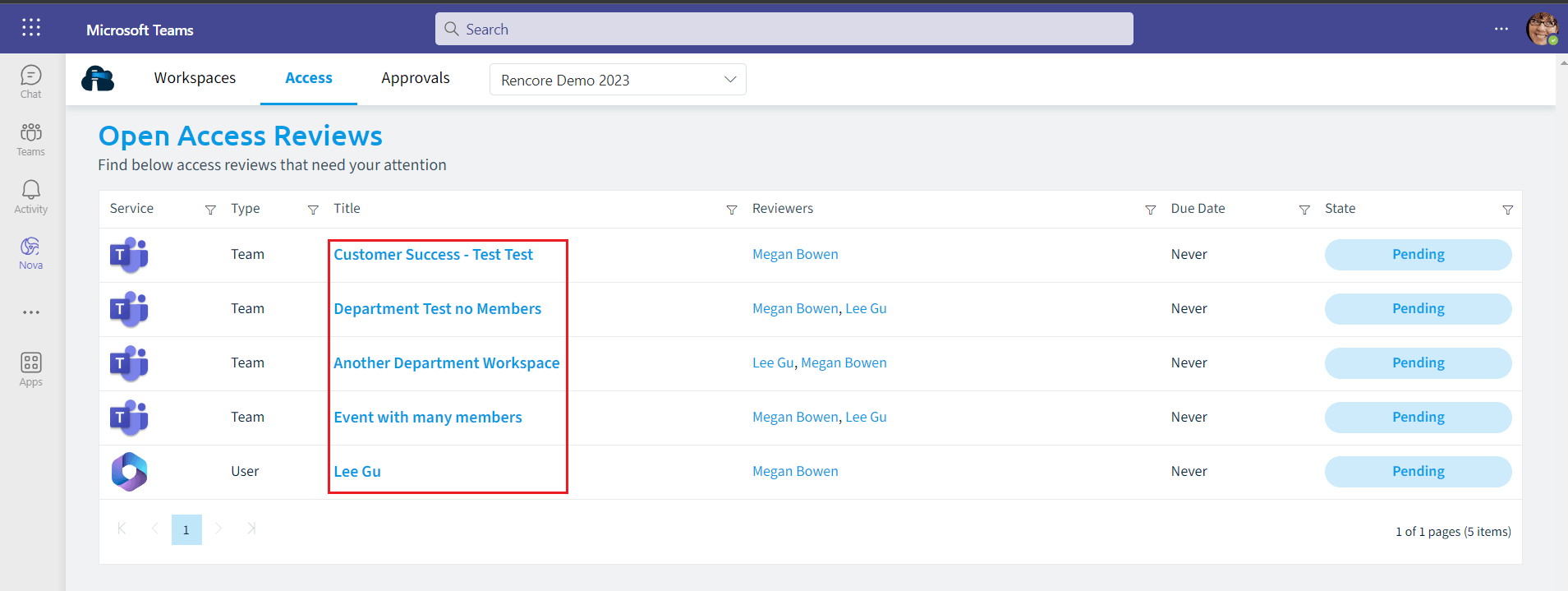
Click on “Access” on the Navbar. All Objects that you are assigned to review will be listed.
-
Click on a “Title” of one of the reviews.
-
This will load the Review up and provide a Summary of the Reviewers if more than one, the Statistics of the Object, and the recent Activity of the Object. To begin the Review process you will need to:
-
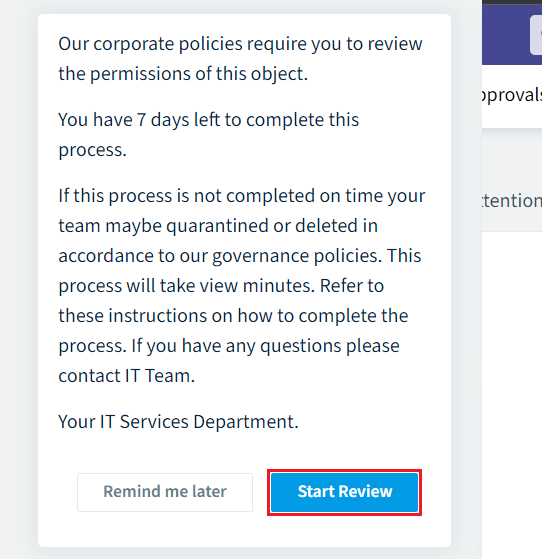
Click “Start Review”.
-
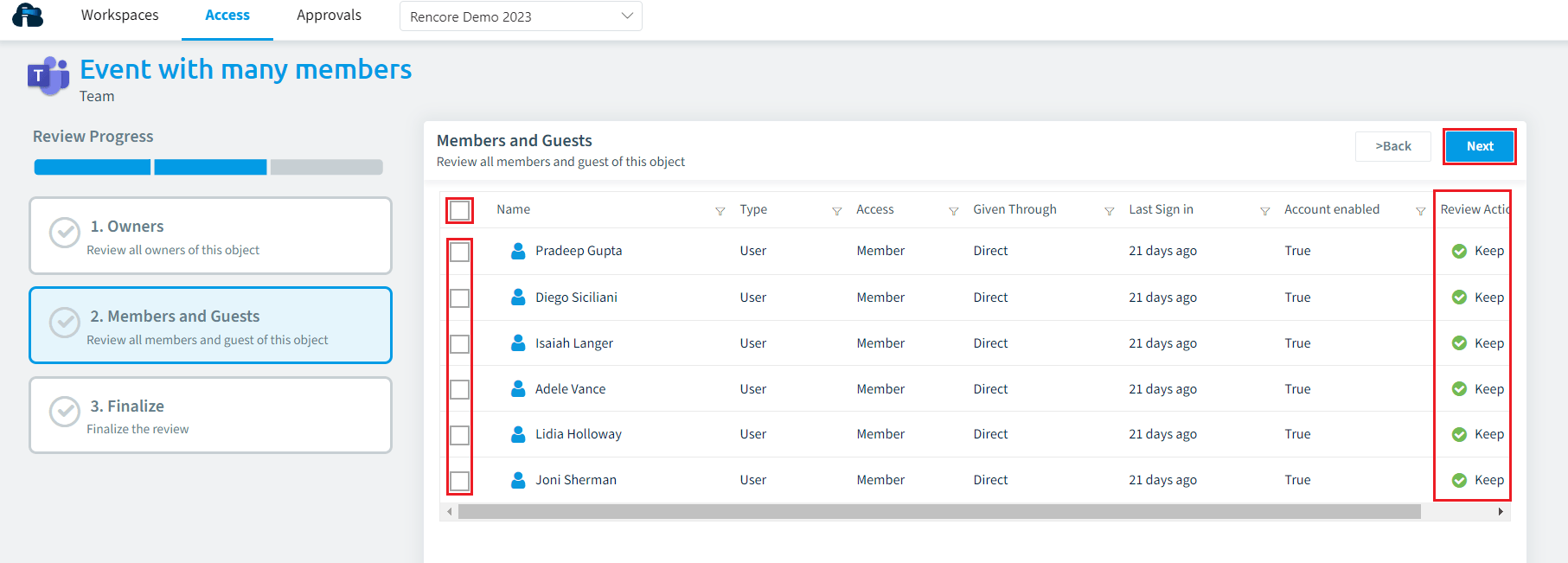
Depending on the Access Review will then dictate the number of objects that need to be reviewed, which will alter the number of steps and the “Review Progress”.
- To progress either click “Next” in the top right or click the next object.
-
If you want to change an object’s Review Action, tick the entity and then change the Review Action.
-
Once all objects have been reviewed and you are on the “Finalize” stage click “Approve Review”.
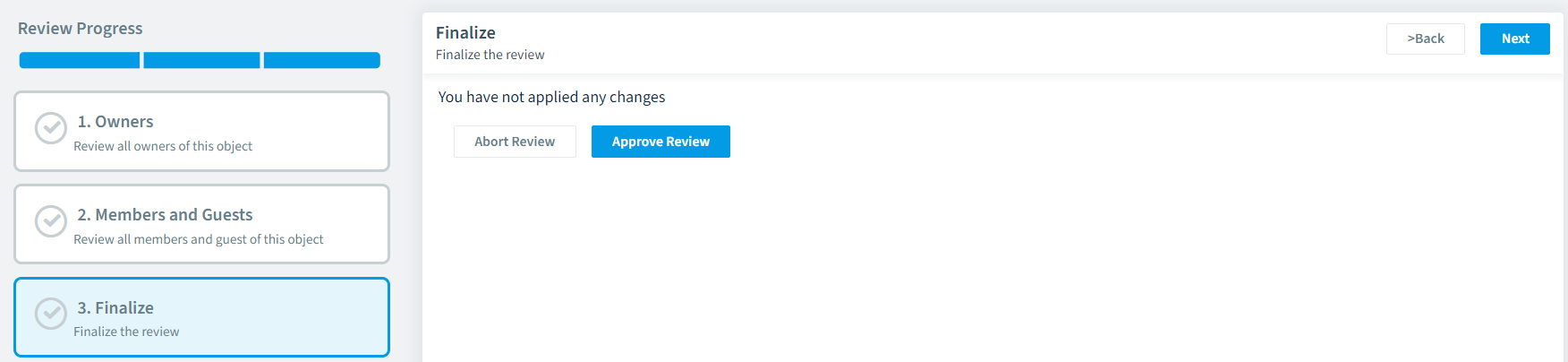
The Access Review in Rencore Governance will be complete and the status changes to “Done”.