Guide
Copy Environment Information
From time to time, it may be necessary to contact support relating to issues encountered in Rencore Governance. To speed up the process, it would be helpful to provide our team with details about your environment.
To do this:
-
Load into the Workspace & Environment where you encountered a problem.
-
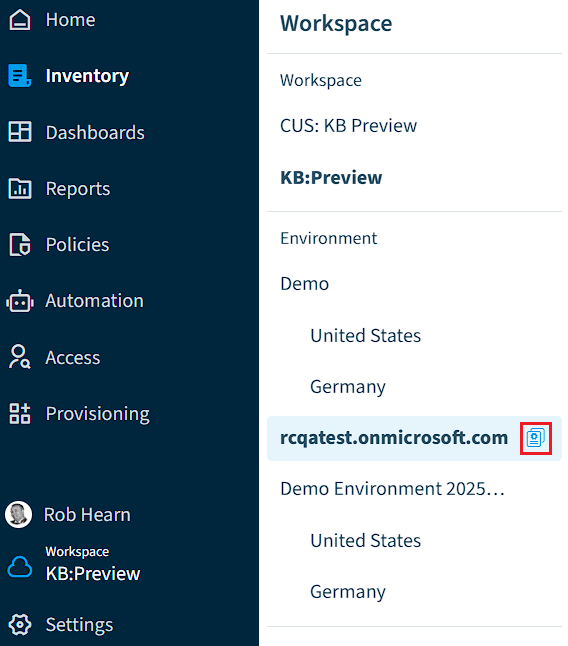
On the Nav Panel, click “Workspace & Environment Selector”.
-
Hover over the environment and click the icon that appears:
-
A notification will appear in the top right of Rencore confirming the details have been copied to your clipboard.
You will find the following information on your clipboard:- Workspace: <your workspace name>
- Workspace Id: <your workspace id>
- Environment Name: <your environment name>
- Environment Id: <your environment id>
- Tenant Domain: <your tenant domain>
- User Name: <your user name>
- User Email: <your email address>
- User Role: <your Rencore Governance roles>
- User Teams: <your Rencore Governance team memberships>
When contacting Support, please provide the copied details to help you further with resolving your support incident.