Guide
System Notifications
We have added the facility to configure the notifications sent out from Rencore Governance. To access and edit the setting:
-
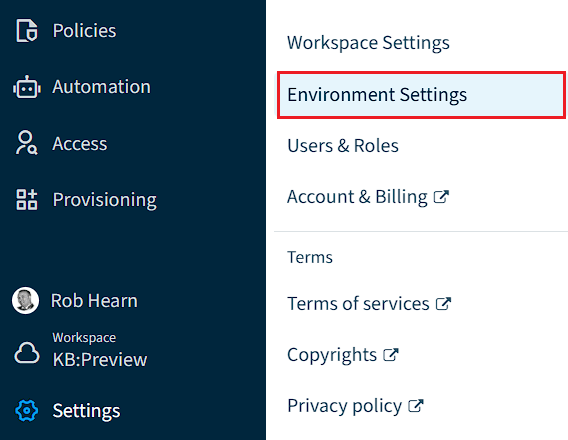
Click on “Settings”.
-
Click on “Environment Settings”.
-
Click on “Notifications”.
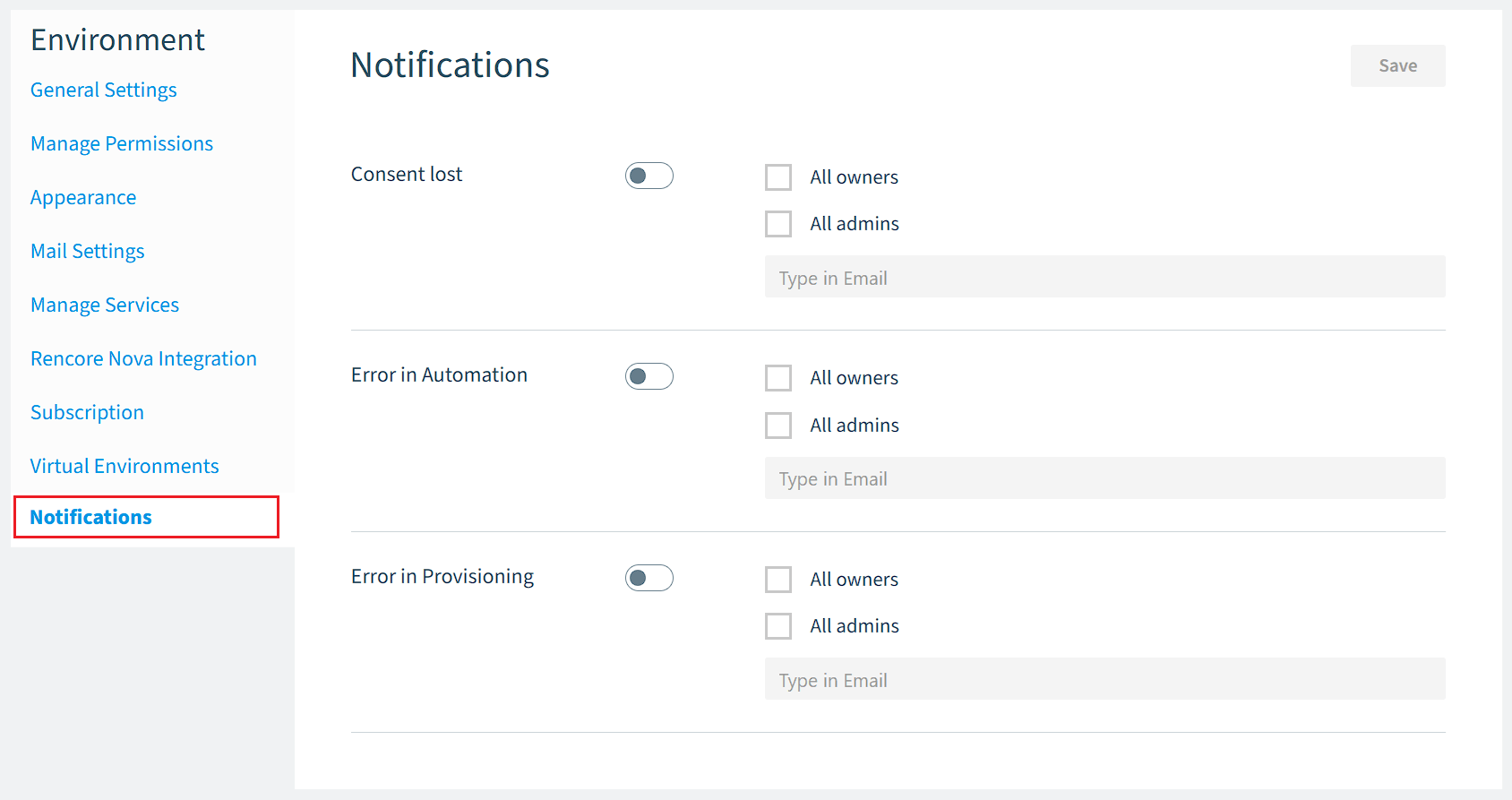
The “Notification Settings” is divided into three areas:
- Consent lost: Sends notifications when consent is lost in the system.
- Error in Automation: Sends a notification when an error occurs in an automation, including when a threshold limit is exceeded.
- Error in Provisioning: Sends a notification when an error occurs in a Provisioning.
-
The configuration for each section can be configured to Off (default setting). Once enabled, you can configure whether the notification is sent to all Rencore Governance Owners, all Rencore Governance Admins, a specified email address, or a combination of the three.
-
Once you have configured your settings, click “Save” at the top of the screen.