Guide
Change Language and Date Format
Rencore Teams App does not have its own language switch. It displays content in the default language of the browser you use to access it, and formats dates, times, and numbers according to the setting saved in your profile. To switch, you will need to:
Change the Display Language
Change the default language of your browser (i.e. to German), then reload the Rencore Teams App:
- Google Chrome: Change the language Chrome uses
- Microsoft Edge: Use Microsoft Edge in another language
- Mozilla Firefox: Use Firefox in another language
- Safari: Safari follows your Mac’s system language. See Change the language your Mac uses.
Set Date, Time, and Number Format
Your profile format setting controls how dates, times, and numbers are displayed across Rencore Teams App, independent of your browser language. To set this, you will need to:
-
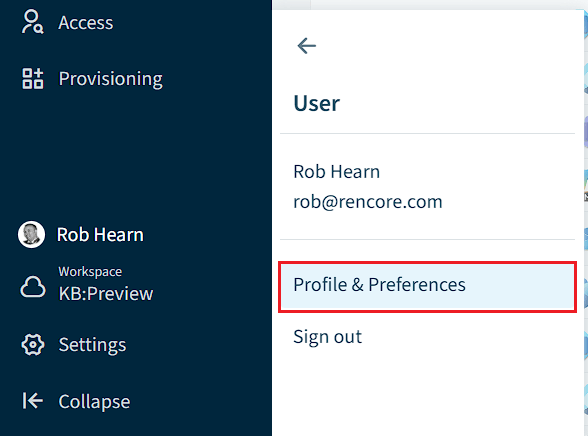
Click on “User Profile”, then click “Profile & Preferences”.
-
Scroll down to the bottom of the “Profile” screen.
-
Under “Date, Time and Number Format”, click the drop-down and select the language (i.e. “German (Germany)”).
-
Scroll back up to the top of the Profile screen and click “Save”.
For more detail on this setting, see Set Default Date, Time, and Number Format.