Guide
Create Segment from a Report
To create a segment from a report, you will need to:
-
Click on “Reports”.
-
Navigate to the report you want to create as a segment.
-
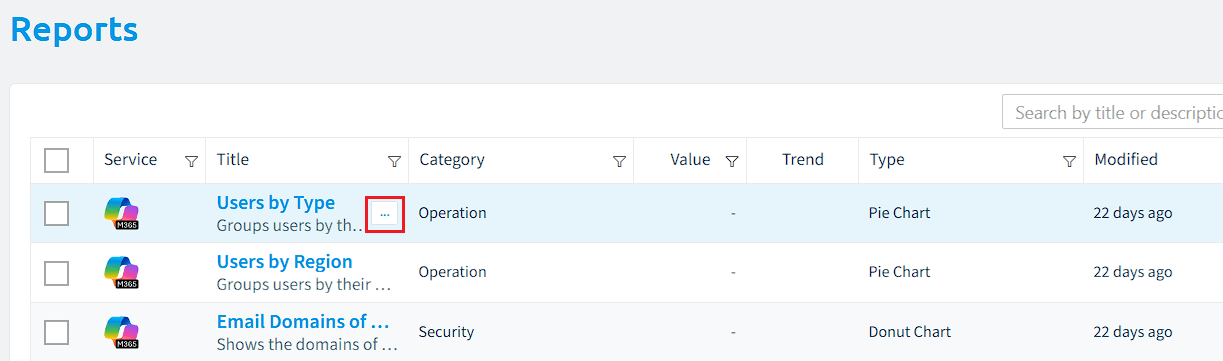
When hovering over the desired check, click on the ellipses menu ([…])to the right of the title.
-
Click “Create segment from report”.
-
This will open the Segment Builder, with the “Logic” and “Details” prefilled.
- On “Logic”, check that the Logic is the desired logic and the same as the report.
- On “Details”, amend the “Title” and “Description” if required.
-
Click “Save”. The segment will be created, and the data will be gathered for the segment.