FAQ
How do I find the number of users licensed for Rencore Governance?
It is possible to see the number of users licensed to Rencore Governance directly in Rencore Governance. This article shows both methods.
It is possible to see the number of users licensed to Rencore Governance directly in Rencore Governance. This article shows both methods.
Rencore Governance
To show the number of users licensed to a Rencore Governance Environment, you will need to:
-
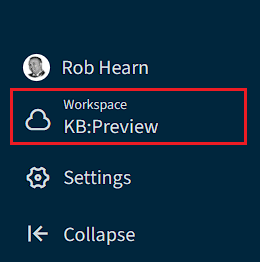
Select the desired Environment via “Workspace & Environment Selector”.
-
Click on “Settings”.
-
Click “Environment Settings”.
-
Click “Subscription”.
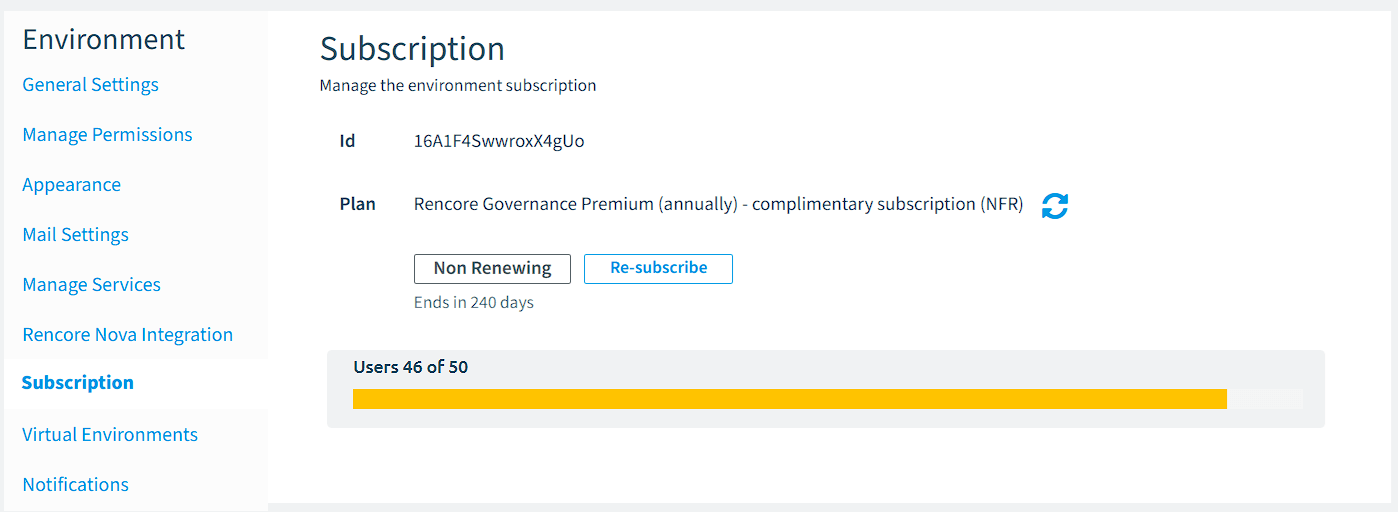
The following details will be displayed:- Subscription ID will be shown.
- The name of the plan is shown.
- Whether the plan is renewing, and the subscription expiration.
- At the bottom of this section, you will see the number of licensed users.