Guide
Approvals
The Approvals page shows requests that need your decision. You may receive approval requests from two sources:
- Provisioning requests - When someone in your organization requests a new workspace that requires approval before creation
- Automation-triggered approvals - When a governance automation in your organization routes a decision to you
Viewing pending approvals
The Active tab lists all approval requests waiting for your action. Each card shows:
- Service type icon
- Request or approval title
- Who submitted the request (with profile picture).
- Other approvers assigned to the same request.
- Due date (shown as relative time, e.g., “Today”, “Tomorrow”, “In 3 days”)
- A “View Details” button
Cards are sorted by urgency - approvals due soonest appear first.
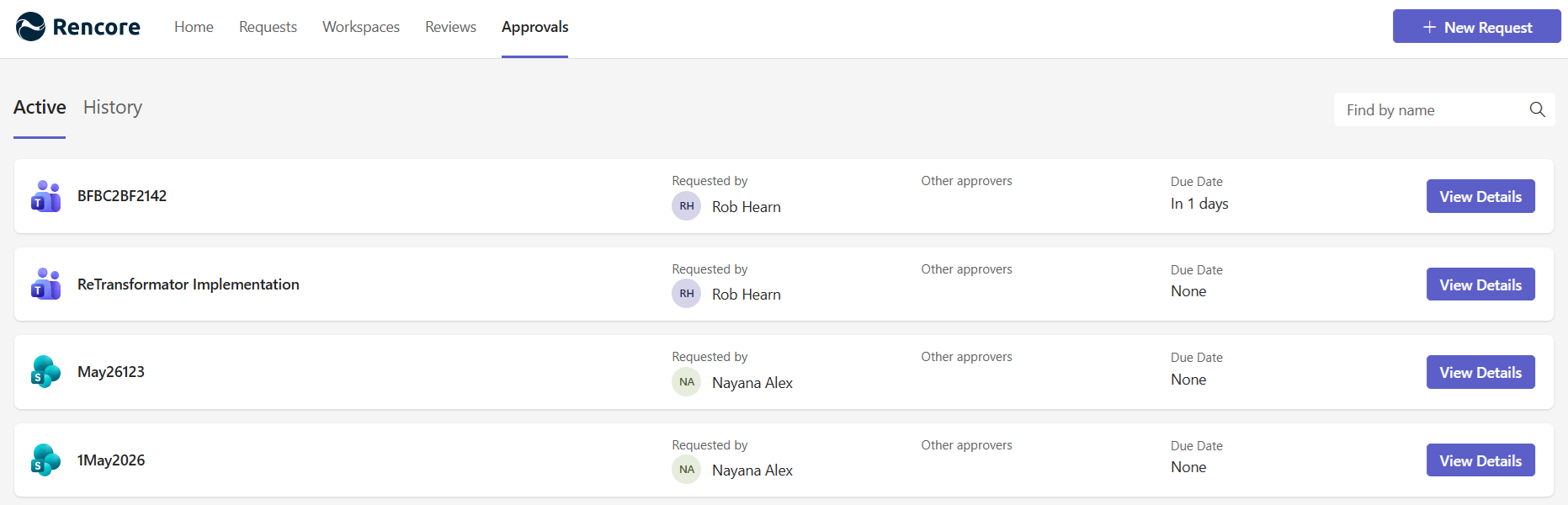
Use the search bar at the top to find a specific approval by name.
When you have no pending approvals, the page shows a confirmation that nothing requires your attention.