Share a dashboard
AI summary
Send Dashboards to colleagues by email, either once or on a recurring schedule. You can optionally include the Dashboard as a PDF attachment and set the delivery frequency, time, and timezone.
Share a DashboardDashboardA dashboard groups reports, policies and KPIs on one page as tiles, so each stakeholder sees the governance data that matters to them.Read more by email, once or on a schedule. Recipients can also get the Dashboard as a PDF file.
Before you begin
- Your Rencore role includes the Share Dashboard permission. Owner, Admin and Contributor have it. See Rencore roles.
Steps
-
Open the Dashboard with the Dashboard selector in the top left of the Dashboard page.
-
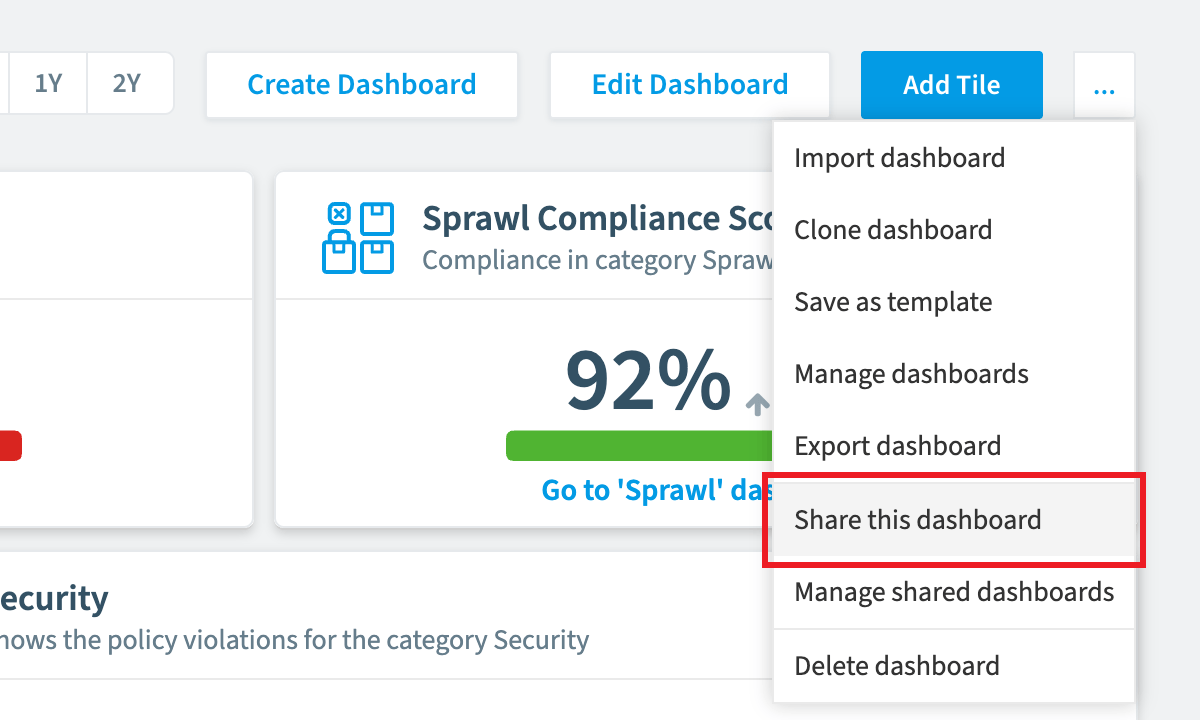
Click the ellipses for the Dashboard settings and choose Share this dashboard.
-
Choose whether the email is sent once or recurs, then follow one of the two paths below.
Send the email once
-
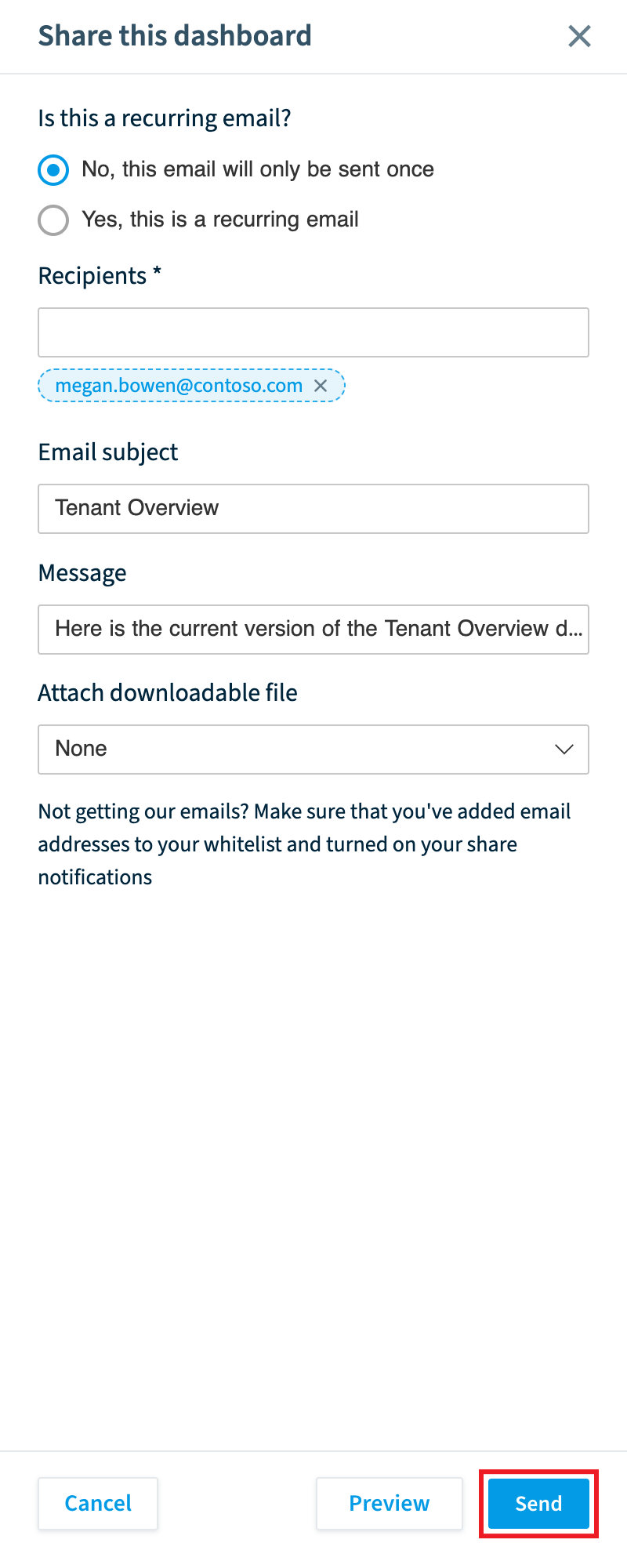
Select “No, this email will only be sent once”.
-
Enter the Recipients: the email addresses you want to share the Dashboard with.
-
Enter the Email subject.
-
Enter the Message.
-
Under Attach downloadable file, choose whether the email includes the Dashboard as a PDF file.
-
Click Send.
Send a recurring email
-
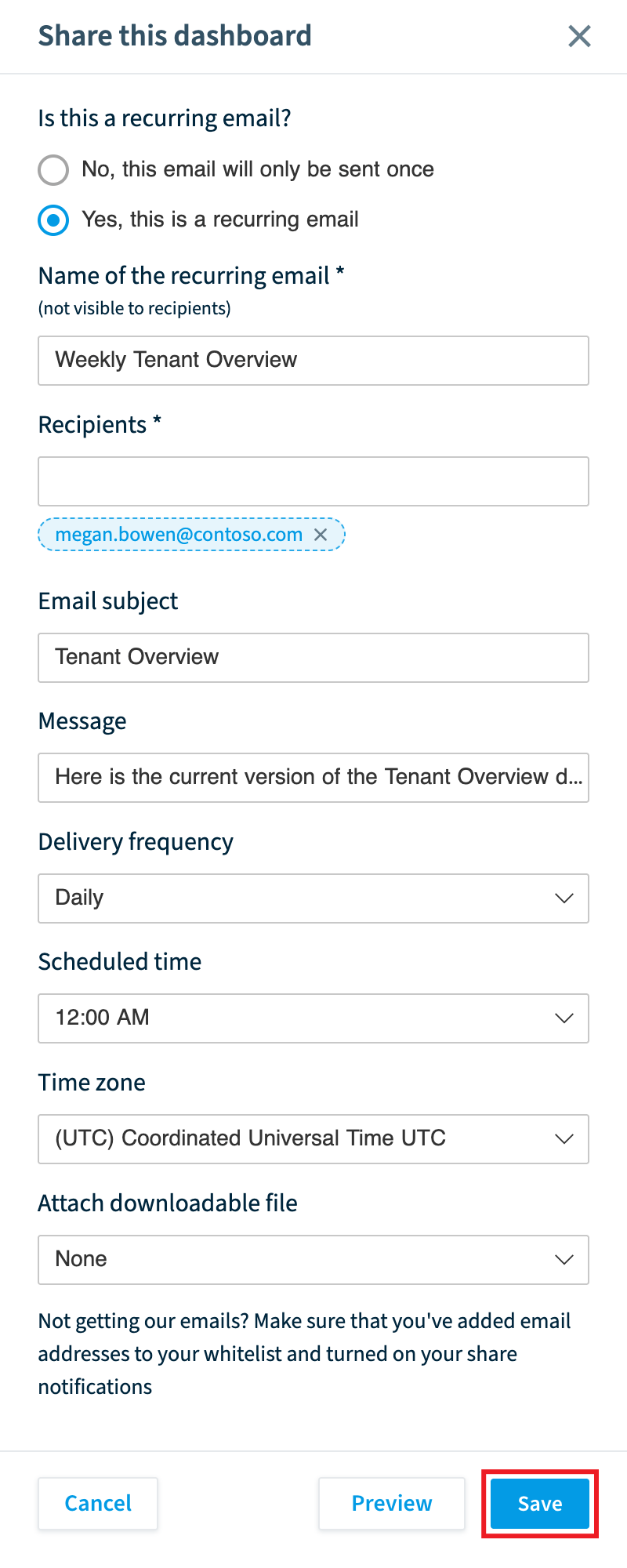
Select “Yes, this is a recurring email”.
-
Enter the Name of the recurring email.
-
Enter the Recipients, the Email subject and the Message.
-
Set the Delivery frequency: Daily, Weekly or Monthly.
-
Set the Scheduled time: the hour of the day the email is sent.
-
Set the Time zone the email is sent in.
-
Under Attach downloadable file, choose whether the email includes the Dashboard as a PDF file.
-
Click Save. The email is sent at the scheduled time.
Frequently asked questions
Which Rencore roles can share a dashboard by email?
Owner, Admin and Contributor can share a Dashboard. Your Rencore role must include the Share Dashboard permission.
Can I send a dashboard by email on a schedule?
Yes. Choose "Yes, this is a recurring email" and set the Delivery frequency to Daily, Weekly or Monthly. You also set the Scheduled time (the hour of the day) and the Time zone, then click Save.
Can recipients get the dashboard as a PDF file?
Yes. Under Attach downloadable file, choose whether the email includes the Dashboard as a PDF file. This option is available for both one-time and recurring emails.
Was this page helpful?
Thanks for the feedback.
Thanks. What was wrong?