Create Explore & Learn links
AI summary
Add up to 5 Explore & Learn links to your Rencore Teams App home page so users find your organization's governance guidance; links can point to SharePoint sites, documents, videos, or external resources. You need the Manage Teams App settings permission, available to Admin and Owner roles.
Add Explore & Learn links to the Rencore Teams AppRencore Teams AppThe Rencore Teams App (formerly Rencore Nova) brings Rencore Governance into Microsoft Teams for the people who own and use workspaces.Read more home page so users find your own guidance. Links can point to external (outside of Rencore) sources, such as an internal SharePoint site with your company governance guidelines, documents or YouTube videos.
Before you begin
- Your Rencore Governance role needs the Manage Teams App settings permission. The Admin and Owner roles have it.
Steps
-
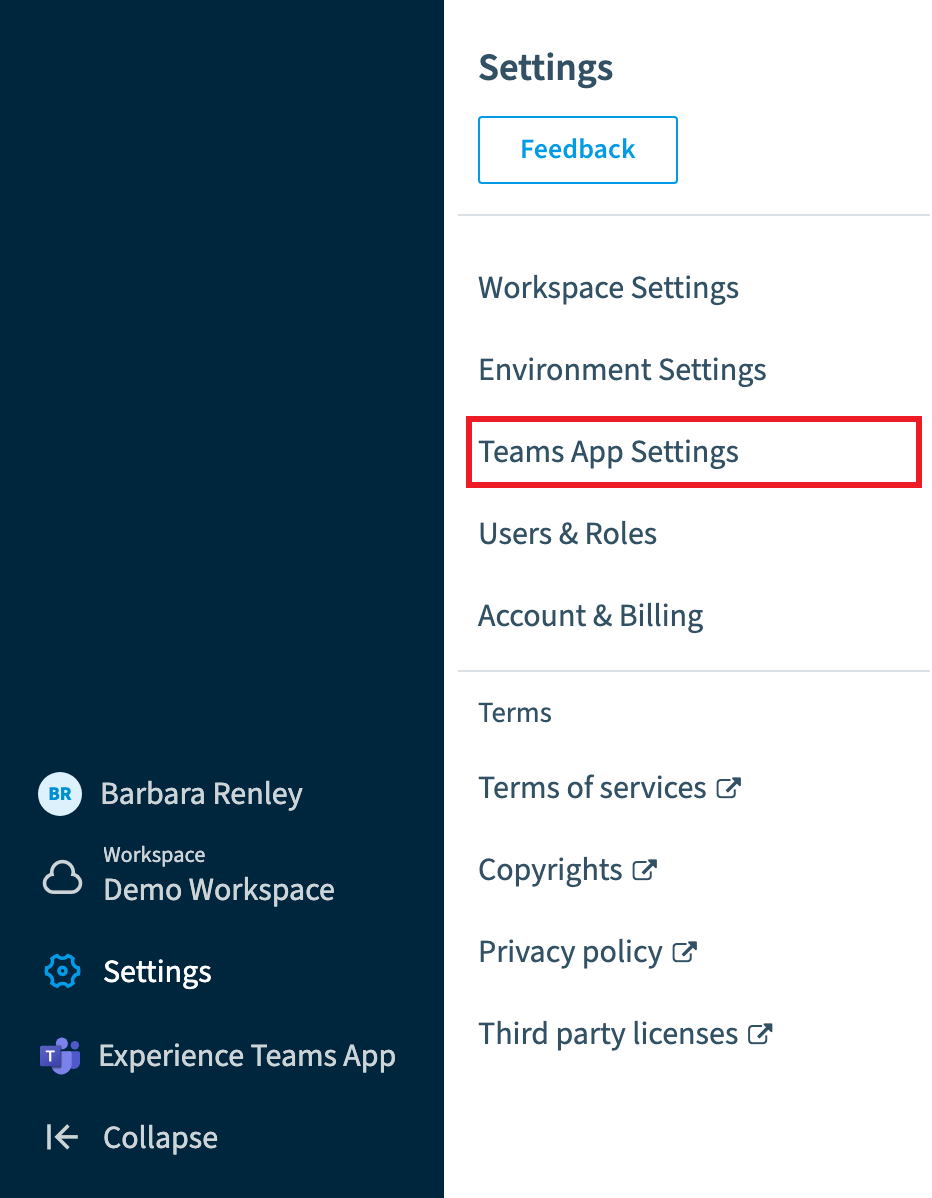
Go to Settings > Teams App Settings > HomePage.
-
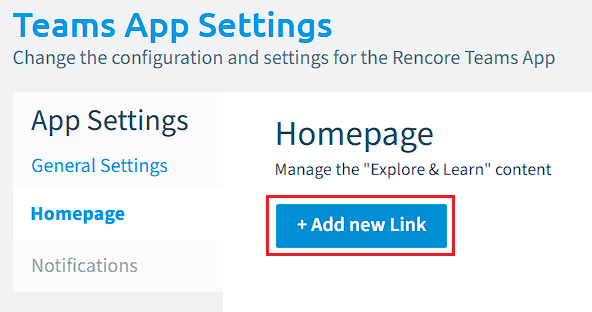
Click + Add new Link.
-
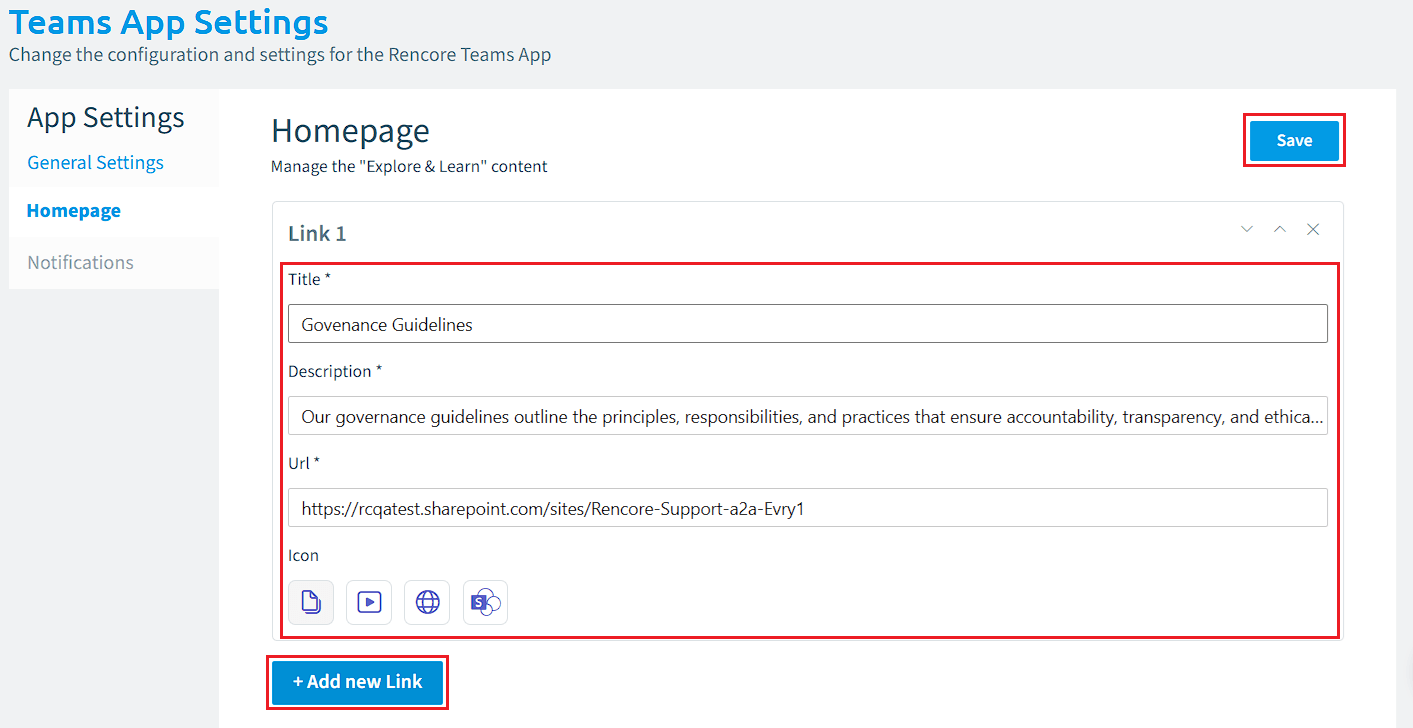
On Link 1, enter a Title, Description and URL, and select an icon for the link.
-
To add more links, click + Add new Link and repeat the step above.
-
Click Save.
Limits
- A maximum of 5 links can be added to the home page of the Rencore Teams App.
Frequently asked questions
How do I add an Explore & Learn link to the Rencore Teams App home page?
Go to Settings > Teams App Settings > HomePage and click + Add new Link. Enter a Title, Description and URL, select an icon, and click Save.
Which permission do I need to create Explore & Learn links?
You need the Manage Teams App settings permission in your Rencore Governance role. The Admin and Owner roles have this permission.
How many Explore & Learn links can I add to the Rencore Teams App home page?
You can add a maximum of 5 links to the home page of the Rencore Teams App. To add more than one, click + Add new Link again for each additional link.
Was this page helpful?
Thanks for the feedback.
Thanks. What was wrong?