Import a segment
AI summary
You can import a segment file from another Workspace or Environment, change its logic and details if needed, and save it to your workspace. You need the Import Segment Schema permission.
Import a segmentSegmentA segment is a saved, rule-based filter over inventory objects, for example every user whose country is the United States.Read more file, for example one exported from another WorkspaceWorkspaceA Workspace is the top-level container in Rencore Governance. It holds the settings, users, roles and connected apps for exactly one Environment, the connected Microsoft 365 tenant.Read more or EnvironmentEnvironmentAn Environment is the connected Microsoft 365 tenant inside a Workspace.Read more. You can change its logic and details before you save it.
Before you begin
- Your Rencore role includes the Import Segment Schema permission. Owner, Admin and Contributor have it. See Rencore roles.
- You have a .segment (.json) file. See Export a segment.
Steps
-
Go to InventoryInventoryThe inventory is the record of every object Rencore Governance scans from your tenant, with their properties and the relations between them.Read more.
-
Hover over the Service and click Go to Inventory, or click Inventory Options ([…]) and select Go to Inventory.
-
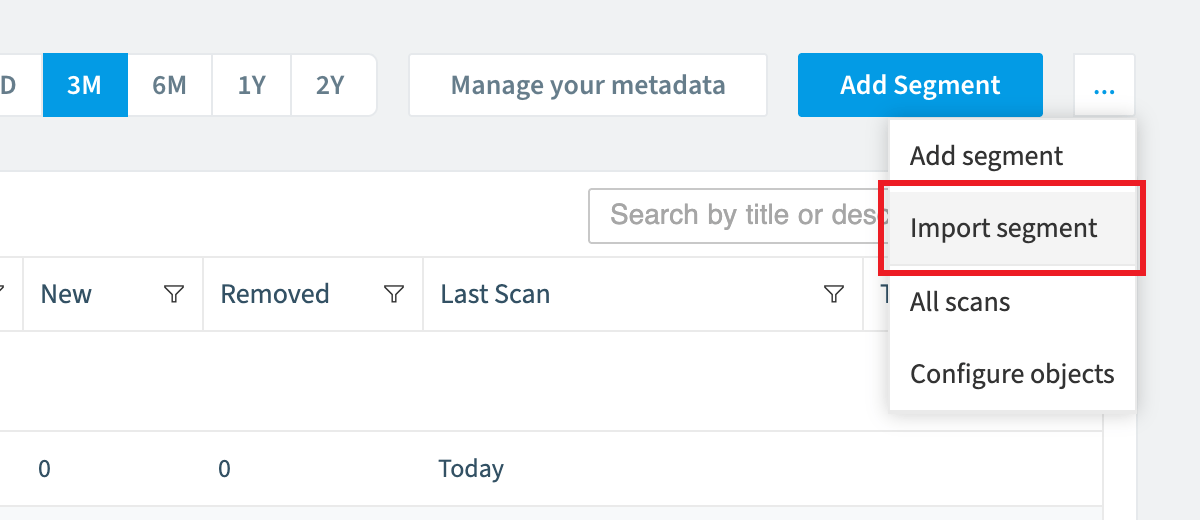
Click the Inventory Action Menu and click Import segment.
-
Click Browse and select the .segment (.json) file you want to import.
-
Click Open.
-
Click Import. The segment opens in the Segment Builder.
-
Change the logic and details if you want to. To import the segment as it is, skip this step.
-
Click Next at the top of the screen.
-
Click Save.
What you see
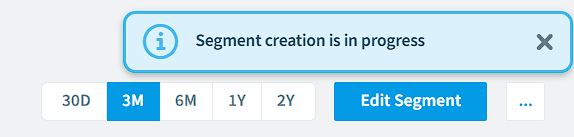
The new segment opens, and Rencore Governance gathers its data.
Frequently asked questions
Which Rencore role permission do I need to import a segment?
You need a Rencore role that includes the Import Segment Schema permission. Owner, Admin and Contributor have it.
Can I change a segment's logic before saving it during import?
Yes. After you click Import, the segment opens in the Segment Builder, where you can change its logic and details. To import the segment as it is, skip that step and click Next, then Save.
What file do I need to import a segment into inventory?
You need a .segment (.json) file, for example one exported from another Workspace or Environment. In the Inventory Action Menu, click Import segment, then click Browse and select the file.
Was this page helpful?
Thanks for the feedback.
Thanks. What was wrong?