Add an automation
AI summary
Create automations to act on policy violations or inventory objects. You can start from a policy or the Automation page to choose a template or build a custom automation.
Add an automation to act on policy violationsViolationA violation is an inventory object that matches the rule of an active policy, such as a Team with no owner.Read more or inventory objectsInventory objectAn inventory object is one item Rencore Governance has scanned from a connector, such as a single Team, SharePoint site collection, user or Power App.Read more. You can start directly from a policy or from the AutomationAutomationAn automation is a workflow Rencore Governance runs on inventory objects when a trigger fires.Read more page.
Before you begin
- Your Rencore role includes the Create Automation permission. Owner, Admin and Contributor have it. See Rencore roles.
Steps
Choose one of the two paths below.
From a policy
-
Click Policies on the Nav Panel.
-
Hover over the service of the policy and click Go to Policies, or click the Policy Menu ([…]) and click All policies.
-
Go to the policy you want to add an automation to.
-
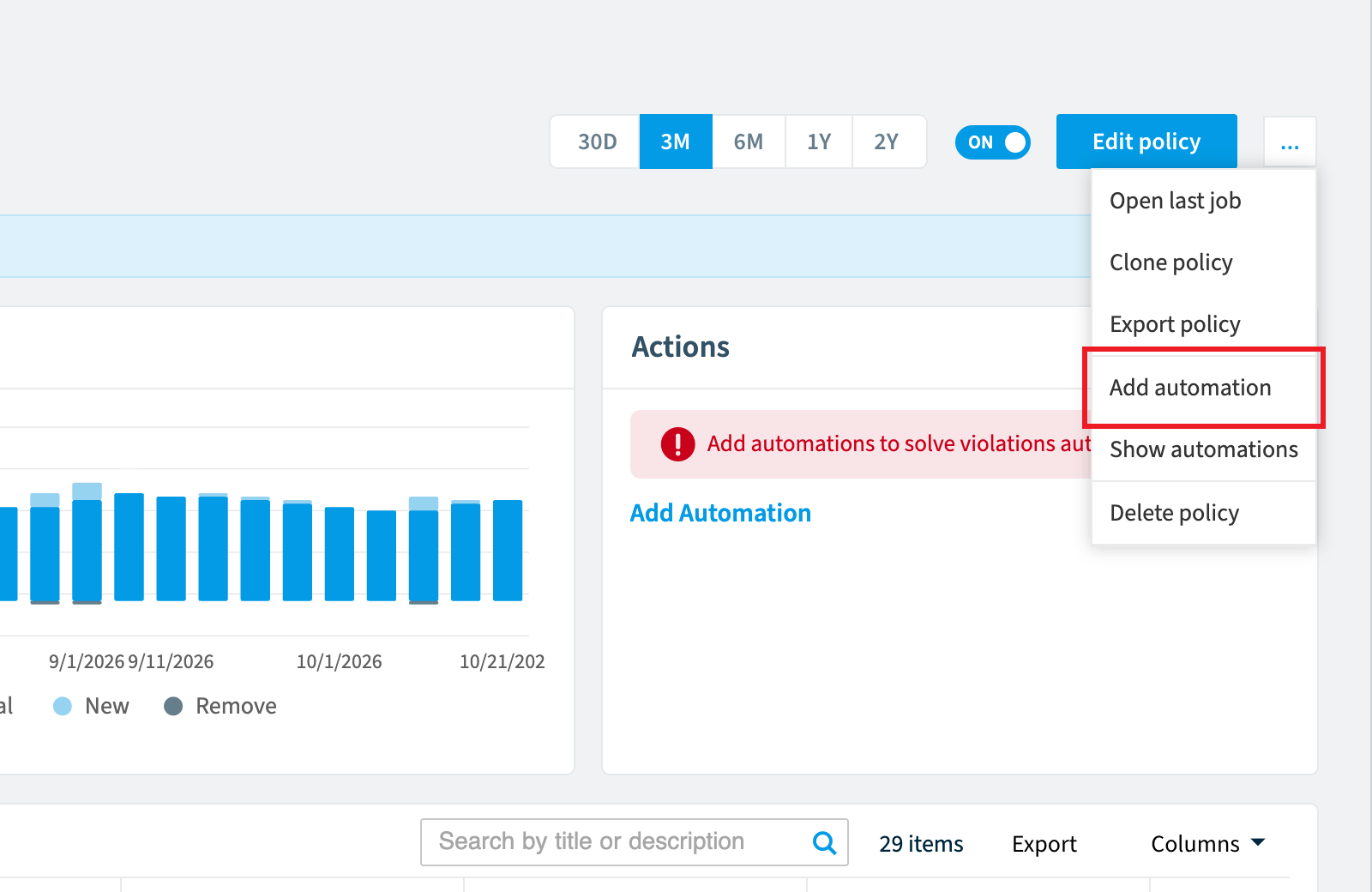
Click the Ellipses menu ([…]).
-
Click Add Automation. The Automation Builder opens with the trigger set to “On policy violation” and the policy set to the one you selected.
From the automation page
-
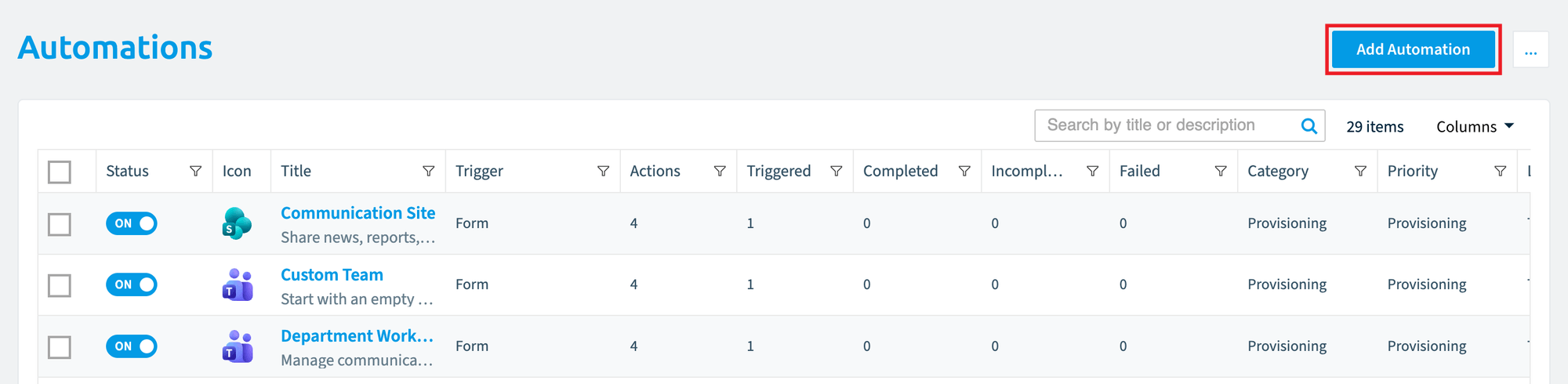
Click Automation on the Nav Panel.
-
Click Add Automation on the right. The Automation Template Library opens.
-
Pick a library template or create a custom automation.
Frequently asked questions
Which permission do I need to add an automation in Rencore Governance?
You need a Rencore role that includes the Create Automation permission. The Owner, Admin and Contributor roles have it.
How do I add an automation directly from a policy?
Click Policies on the Nav Panel, go to the policy you want, click the Ellipses menu ([…]), and click Add Automation. The Automation Builder opens with the trigger set to "On policy violation" and the policy already set to the one you selected.
What happens when I click add automation on the automation page?
The Automation Template Library opens. You can then pick a library template or create a custom automation.
Was this page helpful?
Thanks for the feedback.
Thanks. What was wrong?