Share a report
AI summary
Send reports by email to Rencore users and external recipients, either once or on a recurring schedule. You can customize the email subject and message, optionally attach a PDF, and for recurring shares, set the delivery frequency and time zone.
Share a report by email, once or on a schedule. You can send it to people who have access to Rencore Governance and to people who do not.
Before you begin
- Your Rencore role includes the Share Report permission. Owner, Admin and Contributor have it. See Rencore roles.
Steps
-
Click Reports.
-
Find the report you want to share.
-
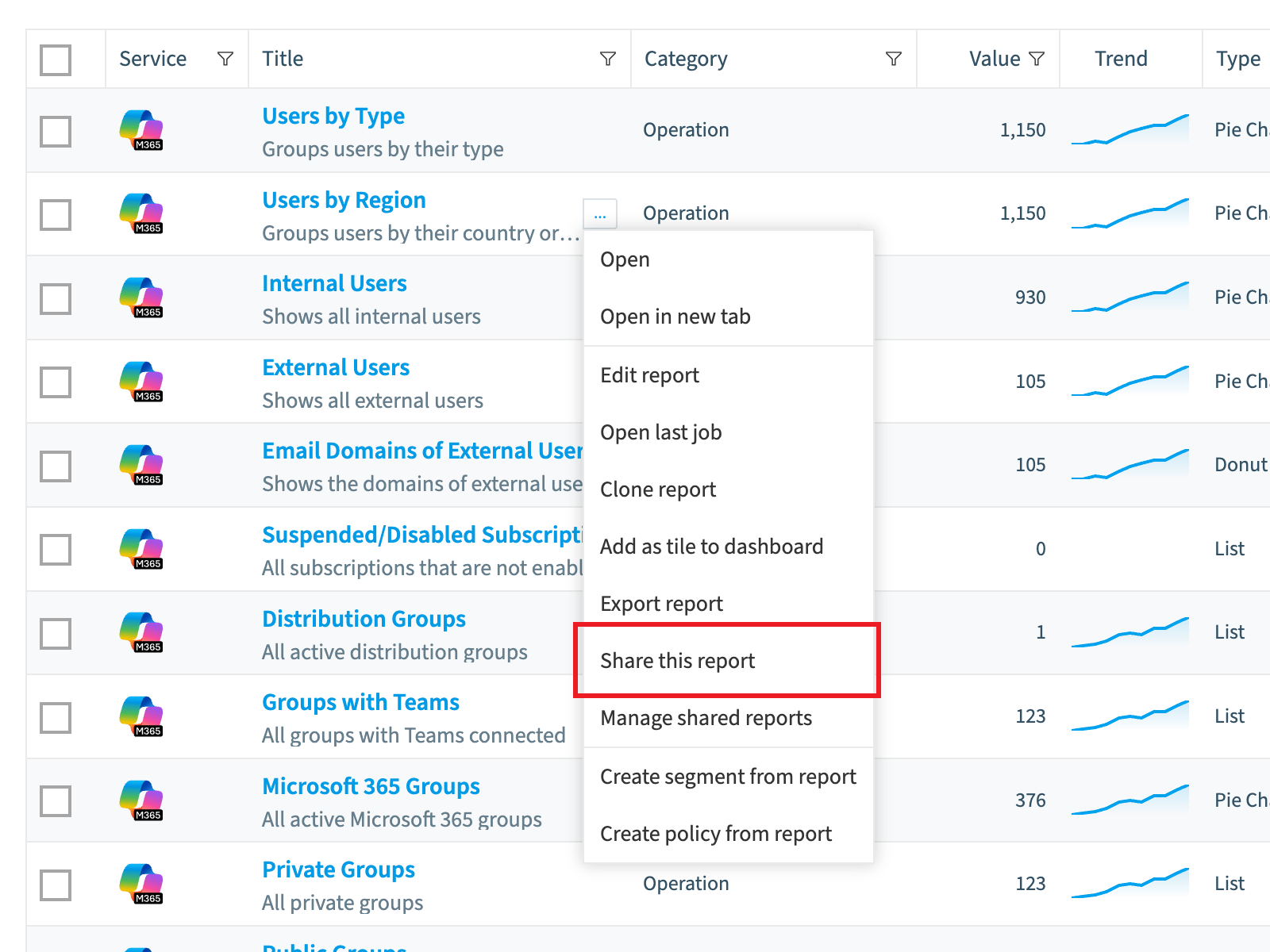
Click the action menu ([…]) to the right of its title.
-
Select Share this report. A dialog opens.
-
Choose whether the email is sent once or recurs, then follow one of the two paths below.
Send the email once
-
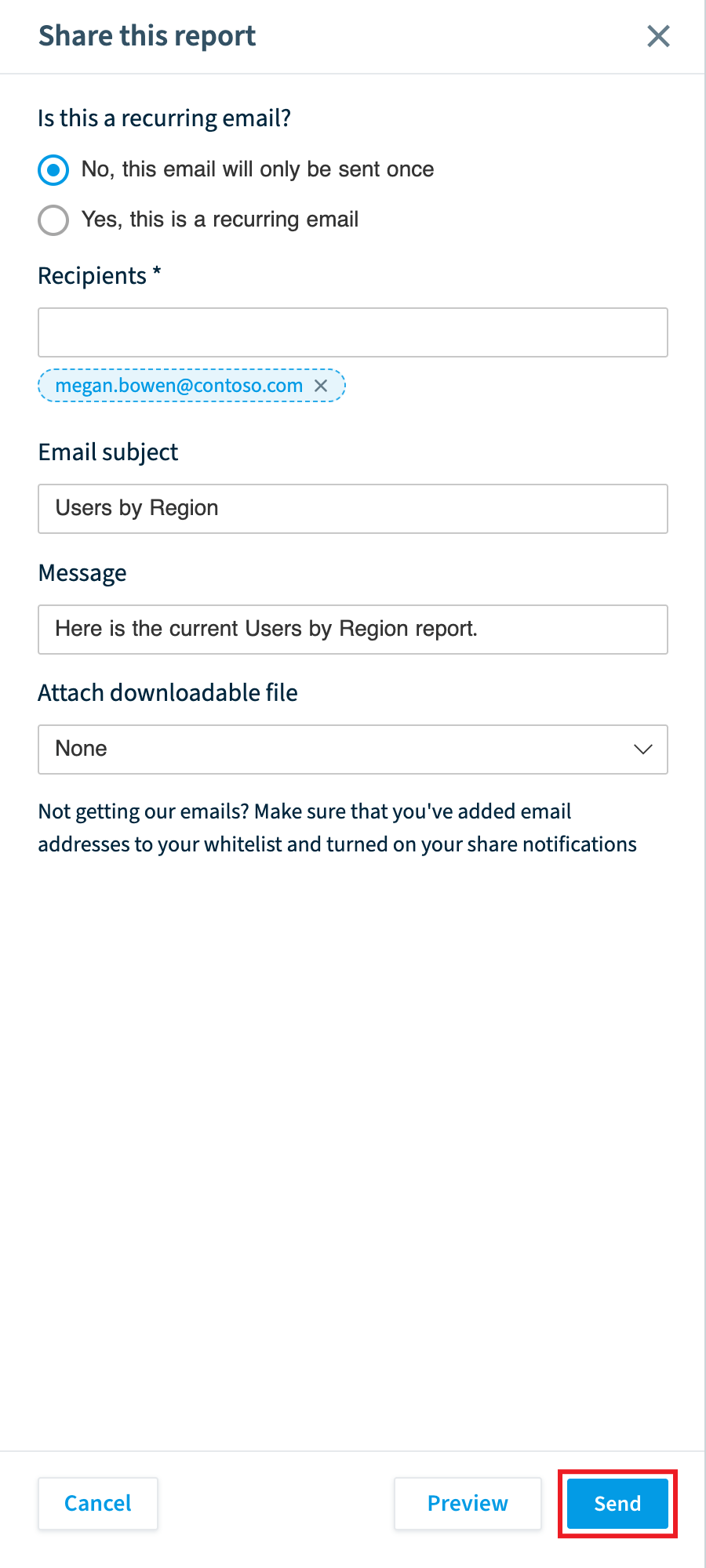
Select No, this email will only be sent once.
-
Enter the email addresses of the recipients.
-
In Email subject, enter a subject for the email.
-
In Message, enter a message for the email.
-
In Attach downloadable file, select PDF to include a PDF version of the report, or leave it as None.
-
Click Send.
Send a recurring email
-
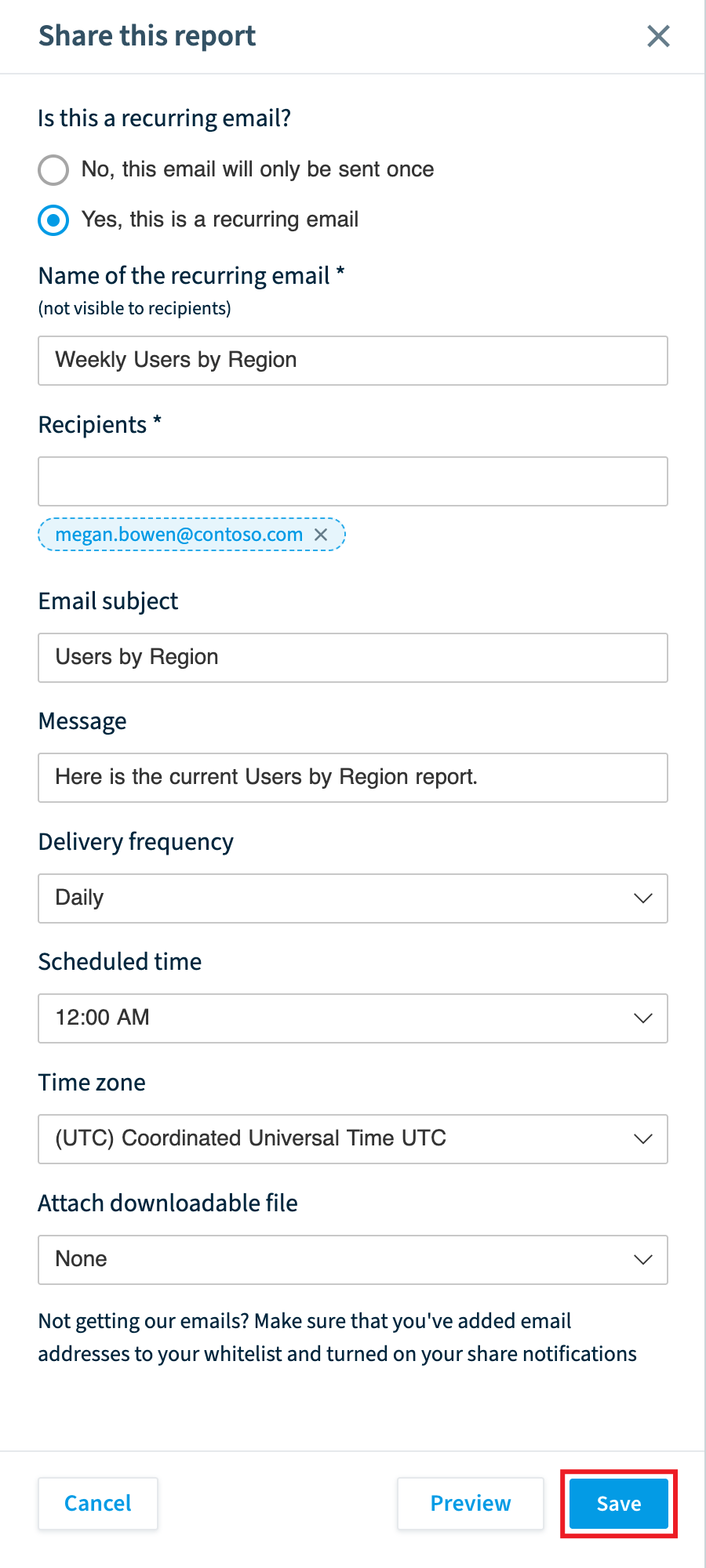
Select Yes, this is a recurring email.
-
In Name of the recurring email, enter a name for the recurring share.
-
Enter the recipients, the Email subject and the Message.
-
In Attach downloadable file, select PDF or leave it as None.
-
In Delivery Frequency, select Daily, Weekly or Monthly.
-
In Scheduled time, select a time from 12:00 am to 11:00 pm.
-
In Time Zone, select a UTC time zone (e.g. (UTC+00:00) United Kingdom Time Europe/London).
-
Click Save.
Frequently asked questions
Which Rencore roles can share a report by email?
Owner, Admin and Contributor can share a report. Your Rencore role must include the Share Report permission.
Can I send a report to people who do not have access to Rencore Governance?
Yes. You can share a report by email with people who have access to Rencore Governance and with people who do not.
How do I set up a report email that is sent on a schedule?
Click the action menu next to the report, select Share this report, and choose Yes, this is a recurring email. Name the recurring email, enter recipients, subject and message, then select Daily, Weekly or Monthly, a scheduled time and a UTC time zone. Click Save.
Was this page helpful?
Thanks for the feedback.
Thanks. What was wrong?