 Create a suggested Teams channel
AI summary
Create a predefined Teams channel that Provisioning Templates can suggest when users request a new Team. You configure the channel's display name, description, and default apps; this requires the Edit Provisioning permission.
Add a predefined Teams channelChannelA channel is a section inside a Microsoft Teams team where members hold conversations and share files on one topic.Read more that Provisioning TemplatesProvisioning templateA provisioning template defines how a new Microsoft 365 workspace is created through Rencore Governance.Read more can suggest when someone requests a new Team.
Before you begin
- Your Rencore role includes the Edit Provisioning permission. Owner, Admin and Contributor have it. See Rencore roles.
- Provisioning is part of the Premium and Enterprise PlansPlanA Plan is the edition of Rencore Governance in your Subscription: Professional, Premium or Enterprise.Read more.
Steps
-
Click Provisioning on the Navbar.
-
Click Manage Provisioning Template.
-
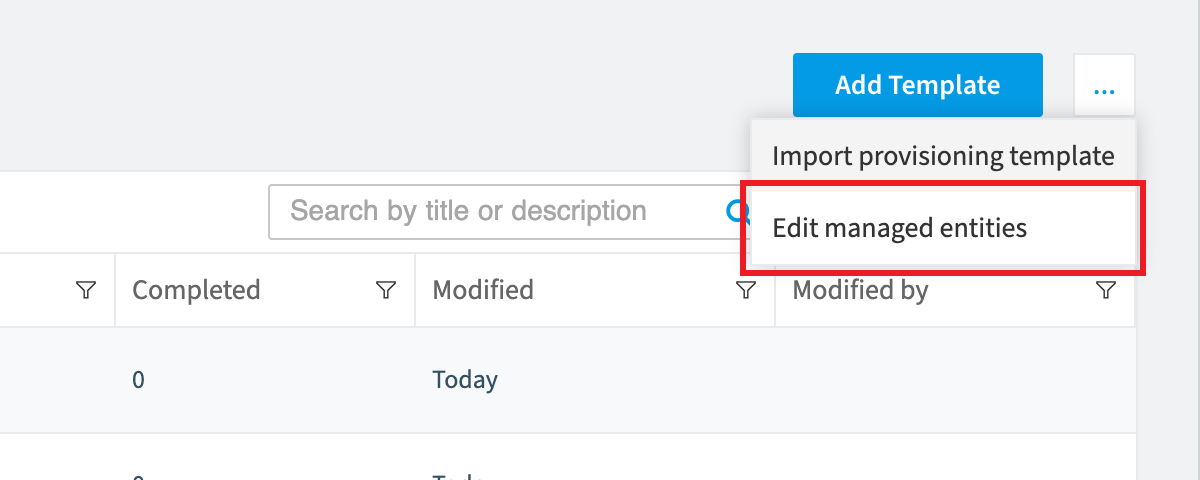
Click the Ellipses menu and choose Edit managed entities.
-
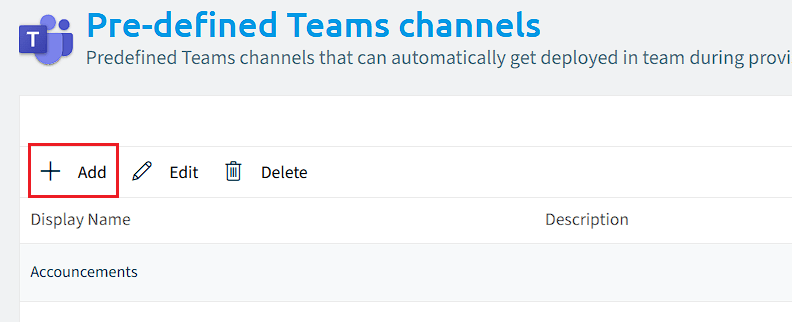
Click Pre-defined Teams Channel.
-
Click +Add.
-
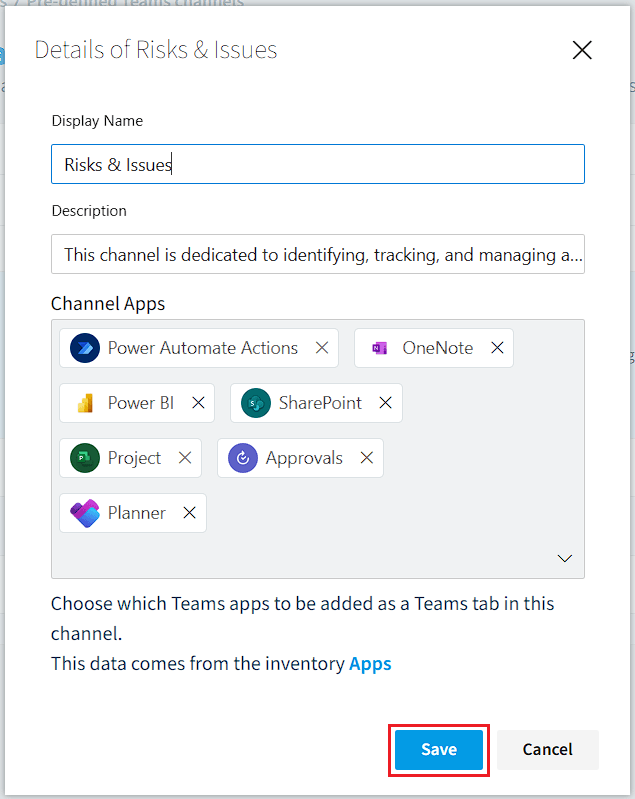
Enter the Display Name of the Teams channel.
-
Enter the Description of the Teams channel.
-
In Channel Apps, click the box and type the name of an app the channel gets by default. Repeat this for every app.
-
Click Save.
Frequently asked questions
Which permission do I need to create a suggested Teams channel?
Which permission do I need to create a suggested Teams channel?You need a Rencore role that includes the Edit Provisioning permission. Owner, Admin and Contributor have it.
How do I add a predefined Teams channel to a provisioning template?
How do I add a predefined Teams channel to a provisioning template?Click Provisioning on the Navbar, then Manage Provisioning Template. Click the Ellipses menu, choose Edit managed entities, click Pre-defined Teams Channel, and click +Add. Enter the Display Name and Description, then click Save.
Can I give a suggested Teams channel apps by default?
Can I give a suggested Teams channel apps by default?Yes. In Channel Apps, click the box and type the name of an app the channel gets by default. Repeat this for every app, then click Save.
Was this page helpful?
Thanks for the feedback.
Thanks. What was wrong?