Import a report
AI summary
Import a report file from another Workspace or Environment if you have the Import Report Schema permission, available to Owners, Admins, and Contributors.
Import a report file, for example one exported from another WorkspaceWorkspaceA Workspace is the top-level container in Rencore Governance. It holds the settings, users, roles and connected apps for exactly one Environment, the connected Microsoft 365 tenant.Read more or EnvironmentEnvironmentAn Environment is the connected Microsoft 365 tenant inside a Workspace.Read more.
Before you begin
- Your Rencore role includes the Import Report Schema permission. Owner, Admin and Contributor have it. See Rencore roles.
- You have a .report (.json) file. See Export a report.
Steps
-
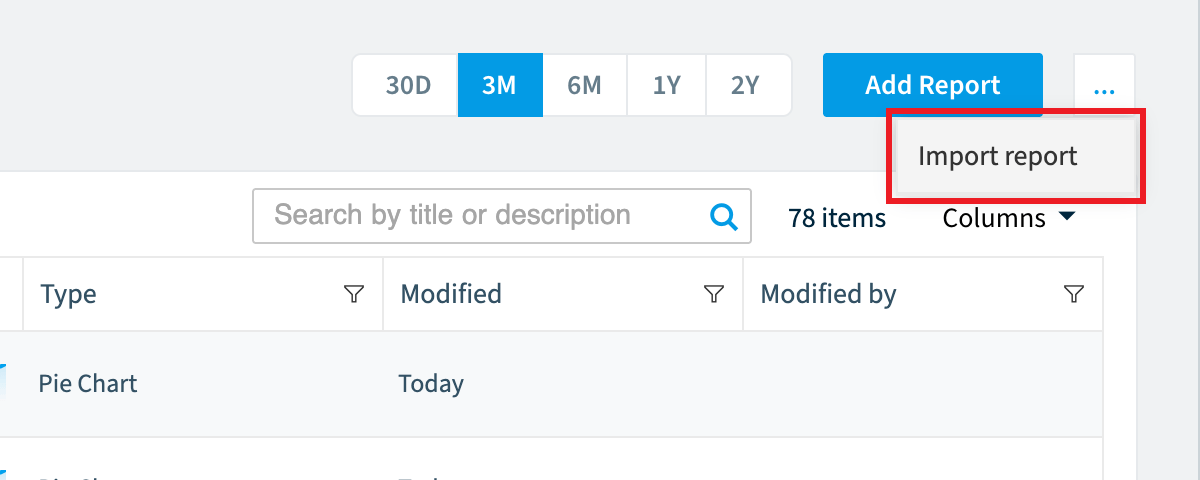
Go to Reports > Reports Action Menu > Import report.
-
Click Browse.
-
Select the .report (.json) file you want to import.
-
Click Open. The report is imported.
Frequently asked questions
How do I import a report into Rencore Governance?
Go to Reports > Reports Action Menu > Import report. Click Browse, select the .report (.json) file, and click Open. The report is then imported.
Which Rencore roles can import a report?
Owner, Admin and Contributor can import a report. Your role must include the Import Report Schema permission.
Can I import a report that was exported from another Workspace or Environment?
Yes. You can import a report file exported from another Workspace or Environment. You need the .report (.json) file from the export.
Was this page helpful?
Thanks for the feedback.
Thanks. What was wrong?