Delete a report
AI summary
You can delete a report you no longer need by selecting it from the Reports list and using the action menu. Deletion is permanent and cannot be undone, so export the report first if you are unsure.
Delete a report you no longer need. Deleting a report is permanent and cannot be undone.
Before you begin
- Your Rencore role includes the Delete Report permission. Owner, Admin and Contributor have it. See Rencore roles.
- If you are unsure whether you still need the report, export it first. You can then import it again if needed.
Steps
-
Click Reports.
-
Find the report you want to delete.
-
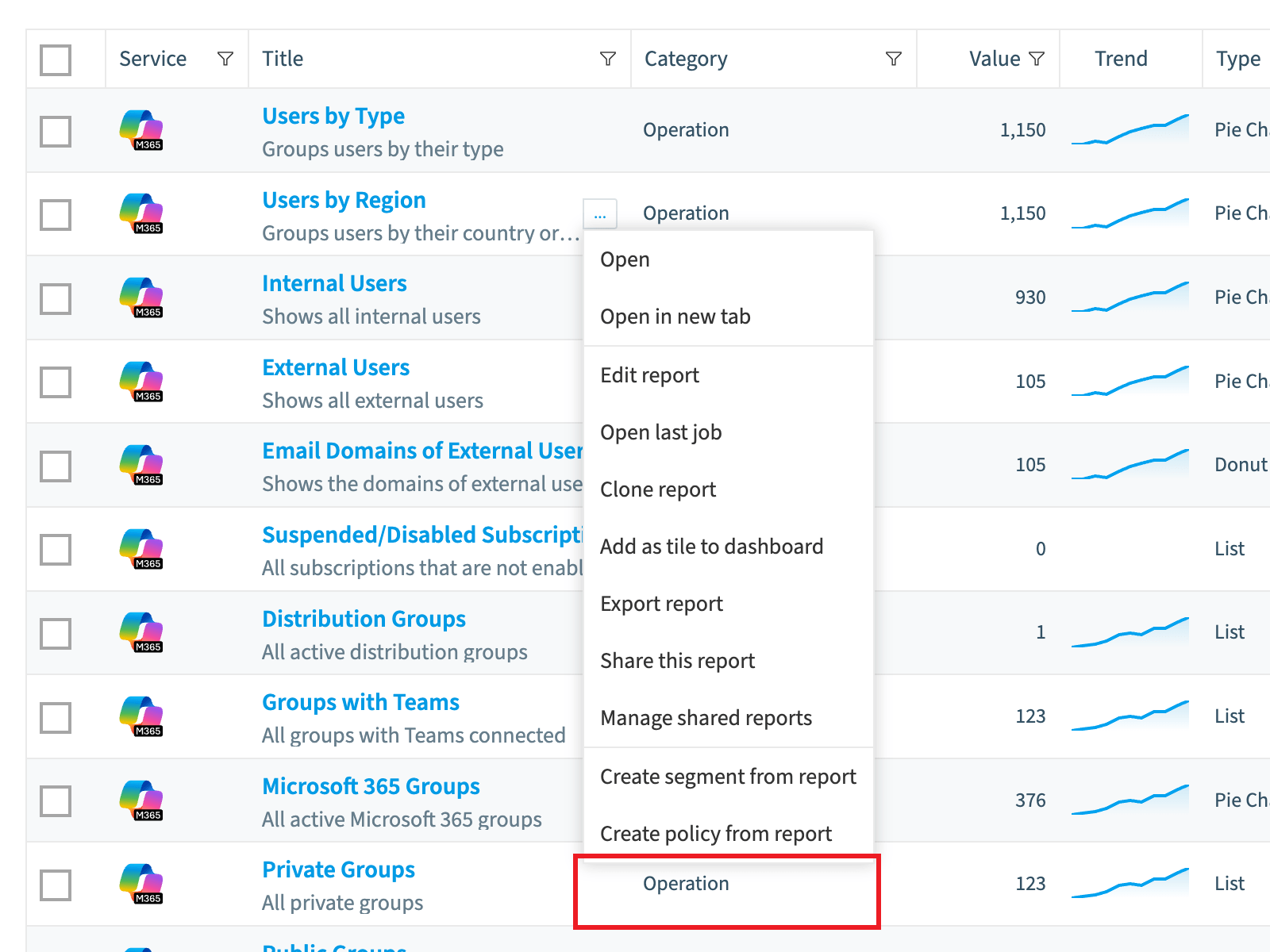
Hover over the report and click the action menu to the right of its title.
-
Select Delete report. A dialog asks “Are you sure you want to delete the report “<report name>”?”.
-
Click OK.
Frequently asked questions
Can I undo the deletion of a report in Rencore Governance?
No. Deleting a report is permanent and cannot be undone. If you are unsure whether you still need the report, export it first, so you can import it again later if needed.
Which roles are allowed to delete a report?
Your Rencore role must include the Delete Report permission. Owner, Admin and Contributor have this permission.
How do I delete a report I no longer need?
Click Reports and find the report. Hover over it, click the action menu to the right of its title, and select Delete report. Then click OK in the confirmation dialog.
Was this page helpful?
Thanks for the feedback.
Thanks. What was wrong?