View audit logs
AI summary
The Audit Log shows who performed what actions in your workspace and when, such as creating checks, adding users, or updating dashboards. Access it from Settings > Workspace Settings > Auditing if you have Owner role or a custom role with View Audit Log permission.
The Audit LogAudit logThe audit log records the actions performed in a Rencore Governance Workspace, with who did it and when.Read more feature for workspaces shows actions performed in Rencore Governance. Use it to see who did what and when, for example who created or deleted a check, added a user or updated a dashboard.
Before you begin
- Only the Owner role and custom rolesCustom roleA custom role is a role you build yourself in Rencore Governance when no built-in role fits.Read more with the WorkspaceWorkspaceA Workspace is the top-level container in Rencore Governance. It holds the settings, users, roles and connected apps for exactly one Environment, the connected Microsoft 365 tenant.Read more: View Audit Log permission can open the Audit Log. See Rencore roles.
- Audit Logs are retained for 1 year on the Premium PlanPlanA Plan is the edition of Rencore Governance in your Subscription: Professional, Premium or Enterprise.Read more and without a time limit on the Enterprise Plan.
Steps
-
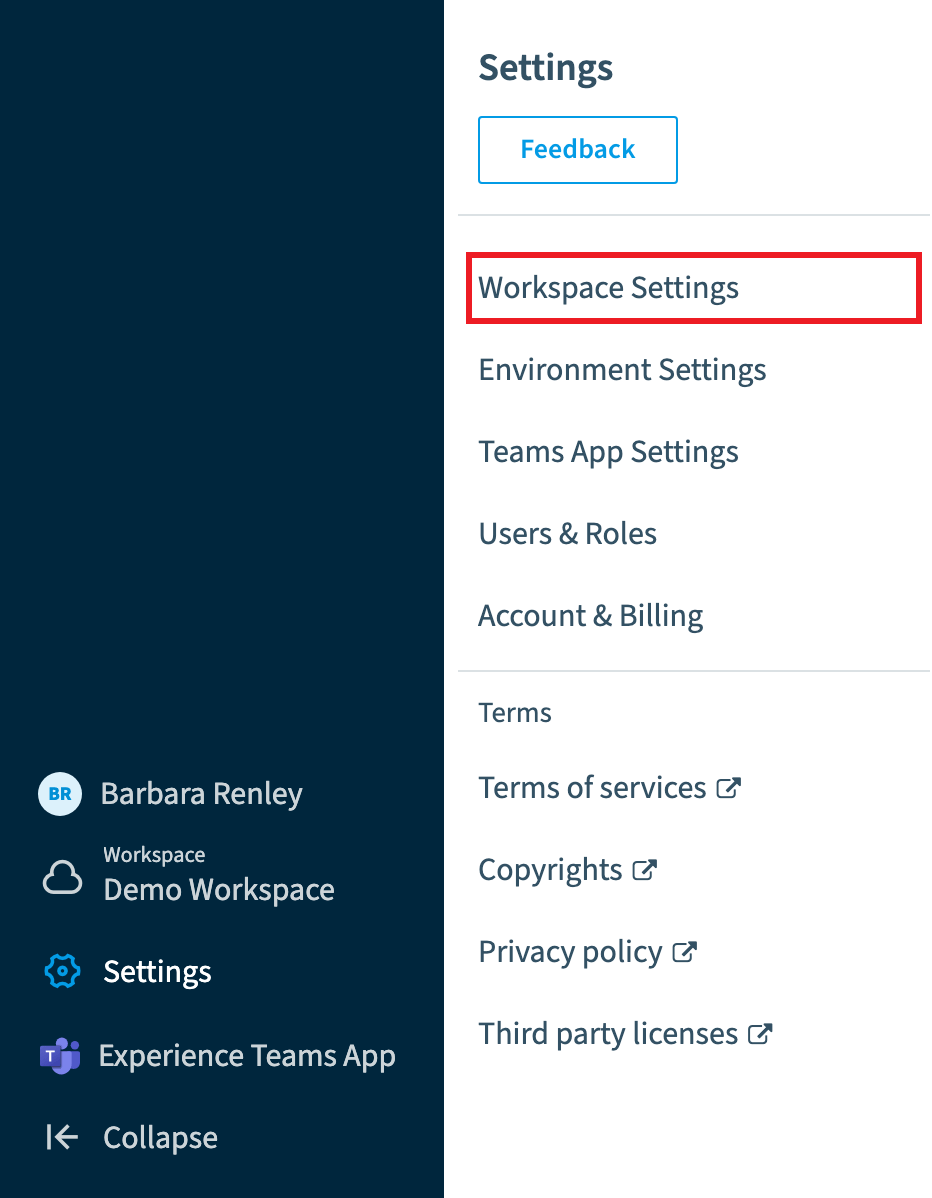
Go to Settings > Workspace Settings.
-
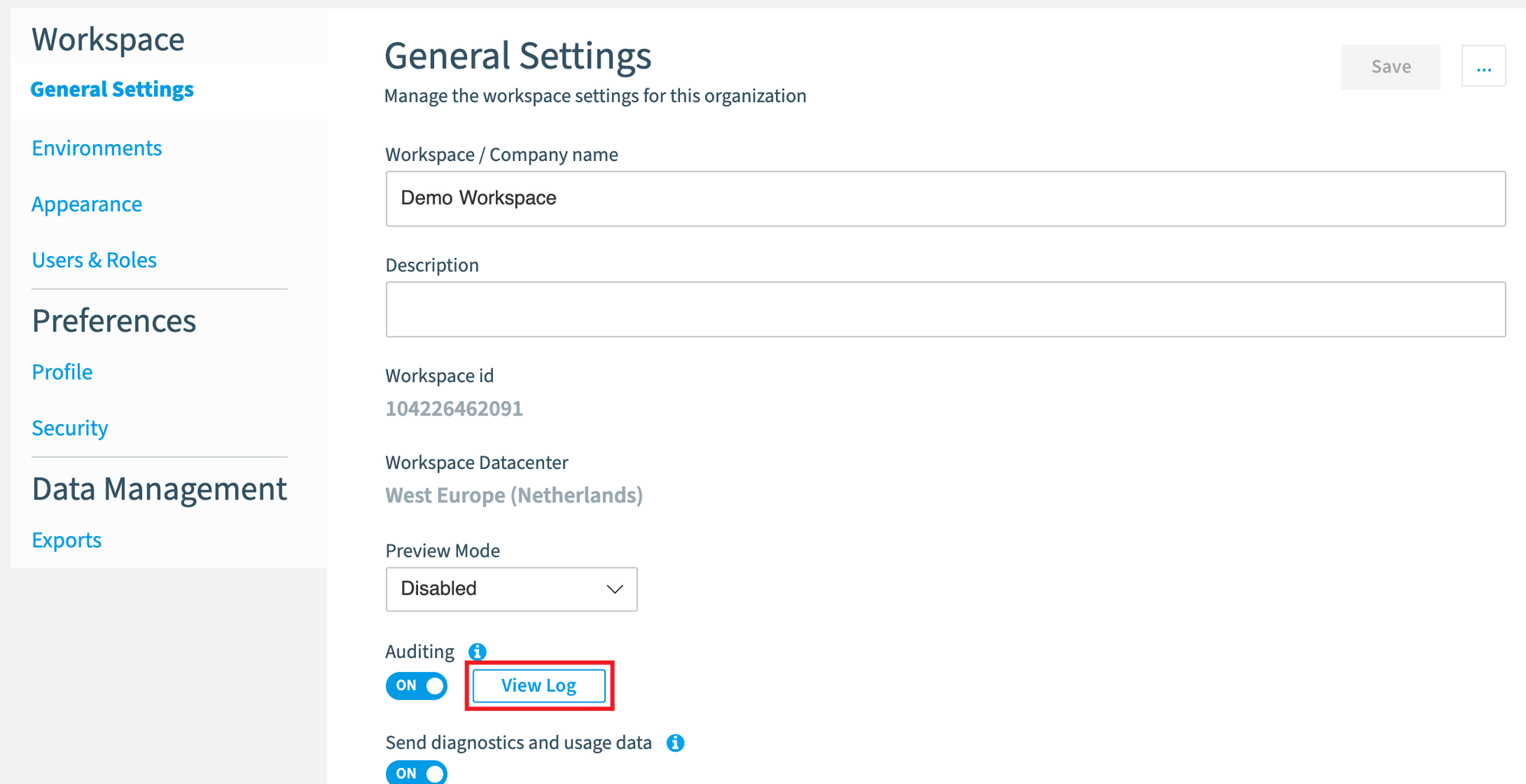
Under General Settings, scroll down to Auditing and click View Log.
What you see
The Audit Log opens as a DataGrid. As with all DataGrids, you can export the Audit Log.
Frequently asked questions
Who can open the audit log in Rencore Governance?
Only the Owner role and custom roles with the Workspace: View Audit Log permission can open the Audit Log.
How do I open the audit log for my Workspace?
Go to Settings > Workspace Settings. Under General Settings, scroll down to Auditing and click View Log.
How long are audit logs kept, and can I export them?
Audit Logs are retained for 1 year on the Premium Plan and without a time limit on the Enterprise Plan. The Audit Log opens as a DataGrid, and as with all DataGrids, you can export it.
Was this page helpful?
Thanks for the feedback.
Thanks. What was wrong?