Stop a review cycle
AI summary
Stop an active review cycle when you need to cancel it before its due date. This action cannot be undone: pending and in-progress reviews are canceled, while completed reviews keep their decisions.
Stop an active review cycleReviewA Review is a recurring or one-off check in which workspace owners confirm who has access to their Microsoft 365 workspaces, directly in the Rencore Teams App.Read more when you need to cancel it before its due date. Stopping a cycle cannot be undone.
Before you begin
- Your Rencore role includes the Review permissions to manage a review schedule. Owner, Admin and Contributor have them. See Rencore roles.
- Reviews are part of the Premium and Enterprise PlansPlanA Plan is the edition of Rencore Governance in your Subscription: Professional, Premium or Enterprise.Read more.
Steps
-
Click Reviews in the navigation.
-
Click the review schedule.
-
Open the cycle detail page.
-
Select Stop Review Cycle from the ellipsis menu.

-
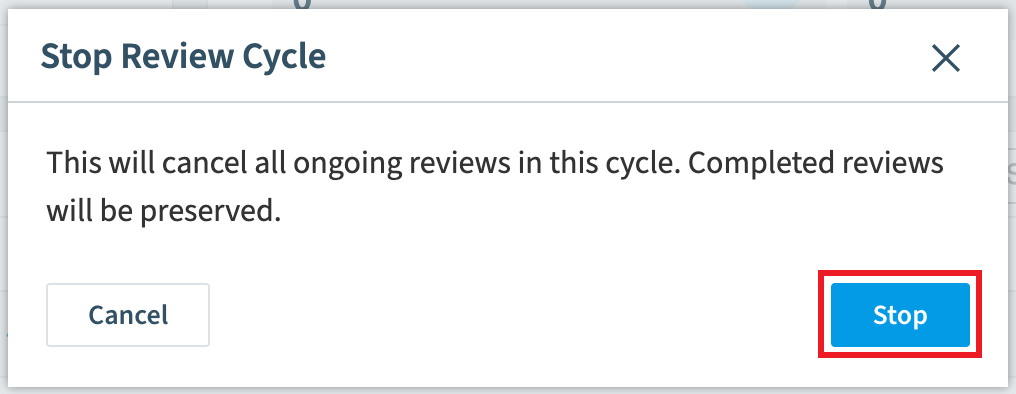
Read the impact in the confirmation dialog, then click Stop.
What you see
- Pending and in-progress object reviews are canceled.
- Completed and expired reviews keep their decisions. Completed reviews and their changes are not affected.
- For manually triggered reviews, the review schedule is also disabled automatically.
Frequently asked questions
Can I undo stopping a review cycle?
No. Stopping a review cycle cannot be undone. Read the impact in the confirmation dialog before you click Stop.
How do I stop an active review cycle before its due date?
Click Reviews in the navigation, click the review schedule, and open the cycle detail page. Then select Stop Review Cycle from the ellipsis menu, read the confirmation dialog, and click Stop.
What happens to existing reviews when I stop a review cycle?
Pending and in-progress object reviews are canceled. Completed and expired reviews keep their decisions, and completed reviews and their changes are not affected. For manually triggered reviews, the review schedule is also disabled automatically.
Was this page helpful?
Thanks for the feedback.
Thanks. What was wrong?