Create a policy from a report
AI summary
Turn a report into a policy so its validation logic applies continuously and automatically flags violations on every scan.
Turn a reportReportA report is a saved query over the inventory that Rencore Governance shows as a chart, list, table or KPI, for example unused SharePoint site collections larger than 1 GB.Read more into a policy, so the same logic flags violations on every scan. The Policy BuilderPolicyA policy is a governance rule that Rencore Governance checks against your inventory, for example Teams without owners.Read more opens with the report’s logic and details filled in.
Before you begin
- Your Rencore role includes the Create Policy permission. Owner, Admin and Contributor have it. See Rencore roles.
- The report you want to use exists. See Create a custom report.
Steps
-
Click Reports.
-
Find the report you want to turn into a policy.
-
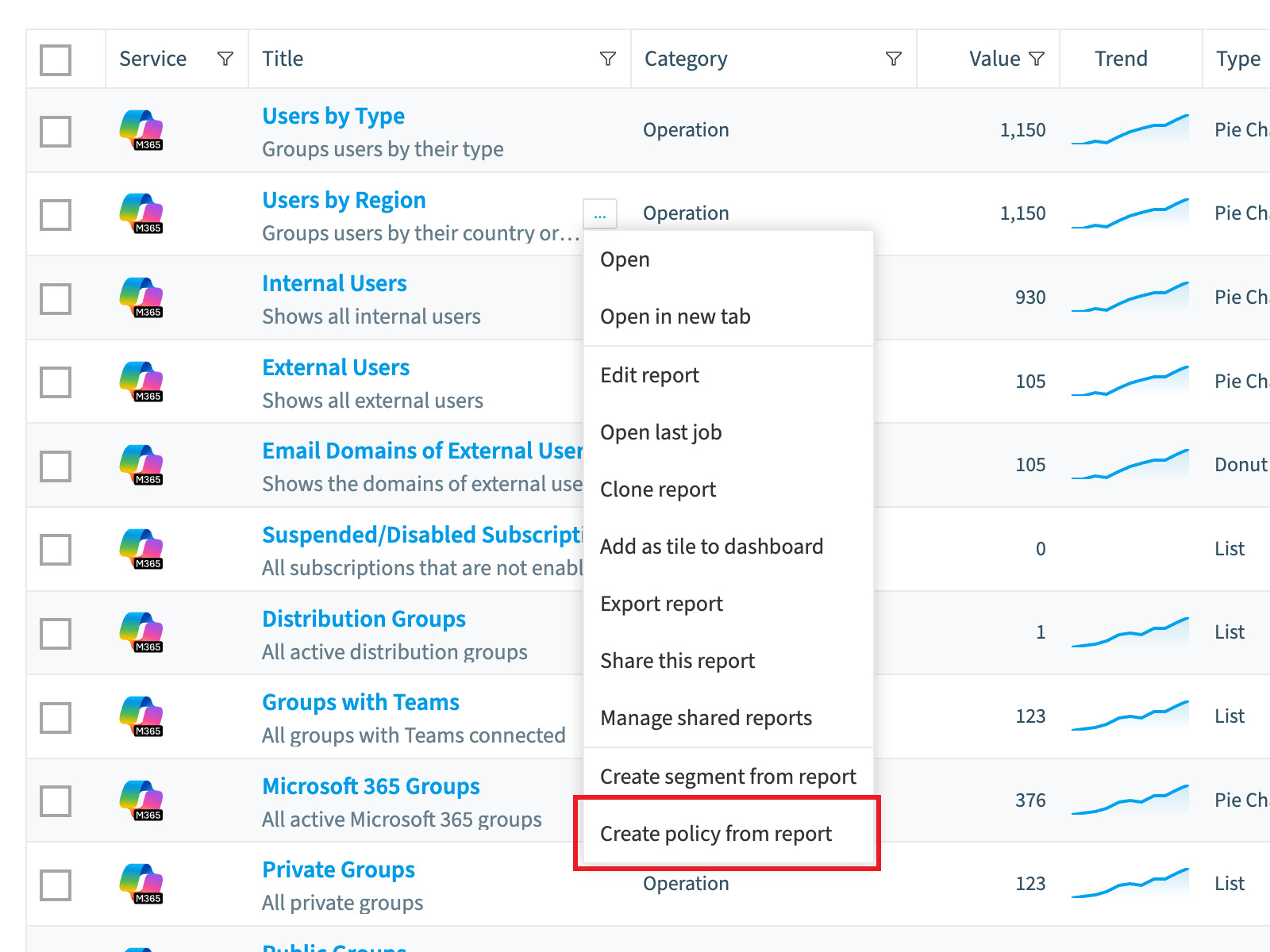
Hover over the report and click the ellipses menu ([…]) to the right of the title.
-
Click Create policy from report. The Policy Builder opens with the Logic and Details filled in.
-
On Logic, check that the logic is the one you want and the same as the report.
-
On Details, change the Title and Description if you need to.
-
Click Save.
What you see
Rencore Governance creates the policy and gathers the data for it.
Frequently asked questions
Which Rencore roles can create a policy from a report?
Owner, Admin and Contributor can create a policy from a report. Your Rencore role needs the Create Policy permission, and these three roles have it.
How do I turn an existing report into a policy?
Click Reports, hover over the report, click the ellipses menu to the right of the title, and click Create policy from report. The Policy Builder opens with the Logic and Details filled in. Check them, then click Save.
Can I change the title and description when I create a policy from a report?
Yes. On the Details step in the Policy Builder, you can change the Title and Description if you need to. On the Logic step, check that the logic is the one you want and matches the report.
Was this page helpful?
Thanks for the feedback.
Thanks. What was wrong?