 Connect an Azure Marketplace Subscription
AI summary
Subscribe to Rencore Governance through the Azure Marketplace, then connect the Subscription to a Workspace to use the product. The process involves purchasing your plan in the Azure Portal, setting up billing, and linking the Subscription to either an existing Workspace or creating a new one.
Subscribe to the Rencore Governance Azure Marketplace App and connect the Subscription to a Rencore Governance Workspace. You need this when you buy Rencore Governance through the Azure Marketplace.
Before you begin
- You need a Microsoft Work account that can buy apps in the Azure Marketplace, and an Azure Subscription and Resource Group to bill it to. No Rencore role is needed to subscribe.
- To assign the Subscription to an existing WorkspaceWorkspaceA Workspace is the top-level container in Rencore Governance. It holds the settings, users, roles and connected apps for exactly one Environment, the connected Microsoft 365 tenant.Read more (for example after a trial), sign in with an account that has access to that Workspace.
Steps
-
In search, enter “Rencore Governance”.
-
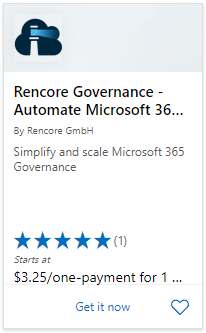
Click on Rencore Governance - Automate Microsoft 365Microsoft 365Microsoft 365 is the Microsoft cloud suite of Teams, SharePoint, OneDrive, Exchange and the Office apps.Read more governance. Here you see an overview of the tool, the plans and recent reviews.
-
Click Get Now.
-
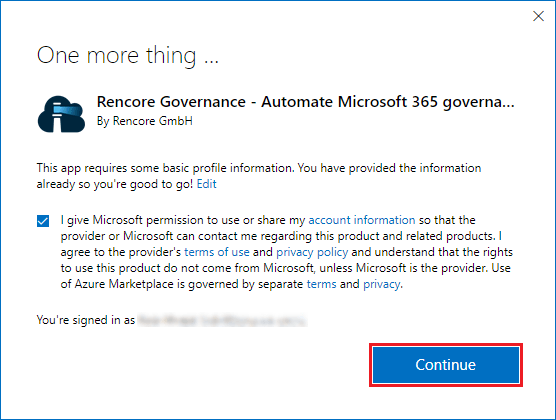
Give consent to share some basic profile information and click Continue.
-
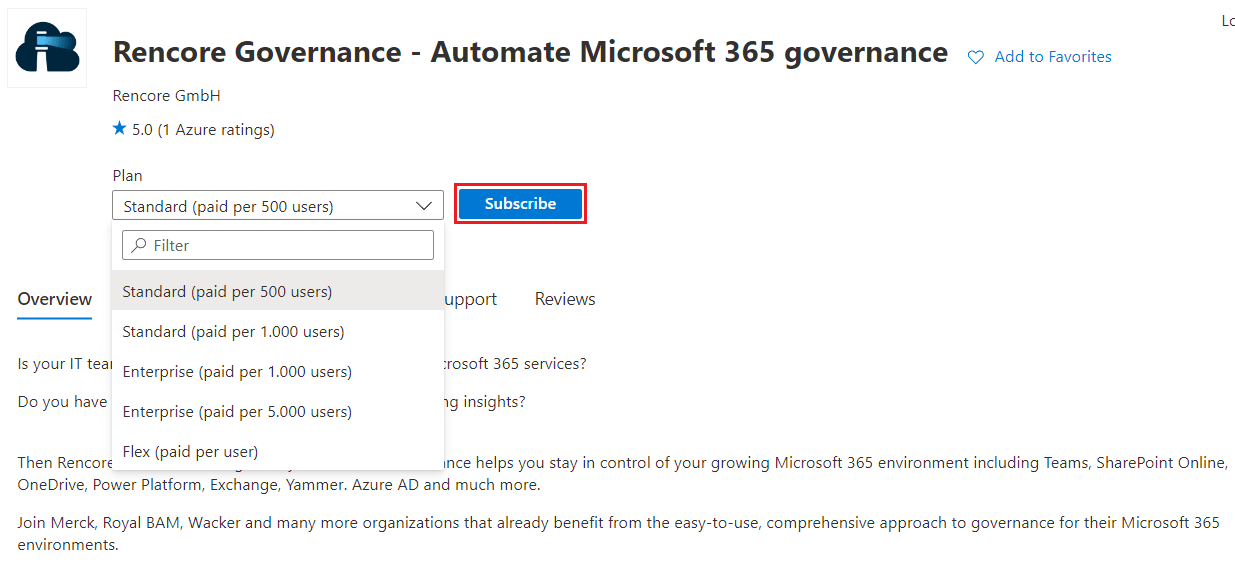
You are redirected to the Azure Portal, where you see the offering of the tool. Select the desired Plan (for a trial select Flex).
-
Click Subscribe.
-
Under Project Details, select the desired Subscription.
-
Select the desired Resource Group in the selected Subscription.
-
Enter a name for the SaaS details (e.g. Customer_A_RencoreGovernance_AP_1).
-
Check that you have selected the correct Plan. If not, click Change Plan to choose another.
-
Set Recurring billing to On for a continued Subscription.
-
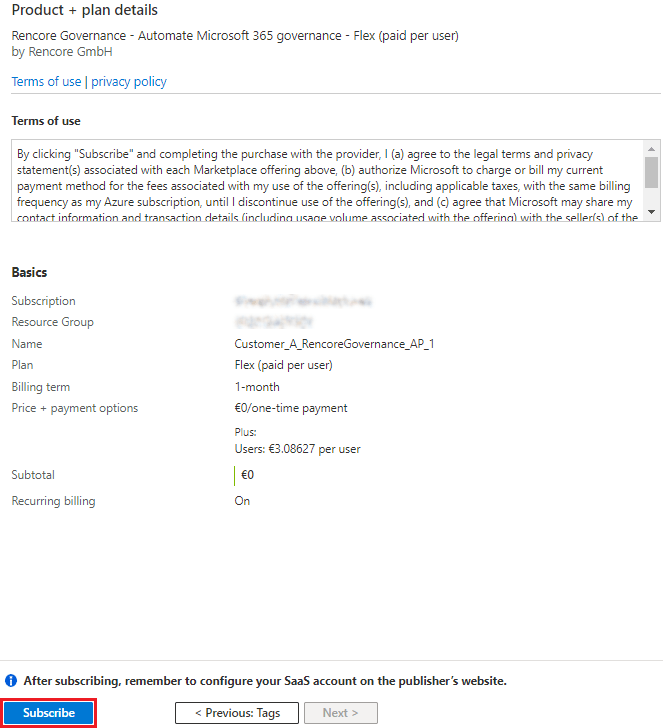
Click Review + subscribe at the bottom of the page. You get a summary of the details and the Plan selected.
-
Click Subscribe.
-
On the Subscription Progress page, wait until the Subscription is provisioned and click Configure account now. Rencore Governance now checks all data centersData centerThe data center is the Microsoft Azure region where Rencore Governance stores all data of a Workspace.Read more for a Rencore SubscriptionSubscriptionYour Subscription is your purchase of Rencore Governance. It is connected to one Workspace and its Environment, and it sets your Plan and the number of users you can govern.Read more connected to the Azure Subscription.
-
When the Subscription confirmation appears, click Continue to sign in with the specified account, or sign in with another Microsoft Work account.
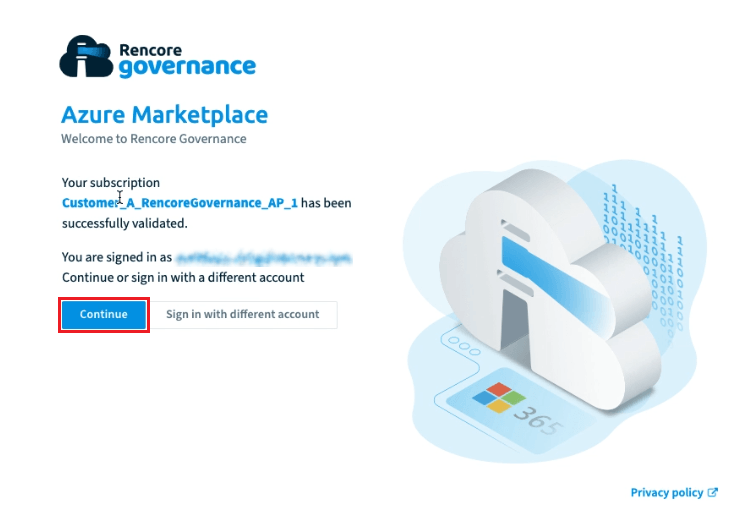
-
On the next screen, select an existing Rencore Governance Workspace (if a trial has been used) and click Assign Subscription, or click Create new workspace.
What you see
The Subscription is connected to the Workspace you chose or created. To set up a new Workspace, see the Quick start.
Frequently asked questions
What do I need before I subscribe to Rencore Governance in the Azure Marketplace?
What do I need before I subscribe to Rencore Governance in the Azure Marketplace?You need a Microsoft Work account that can buy apps in the Azure Marketplace, plus an Azure Subscription and a Resource Group to bill it to. No Rencore role is needed to subscribe.
Can I assign an Azure Marketplace Subscription to an existing Rencore Governance Workspace?
Can I assign an Azure Marketplace Subscription to an existing Rencore Governance Workspace?Yes. On the Workspace selection screen, choose the existing Workspace (for example one used for a trial) and click Assign Subscription. Sign in with an account that has access to that Workspace.
How do I keep the Azure Marketplace Subscription going after the first period?
How do I keep the Azure Marketplace Subscription going after the first period?Set Recurring billing to On on the subscription page before you click Review + subscribe. This is the setting for a continued Subscription.
What do I do after the Subscription is provisioned in the Azure portal?
What do I do after the Subscription is provisioned in the Azure portal?On the Subscription Progress page, click Configure account now. Rencore Governance checks all data centers for a connected Subscription. When the confirmation appears, click Continue and sign in with a Microsoft Work account.
Can I create a new Workspace when I connect the Azure Marketplace Subscription?
Can I create a new Workspace when I connect the Azure Marketplace Subscription?Yes. On the Workspace screen, click Create new workspace instead of selecting an existing one. The Subscription is then connected to the new Workspace.
Was this page helpful?
Thanks for the feedback.
Thanks. What was wrong?