Automation
AI summary
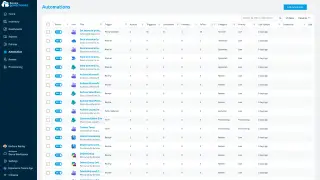
Automations perform actions like emailing owners, posting to Teams, or archiving, triggered manually, on schedule, or by policy violations. Start from templates, build your own, and track results on the Automation Batch Page.
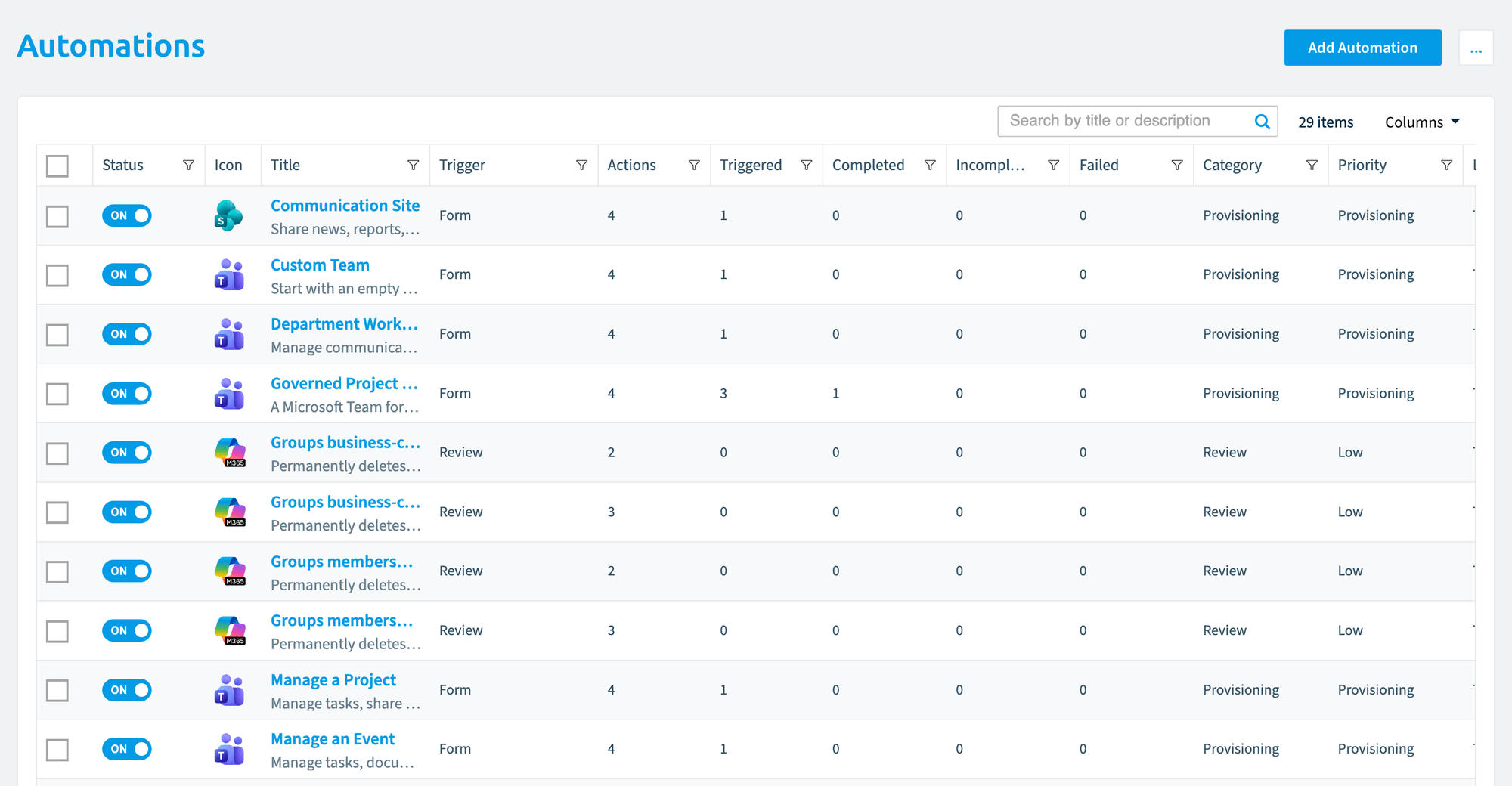
AutomationsAutomationAn automation is a workflow Rencore Governance runs on inventory objects when a trigger fires.Read more act on what Rencore Governance finds, so you do not have to work through every item by hand. An automation starts manually, on a schedule or when a policy finds a violation, and then runs its steps, called actionsAutomation actionAn automation action is a single operation an automation step performs, such as sending an email or archiving a Team.Read more, such as emailing the owner, posting to TeamsMicrosoft TeamsMicrosoft Teams is the Microsoft 365 app for chat, meetings and team collaboration.Read more, archiving a team or calling a webhook. Start from a template or build your own, and use the Automation Batch PageAutomation batchAn automation batch is the group of automation runs that started from the same trigger at the same time.Read more to see what each run did.
Start with
- Add an automation The two ways to add an automation: from a policy or from the Automation page.
- Create an automation from a template Start an automation from the template library and adjust its steps.
- Choose a trigger for an automation The three ways an automation can start: manually, on a schedule or on a policy violation.
- View automation batches See every run of an automation in one grouped view.
All guides in automation
How automations start 2 guides
The triggers an automation can use and the two places you add one.
-
Choose a trigger for an automation
The three ways an automation can start: manually, on a schedule or on a policy violation.
Before you begin: Your Rencore role includes the Create Automation or Edit Automation permission.
-
The two ways to add an automation: from a policy or from the Automation page.
Before you begin: Your Rencore role includes the Create Automation permission.
Build automations 4 guides
Start from a template, build your own, act on summarized violations, or run one by hand.
-
Create an automation from a template
Start an automation from the template library and adjust its steps.
Before you begin: Your Rencore role includes the Create Automation permission.
-
Build an automation step by step, with email, Teams, webhook and change actions.
Before you begin: Your Rencore role includes the Create Automation permission.
-
Create an automation summarized by policy
Build an automation on policy violations that are summarized by a related object, such as the team owners.
Before you begin: Your Rencore role includes the Create Automation permission. (+1 more)
-
Start an automation with a manual trigger on the object you choose.
Before you begin: Your Rencore role includes the Trigger Automation permission. (+1 more)
Solve a governance problem 3 guides
Complete clean-ups with policies, reviews and automations: inactive sites, leavers and old content.
-
Archive inactive SharePoint sites
Find SharePoint sites nobody has used for months, ask the owners if they still need them, and set the unused ones to…
Before you begin: Your Rencore role needs the permissions to create policies, reviews and automations. (+4 more)
4 steps
 SharePoint
 -
Find accounts of people who left, with the licenses, workspaces and OneDrive content they still hold, and remove their…
Before you begin: Your Rencore role needs the permissions to create policies and automations, and to run built-in actions. (+2 more)
3 steps
 Microsoft 365
 Entra ID
 Teams+3
 -
Clean up redundant, obsolete and trivial content
Find old, unused and trivial files in SharePoint and OneDrive before a Copilot rollout, then archive the files or the…
Before you begin: Your Rencore role needs the permissions to create policies and automations. (+2 more)
4 steps
SharePoint OneDriveTeams
Actions 6 guides
Set up specific automation actions, such as Teams notifications, ServiceNow tickets, webhooks and archiving teams.
-
Send a Teams notification for policies
Post policy results to a Teams channel through a Teams webhook.
Before you begin: Your Rencore role includes the Create Automation permission. (+2 more)
-
Archive or unarchive a team with an automation
How to add the Archive or Unarchive a Team action to an automation, and how the Archive Unused Teams template uses it.
Before you begin: Your Rencore role includes the Create Automation or Edit Automation permission. (+1 more)
5 steps Watch it · 5 min
Teams -
Trigger a webhook for Power Automate
Call a Power Automate flow or another webhook from an automation.
Before you begin: Your Rencore role includes the Create Automation permission. (+1 more)
Show 3 guides more
-
Create ServiceNow tickets with an automation
Open a ServiceNow ticket from an automation.
Before you begin: Your Rencore role includes the Create Automation permission. (+1 more)
-
Remove SharePoint file versions
This automation action deletes older major or minor versions of a SharePoint file, always keeping the current version…
Before you begin: Your Rencore role includes the Create Automation or Edit Automation permission. (+1 more)
8 steps Watch it · 4 min
SharePoint -
This automation action permanently deletes a Claude project, including its custom instructions and knowledge…
Before you begin: Your Rencore role includes the Create Automation or Edit Automation permission. (+4 more)
5 steps Watch it · 4 min
 Claude Enterprise
Monitor runs and fix errors 2 guides
Follow each run of an automation and find out why one failed.
-
See every run of an automation in one grouped view.
Before you begin: Your Rencore role includes the Read Automation permission.
-
Troubleshoot automation errors
Find out why an automation run failed, using the Automation Batch Page.
Before you begin: Your Rencore role includes the Read Automation permission.
Import and export 2 guides
Copy automations between workspaces and EnvironmentsEnvironmentAn Environment is the connected Microsoft 365 tenant inside a Workspace.Read more as files.
-
Save an automation as a file to copy it to another workspace or Environment.
Before you begin: Your Rencore role includes the Export Automation Schema permission.
-
Add an automation exported from another workspace or Environment.
Before you begin: Your Rencore role includes the Import Automation Schema permission. (+1 more)
Frequently asked questions
How can an automation start in Rencore Governance?
An automation can start in three ways: manually, on a schedule, or when a policy finds a violation. You choose the trigger when you add the automation.
Which actions can an automation run?
An automation runs steps called actions, such as emailing the owner, posting to Teams, archiving a team, or calling a webhook. Other actions include creating ServiceNow tickets, removing SharePoint file versions, and deleting a Claude project.
Where can I see what each automation run did?
Use the Automation Batch Page. It shows every run of an automation in one grouped view. You need a role with the Read Automation permission.
Can I copy an automation to another workspace or Environment?
Yes. Export the automation as a file, then import it in the other workspace or Environment. Your role needs the Export Automation Schema permission to export and the Import Automation Schema permission to import.
Do I have to build every automation from scratch?
No. You can start from a template in the template library and adjust its steps, or build a custom automation step by step. Creating either one needs the Create Automation permission.