Requests
AI summary
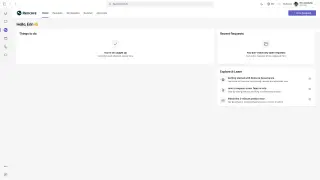
Users request new workspaces from admin-prepared templates. Requests go to approvers, and users track status on the History tab until the workspace is ready.
In the Rencore Teams AppRencore Teams AppThe Rencore Teams App (formerly Rencore Nova) brings Rencore Governance into Microsoft Teams for the people who own and use workspaces.Read more, people request a new workspace, such as a team, a Microsoft 365 groupMicrosoft 365 groupA Microsoft 365 Group is the membership object behind many Microsoft 365 workspaces.Read more or a SharePoint site, from a template your admins prepared. The request goes to its approvers, and you can follow its status on the History tab until the workspace is ready.
Start with
All guides in requests
-
Request provision of a workspace
Request a new workspace (Microsoft 365 Group, Team or SharePoint site) in the Rencore Teams App, from a template or a…
Before you begin: No Rencore Governance role is needed: any user of the Rencore Teams App can request a workspace from the templates… (+2 more)
-
See the status of every workspace request you have sent.
Before you begin: No Rencore Governance role is needed: you see the requests you submitted yourself.
Frequently asked questions
Do I need a Rencore Governance role to request a new workspace?
No. Any user of the Rencore Teams App can request a workspace from the templates your admins prepared, and no Rencore Governance role is needed.
What kinds of workspaces can I request in the Rencore Teams App?
You can request a team, a Microsoft 365 group or a SharePoint site. You request it from a template or a Smart Template on the Home page.
Where can I see the status of my workspace requests?
Use the History tab in the Rencore Teams App. It shows the status of every workspace request you have sent, until the workspace is ready. You see only the requests you submitted yourself.