What do you want to do?
AI summary
Find the use case that matches the outcome you want for your tenant, then follow step-by-step guidance through reports, policies, automations, and reviews. Each use case lists applicable connectors, policy templates, and important limits.
Each use case below starts from an outcome you want in your tenant. It tells you who it is for and which connectors it applies to, then walks you through the reports, policies, automations and reviews that get you there, with links to the guides for each step. Each page also lists the policy templatesPolicyA policy is a governance rule that Rencore Governance checks against your inventory, for example Teams without owners.Read more to start from and the limits you should know before you begin.
ConnectorsConnectorA connector is the part of Rencore Governance that reads one service, such as Teams or SharePoint, into the inventory.Read more marked Preview are available, but still in Preview.
All pages in what do you want to do?
Access and sharing 4 pages
Who can see what: oversharing, guests, access reviewsAccess reviewAn access review is a report in the deprecated Access feature that shows who has access to content, for owners to approve.Read more and CopilotMicrosoft 365 CopilotMicrosoft 365 Copilot is the AI assistant in the Microsoft 365 apps. Rencore Governance covers it with the Copilot connector, part of the AI & Agents module.Read more readiness.
-
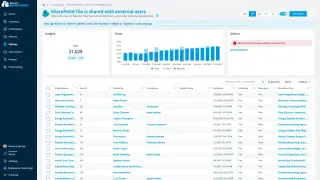
Find files, sites and Teams that are shared more widely than they should be, and remove the sharing or ask the owners…
4 steps Watch it · 12 min
 SharePoint
 OneDrive
 TeamsAccess & SharingReviews
 -
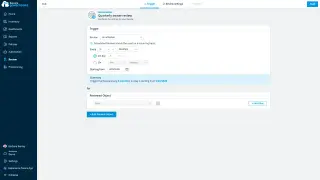
Ask workspace owners on a schedule to confirm who still needs access, and remove the people who do not.
5 steps Watch it · 14 min
TeamsSharePoint Microsoft 365+1ReviewsAccess & Sharing
 -
Govern guests and external users
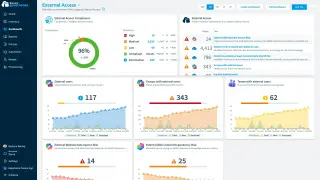
See every guest in your tenant, find the ones who are inactive or never accepted their invitation, and remove their…
4 steps Watch it · 8 min
Microsoft 365TeamsSharePointAccess & Sharing -
Prepare your content for Copilot
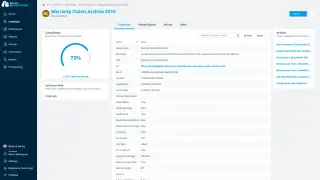
Before you roll out Copilot, find the sites and files that are shared too widely, have no sensitivity label, or are…
4 steps Watch it · 8 min
SharePointOneDrive CopilotAI GovernanceAccess & Sharing
Ownership and lifecycle 4 pages
WorkspacesWorkspaceA Workspace is the top-level container in Rencore Governance. It holds the settings, users, roles and connected apps for exactly one Environment, the connected Microsoft 365 tenant.Read more from request to archive: owners, inactive sites and what leavers leave behind.
-
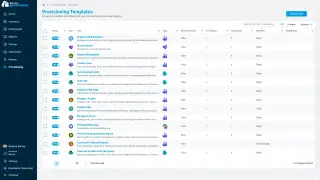
Let users request new Teams and sites from approved templates, with naming rules, business metadata and an approval…
6 steps Watch it · 14 min
TeamsSharePointProvisioning -
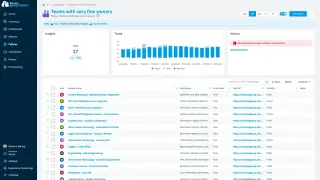
Find Teams, sites and groups with no owner, one owner or only disabled owners, and get a second owner in place.
4 steps Watch it · 10 min
TeamsSharePointMicrosoft 365Sprawl & Lifecycle -
Archive or delete inactive workspaces
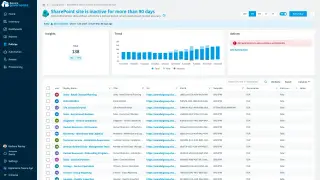
Find Teams, sites and communities nobody uses anymore, ask the owners whether they are still needed, and archive or…
4 steps Watch it · 13 min
TeamsSharePoint Viva EngageSprawl & LifecycleAutomation
 -
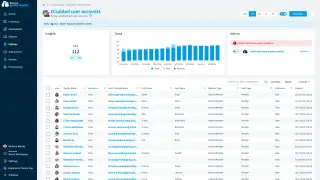
Find what people who left still own or hold, such as Teams, sites, OneDrives and licenses, and hand it over or remove…
5 steps Watch it · 8 min
Microsoft 365 Entra IDTeams+3Sprawl & LifecycleAccess & Sharing
AI agents, apps and automation 2 pages
Copilot StudioCopilot StudioCopilot Studio is the Microsoft tool for building your own AI agents. Rencore Governance covers it with the Copilot Studio connector, part of the AI & Agents module.Read more and SharePoint agents, Power AppsPower AppsPower Apps is the Microsoft low-code tool for building business apps. Rencore Governance covers it with the Power Apps connector, part of the Apps, Automation & BI module.Read more, flows and Power BIPower BIPower BI is the Microsoft service for reports and dashboards over business data.Read more.
-
Know every Copilot Studio and SharePoint agent, find the ones without an owner, the stale ones and the ones that…
4 steps Watch it · 12 min
 Copilot StudioSharePointCopilot+2AI GovernanceSprawl & Lifecycle
 -
Govern Power Platform and Power BI
Know every Power App, flow and Power BI workspace, and find the ones without owners, the unused ones and the ones…
3 steps Watch it · 13 min
 Power Apps
 Power Automate
 Power BISprawl & LifecycleAccess & Sharing
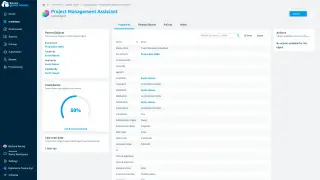
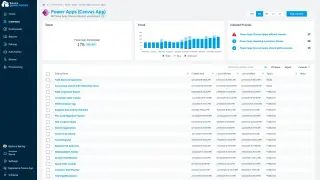
Cost and storage 2 pages
Unused licenses, AI consumption, storage quotasStorage limitA storage limit, or quota, caps how much space a SharePoint site or a OneDrive can use from the storage of your tenant.Read more and old file versionsVersion historyVersion history keeps earlier versions of each file in a SharePoint or OneDrive library.Read more.
-
Find Microsoft 365 and Copilot licenses nobody uses, and watch Copilot Studio consumption before it goes over your…
4 steps Watch it · 12 min
Microsoft 365CopilotCopilot StudioLicences & Costs -
Manage storage and file versions
See storage use against quota for every site and OneDrive, get warned before a quota is full, and trim old file…
5 steps Watch it · 4 min
SharePointOneDriveLicences & CostsSprawl & Lifecycle
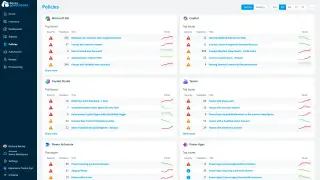
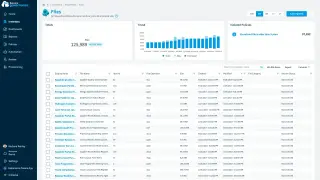
Run governance at scale 3 pages
Split the tenant by country or subsidiary, connect your ticket system, and prove compliance.
-
Delegate governance by country or subsidiary
Give a country, subsidiary or business unit its own view of the tenant, with admins who see and act only inside their…
4 steps Watch it · 4 min
Microsoft 365TeamsSharePointSettingsPoliciesReports -
Connect governance to your ticket system
Open a ticket in ServiceNow or another ticket system, or start a Power Automate flow, when a policy finds a violation…
6 steps
TeamsSharePointMicrosoft 365Automation -
Show auditors and management what is in your tenant and how well it follows your policies, with reports, dashboards…
5 steps Watch it · 11 min
TeamsSharePointOneDrive+3ReportsDashboards
Frequently asked questions
What use cases does Rencore Governance support?
Rencore Governance supports use cases across access and sharing, ownership and lifecycle, AI agents and automation, cost and storage, and running governance at scale. Each category includes specific use cases with guides and policy templates.
How do I find and fix oversharing in my tenant?
The Find and fix oversharing use case helps you identify files, sites and Teams shared more widely than needed, then remove sharing or ask owners to fix it. A 4-step guide with video is included.
Can I archive inactive workspaces?
Yes. The Archive or delete inactive workspaces use case helps you find Teams, sites and communities nobody uses, ask if they are still needed, and archive or delete them.
Does Rencore Governance work with ServiceNow and other ticketing systems?
Yes. The Connect governance to your ticket system use case shows how to open a ticket in ServiceNow or another system when a policy finds a violation.
How do I prepare my content for Copilot?
How do I prepare my content for Copilot?The Prepare your content for Copilot use case helps identify sites and files shared too widely or without sensitivity labels before rolling out Copilot. A 4-step guide with video is provided.