
Access review for teams
AI summary
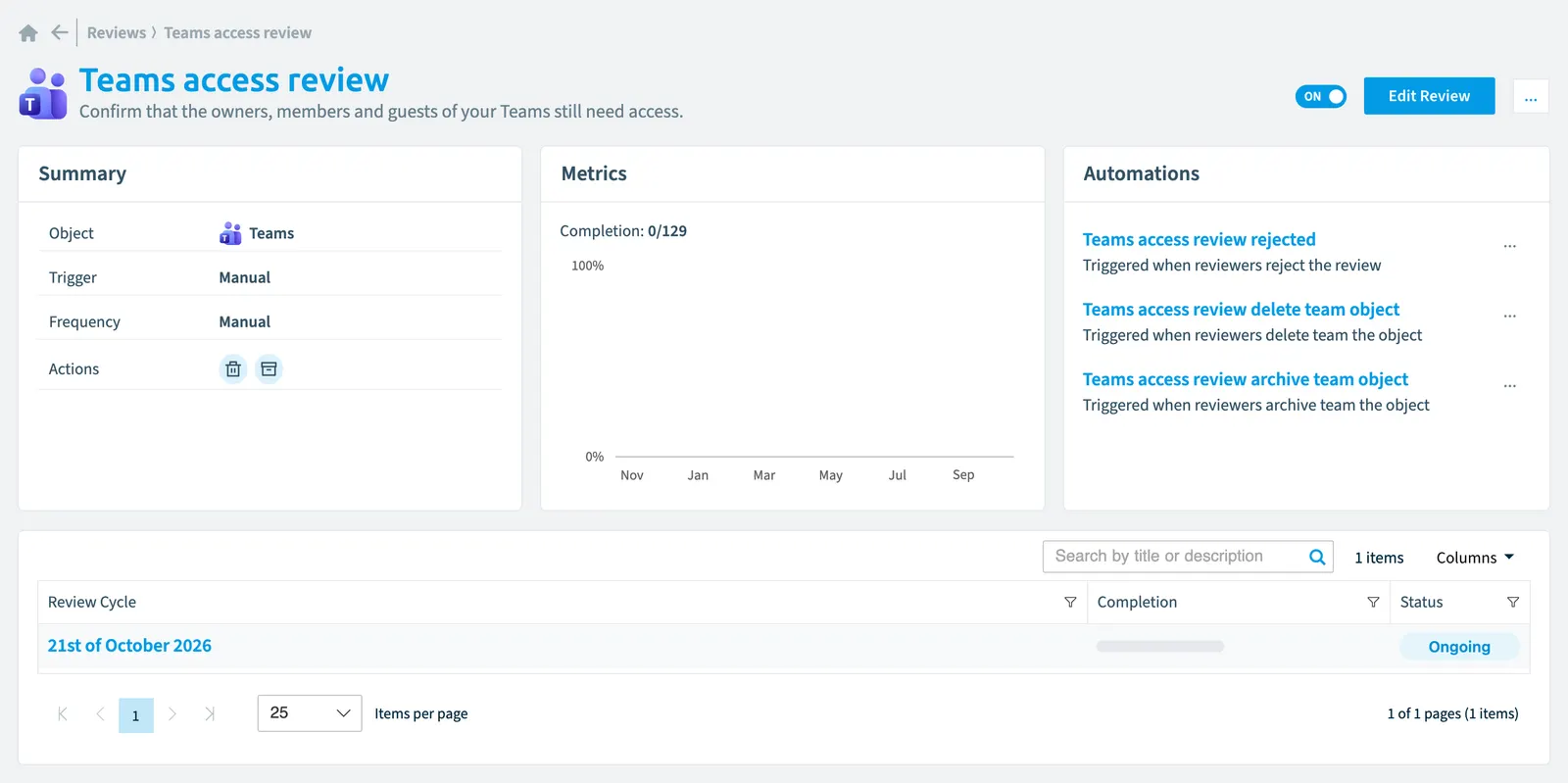
You can use this template in Rencore Governance to review access for all Teams in your inventory. Manually start the review and select reviewers, working within a 14-day deadline; approval and comments are required, with reminders at day 5 and day 9.
"Access reviewAccess reviewAn access review is a report in the deprecated Access feature that shows who has access to content, for owners to approve.Read more for teams" is a review template for TeamsMicrosoft TeamsMicrosoft Teams is the Microsoft 365 app for chat, meetings and team collaboration.Read more in Rencore Governance. A review of every Team.
What it reviews
The template reviews Team objects from the Teams inventory.
Scope
Every Team
Reviewers and schedule
| Reviewers | People you choose when you start the review |
|---|---|
| Start | You start it by hand |
| Due after | 14 days |
| Reminder after the start | Yes, after 5 days |
| Reminder before the due date | Yes, 5 days before |
| Approval needed | Yes |
| Comment needed to approve | Yes |
In Rencore Governance
Details
Frequently asked questions
What does the access review for teams review template review?
The Access review for teams review template: a review of every Team.
Which objects does the access review for teams review template use?
The Access review for teams review template works on Team objects from the Teams inventory.
When is a review from the access review for teams template due?
A review from the Access review for teams template is due 14 days after it starts. Approval needed: yes.
Which module includes the access review for teams review template?
The Access review for teams review template comes with the Teams connector in the Digital Workplace module of Rencore Governance, which every Plan includes.
Was this page helpful?
Thanks for the feedback.
Thanks. What was wrong?