Enable or disable a provisioning template
AI summary
Turn provisioning templates on or off to control which ones your users can request; you can change one template or multiple templates at once.
Turn a Provisioning TemplateProvisioning templateA provisioning template defines how a new Microsoft 365 workspace is created through Rencore Governance.Read more on so users can request from it, or off so they cannot. You can do this for one template or for several at once.
Before you begin
- Your Rencore role includes the Enable\Disable Provisioning permission. Owner, Admin and Contributor have it. See Rencore roles.
- Provisioning is part of the Premium and Enterprise PlansPlanA Plan is the edition of Rencore Governance in your Subscription: Professional, Premium or Enterprise.Read more.
Steps
- Click Provisioning on the Nav Panel.
- Click Manage Provisioning Template.
- Turn one template or several templates on or off, as described below.
One template
-
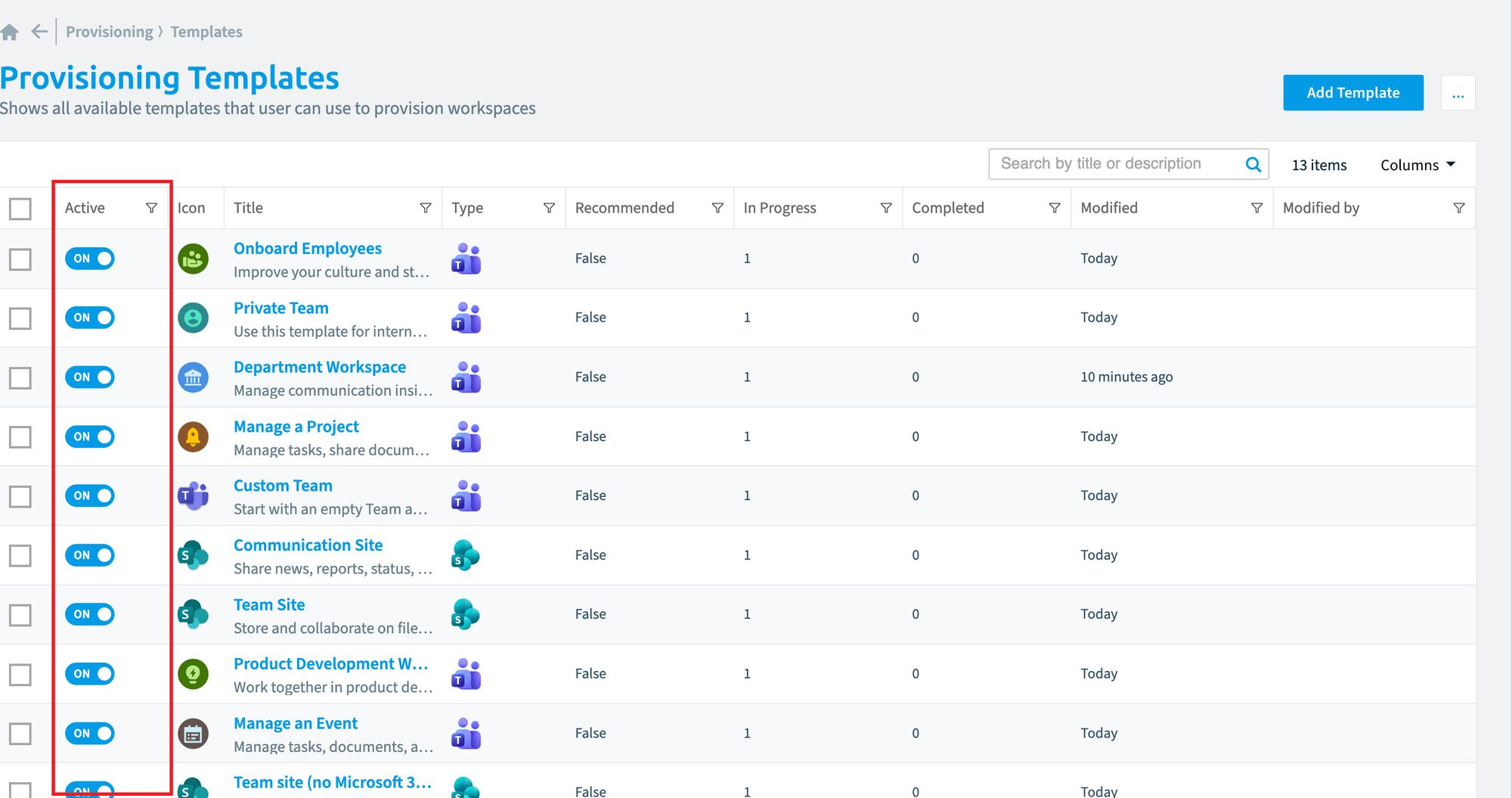
In the Active column of the template, toggle On or Off.
Several templates
-
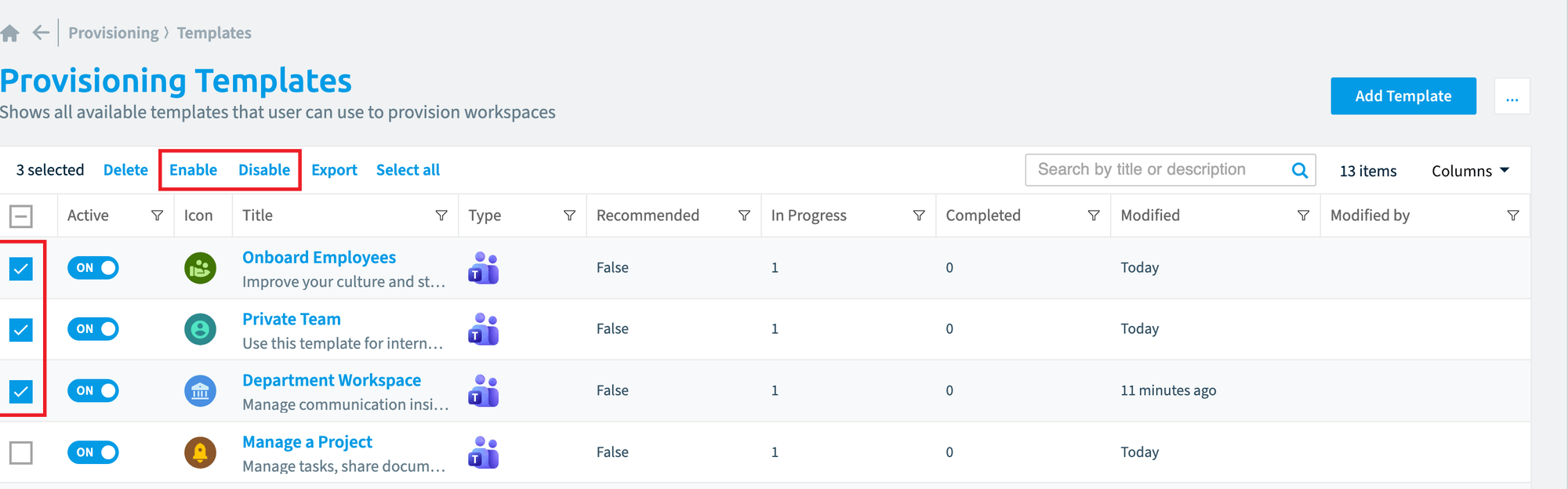
Tick the box on the left of each template.
-
Click Enable or Disable at the top of the data gridDatagridA datagrid is the table view Rencore Governance uses for lists of items, such as the objects of an inventory or the violations of a policy.Read more.
Frequently asked questions
How do I turn several provisioning templates on or off at once?
Click Provisioning on the Nav Panel, then Manage Provisioning Template. Tick the box on the left of each template, then use the on or off button at the top of the data grid.
Which Rencore roles can turn a provisioning template on or off?
Owner, Admin and Contributor can do this. Your Rencore role must include the permission to turn Provisioning on or off, and these three roles have it.
What happens when I turn a provisioning template off?
Users can no longer request from that Provisioning Template. To turn a single template off, toggle Off in its Active column on the Manage Provisioning Template page.
Was this page helpful?
Thanks for the feedback.
Thanks. What was wrong?