 Change the Azure Subscription Plan
AI summary
When your active user count changes, you can change your Azure Marketplace subscription plan, since plans do not update automatically. You need the Owner role; go to the Subscription tab in Settings to select a new plan.
Change the Plan of your Rencore Governance Azure Marketplace SubscriptionSubscriptionYour Subscription is your purchase of Rencore Governance. It is connected to one Workspace and its Environment, and it sets your Plan and the number of users you can govern.Read more when your needs change. Rencore does not have control over Azure Subscriptions, and the subscriptions do not change automatically to suit the number of active users, so you must choose the Plan that fits your needs.
Before you begin
- You need the Owner role in Rencore Governance. Only the Owner role has the Manage subscriptions permission. See Rencore roles.
- Your Rencore Governance Subscription was bought through the Azure Marketplace.
Steps
-
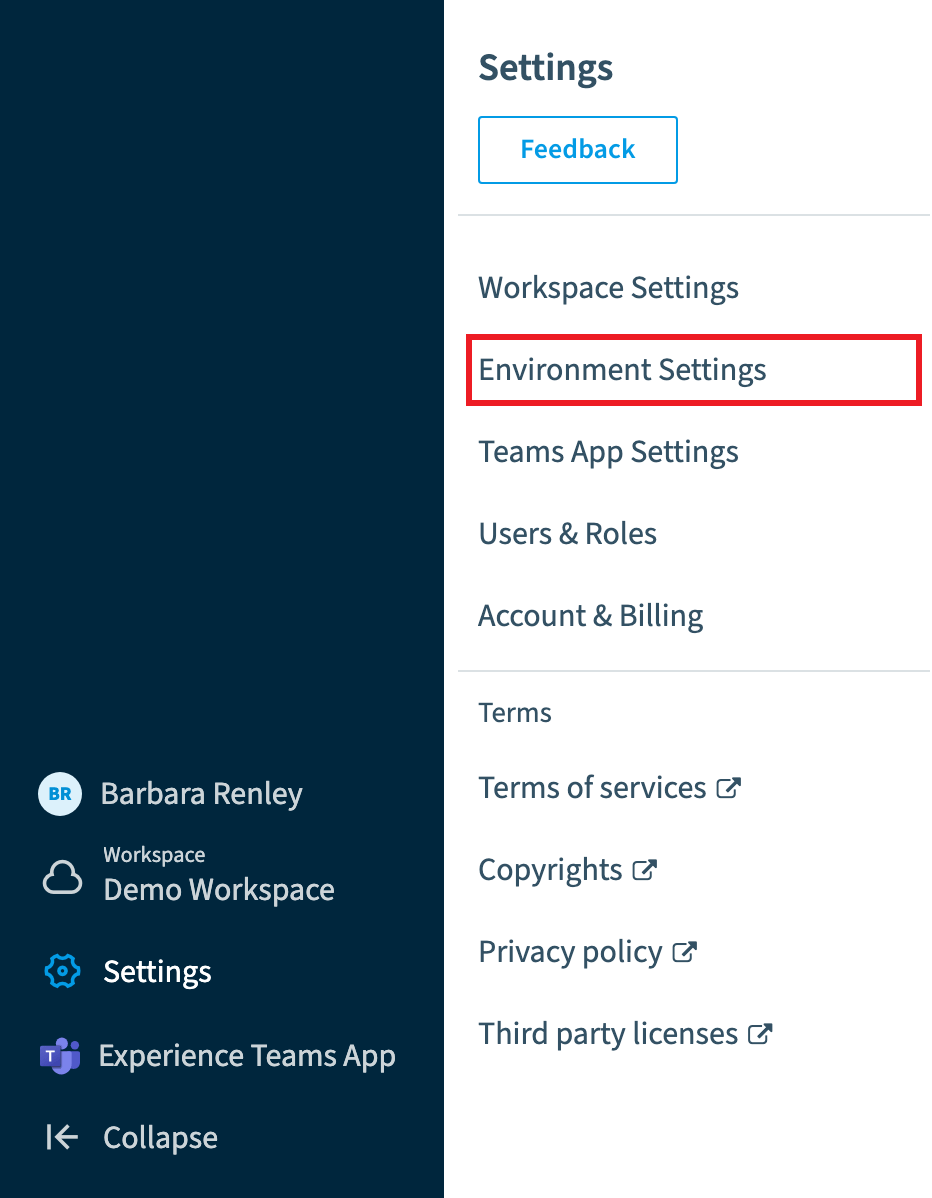
Go to Settings > Environment Settings.
-
Click on the Subscription tab.
-
Click Manage. This takes you to your Azure Subscriptions.
-
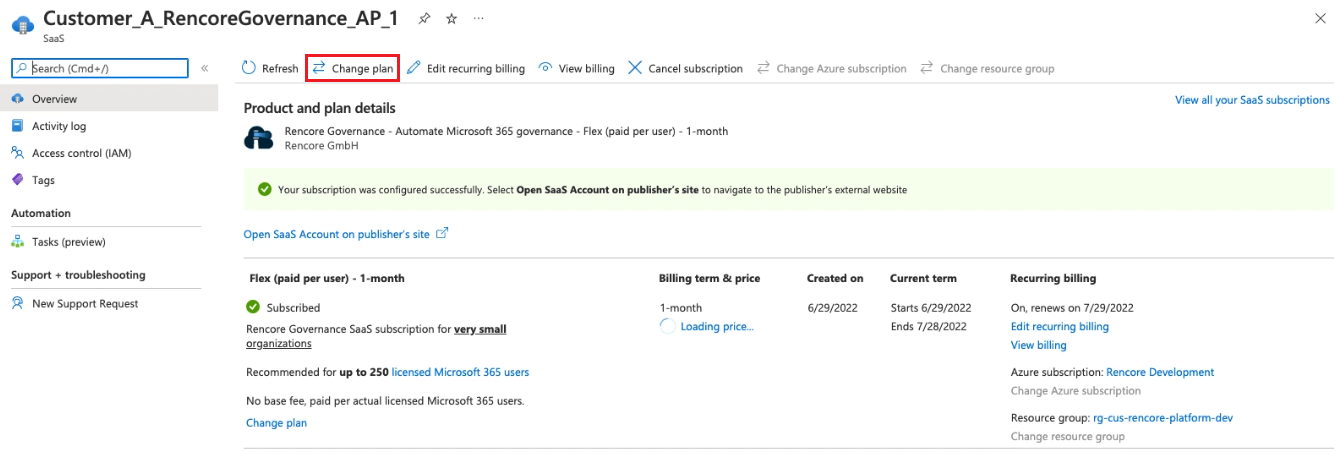
Click the corresponding Subscription.
-
At the top of the page, click Change plan.
-
Select the desired Plan and click Change Plan.
Frequently asked questions
Which role do I need to change the Plan of my Azure Marketplace Subscription?
Which role do I need to change the Plan of my Azure Marketplace Subscription?You need the Owner role in Rencore Governance. Only the Owner role has the Manage subscriptions permission. The Subscription must also have been bought through the Azure Marketplace.
Does my Azure Subscription Plan change automatically when the number of active users changes?
Does my Azure Subscription Plan change automatically when the number of active users changes?No. Rencore does not have control over Azure Subscriptions, and the subscriptions do not change automatically to suit the number of active users. You must choose the Plan that fits your needs yourself.
How do I change the Plan of my Rencore Governance Azure Subscription?
How do I change the Plan of my Rencore Governance Azure Subscription?Go to Settings > Environment Settings, open the Subscription tab, and click Manage to reach your Azure Subscriptions. Click the Subscription, click Change plan at the top of the page, select the Plan you want, and click Change Plan.
Was this page helpful?
Thanks for the feedback.
Thanks. What was wrong?