Change the language and date format of the Rencore Teams App
AI summary
Change the Rencore Teams App to display in your preferred language and adjust how it formats dates, times, and numbers. No special role is required; you simply change your browser language and update your profile settings.
Show the Rencore Teams AppRencore Teams AppThe Rencore Teams App (formerly Rencore Nova) brings Rencore Governance into Microsoft Teams for the people who own and use workspaces.Read more in another language and set how it formats dates, times and numbers. The app has no language switch of its own: it uses the default language of your browser and the format saved in your profile.
Before you begin
- No Rencore Governance role is needed: every user can change their own browser language and profile format.
- Rencore Teams App currently supports English, German and Polish.
Steps
-
Change the default language of your browser (for example to German):
- Google Chrome: Change the language Chrome uses
- Microsoft Edge: Use Microsoft Edge in another language
- Mozilla Firefox: Use Firefox in another language
- Safari: Safari follows your Mac’s system language. See Change the language your Mac uses.
-
Reload the Rencore Teams App.
-
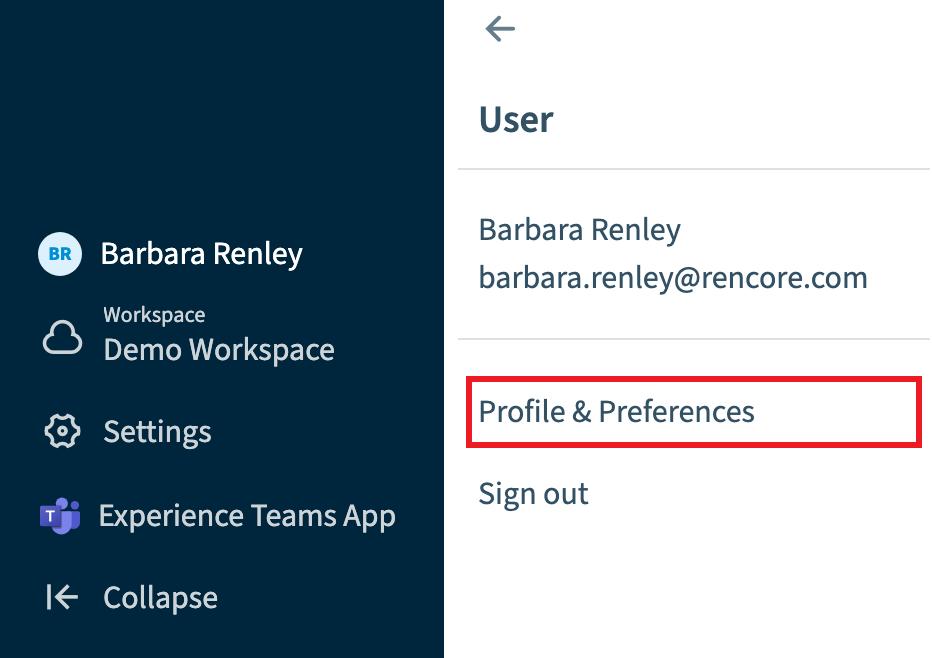
To set the date, time and number format, go to User Profile > Profile & Preferences. This setting applies across the Rencore Teams App, independent of your browser language.
-
Scroll down to the bottom of the Profile screen.
-
Under Date, Time and Number Format, select the language in the drop-down (for example German (Germany)).
-
Scroll back up to the top of the Profile screen and click Save.
Frequently asked questions
How do I change the language of the Rencore Teams App?
Change the default language of your browser, then reload the Rencore Teams App. The app has no language switch of its own and uses your browser language. Safari follows the system language of your Mac.
Which languages does the Rencore Teams App support?
The Rencore Teams App currently supports English, German and Polish.
Where do I set the date, time and number format in the Rencore Teams App?
Go to User Profile > Profile & Preferences and scroll to the bottom of the Profile screen. Under Date, Time and Number Format, select a language such as German (Germany), then scroll up and click Save. This setting applies independent of your browser language.
Was this page helpful?
Thanks for the feedback.
Thanks. What was wrong?