Create ServiceNow tickets with an automation
AI summary
Configure a ServiceNow REST API and create a manual automation in Rencore that calls it to generate incidents. Trigger the automation on users in Inventory, Policies, or Reports to create incidents in ServiceNow.
Create ServiceNow incidents from Rencore Governance with an automation that calls the ServiceNow REST API. You set up the API in ServiceNow first, then build a manual automation that sends the request.
Before you begin
- Your Rencore role includes the Create AutomationAutomationAn automation is a workflow Rencore Governance runs on inventory objects when a trigger fires.Read more permission. Owner, Admin and Contributor have it. See Rencore roles.
- A ServiceNow account that can create an inbound REST API and incidents. You need its username and password for Basic authentication.
Steps
Prepare the ServiceNow REST API
-
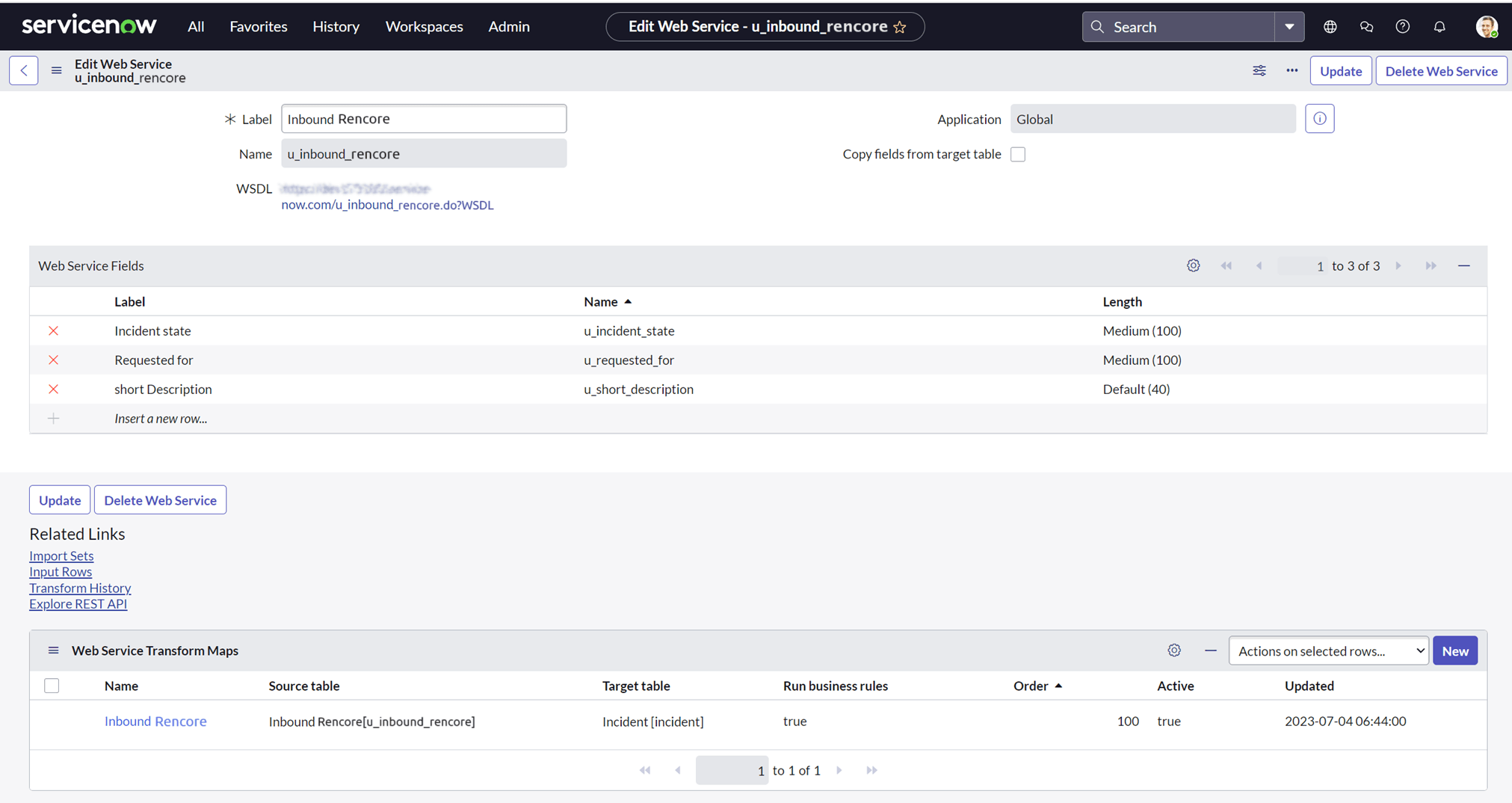
Create a new inbound incident in ServiceNow using the REST API.
-
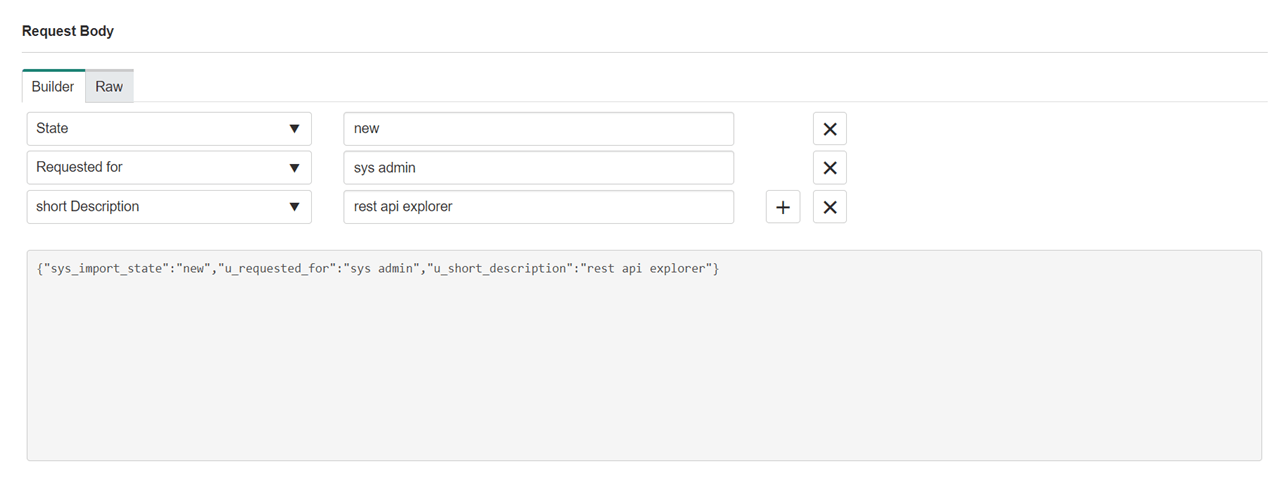
Test the inbound REST API in the REST API Explorer by creating a new incident.
-
Copy the HTTP method and the request body from the REST API Explorer and test them with Postman.
Create the automation
-
In Rencore Governance, go to Automation > Add Automation > Create Custom Automation.
-
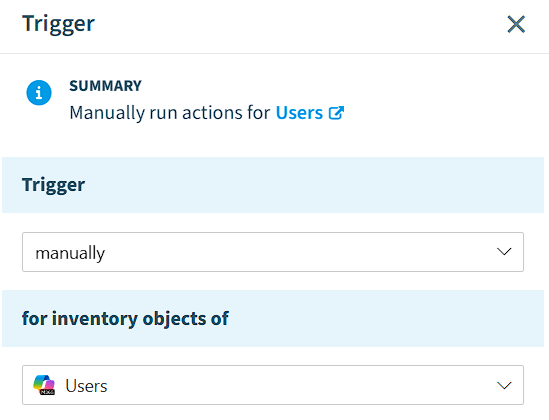
Set the trigger to “manually” for “Users”.
-
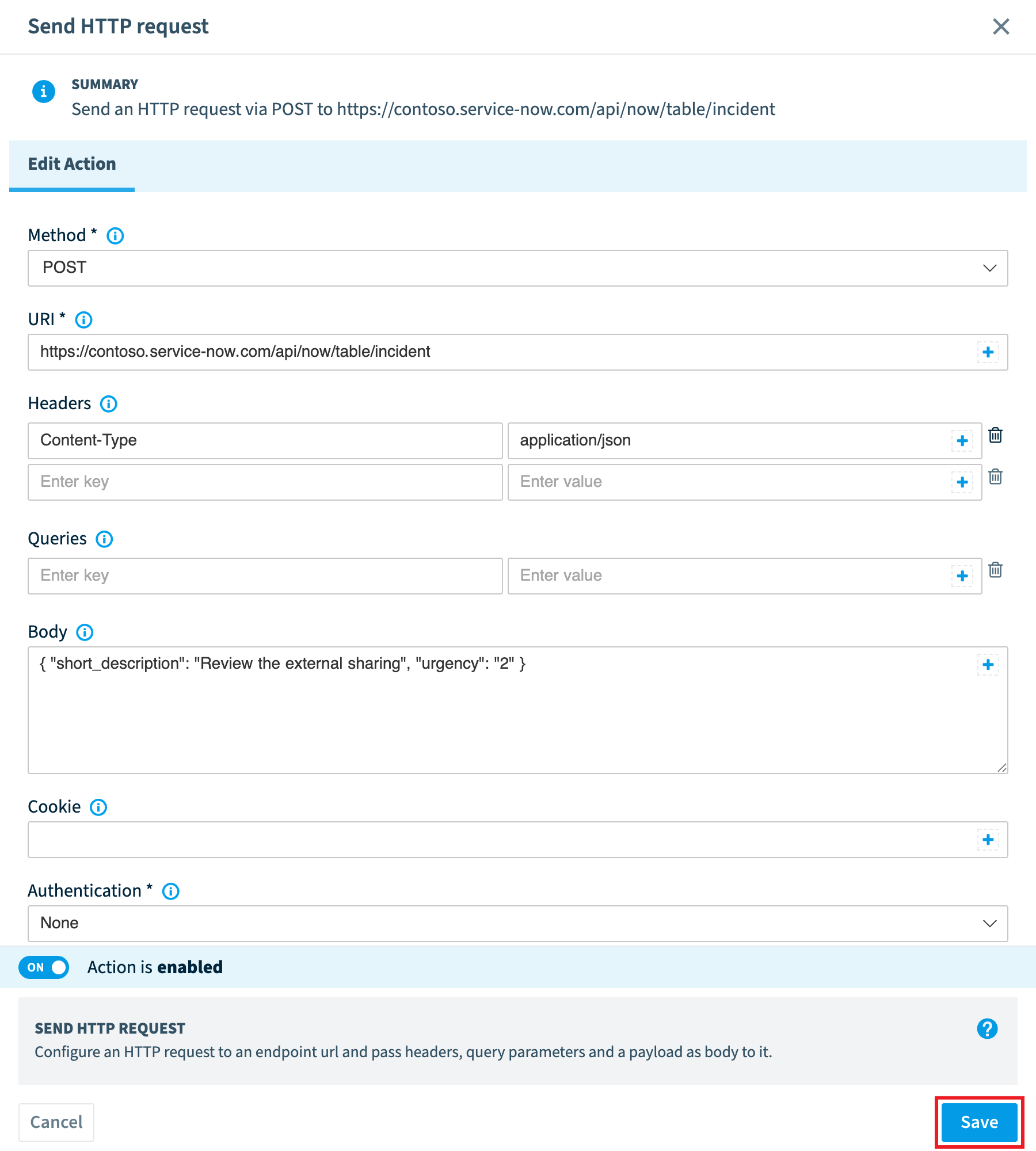
Click + and select Send HTTP requestWebhookA webhook is a URL another system listens on, so that a call to it starts something there.Read more action.
-
Fill in all the details copied from the REST API Explorer.
-
Set the Authentication type to “Basic” and enter your Username and Password.
-
Click Test Action, select a user to test and click Simulate Action.
-
If the status reply is “200”, click Save.
-
Click Next.
-
Enter a Title, Description, Category and Icon.
-
Click Done.
Create a ServiceNow incident
- Trigger the ServiceNow automation you just created against a user, from the InventoryInventoryThe inventory is the record of every object Rencore Governance scans from your tenant, with their properties and the relations between them.Read more, a Policy or a Report.
What you see
A new incident is created in ServiceNow for the user you ran the automation on.
Frequently asked questions
Which Rencore role permission do I need to create a ServiceNow ticket automation?
You need a Rencore role that includes the Create Automation permission. Owner, Admin and Contributor roles have it. You also need a ServiceNow account that can create an inbound REST API and incidents.
How do I set up authentication for the send HTTP request action to ServiceNow?
Set the Authentication type to "Basic" and enter the Username and Password of your ServiceNow account. Use the HTTP method and request body you copied from the ServiceNow REST API Explorer to fill in the other details of the action.
How do I know the ServiceNow automation works before I save it?
Click Test Action, select a user to test and click Simulate Action. If the status reply is "200", click Save. After you save it, run the automation against a user and a new incident is created in ServiceNow for that user.
Was this page helpful?
Thanks for the feedback.
Thanks. What was wrong?