
Risky sign-ins
AI summary
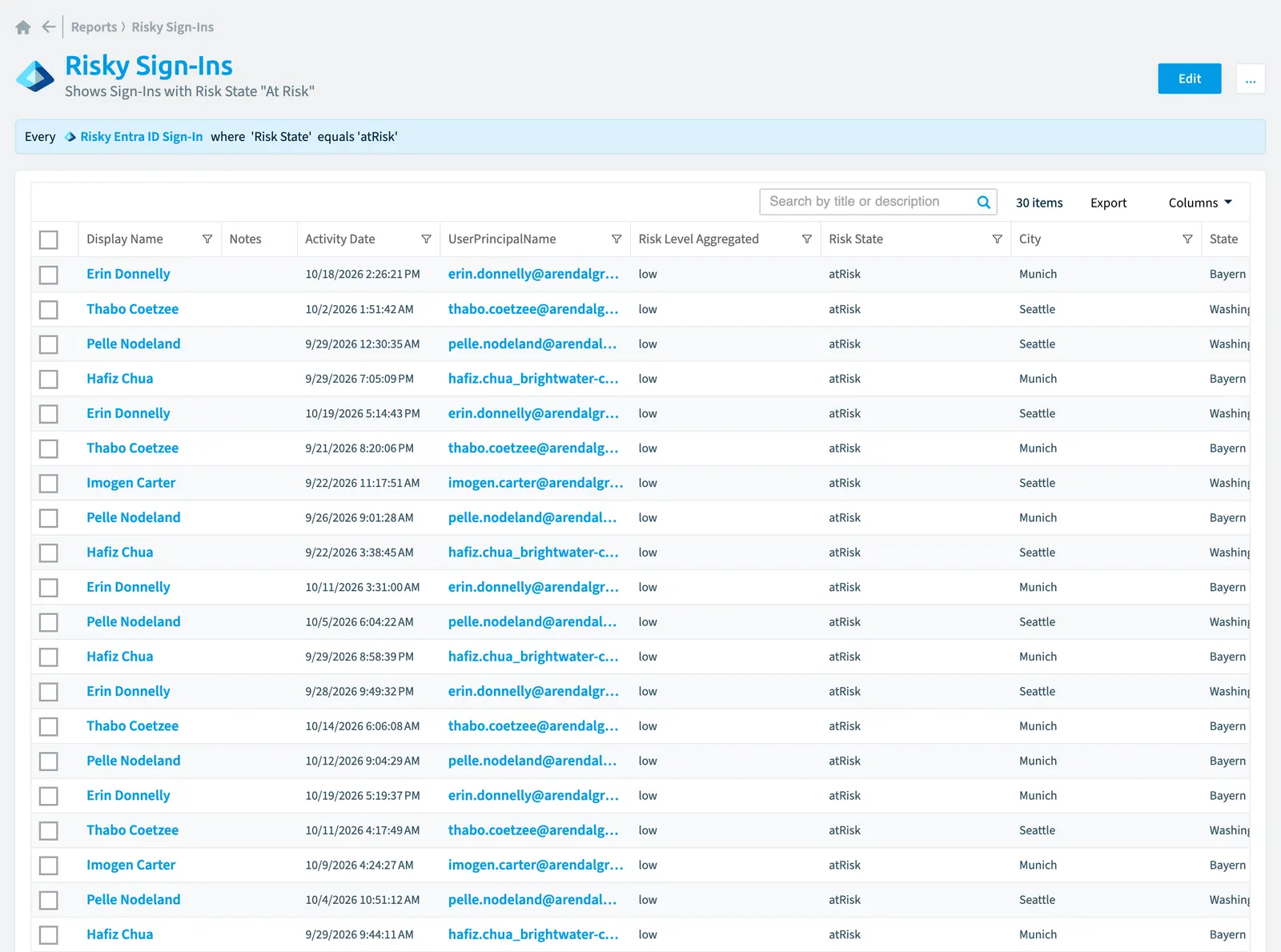
Monitor Entra ID sign-ins with Risk State 'atRisk' to identify risky authentication activity. The report displays user principal names, risk levels, activity dates, and geographic details for each sign-in.
"Risky sign-ins" is a report for Entra IDMicrosoft Entra IDMicrosoft Entra ID, formerly Azure Active Directory, is the Microsoft identity service behind every Microsoft 365 tenant.Read more in Rencore Governance. Shows Sign-Ins with Risk State "At Risk".
What it shows
The report shows Risky Entra ID sign-in objects from the Entra ID inventory.
The rule
Every Risky Entra ID Sign-In where Risk State equals 'atRisk'
Chart
| Chart type | List |
|---|---|
| Columns | Display Name, Activity Date, UserPrincipalName, Risk Level Aggregated, Risk State, City, State |
In Rencore Governance
Details
| Reports on | Risky Entra ID sign-in |
|---|---|
| Connector | Entra ID |
| Category | None |
| Chart type | List |
| Recommended | Yes |
| Status | Generally available |
Other reports for this object
Frequently asked questions
What does the risky sign-ins report show?
The Risky sign-ins report: shows Sign-Ins with Risk State "At Risk".
What is the rule of the risky sign-ins report?
Every Risky Entra ID Sign-In where Risk State equals 'atRisk'.
Which objects does the risky sign-ins report use?
The Risky sign-ins report works on Risky Entra ID sign-in objects from the Entra ID inventory and shows them as a list.
Which module includes the risky sign-ins report?
The Risky sign-ins report comes with the Entra ID connector in the Digital Workplace module of Rencore Governance, which every Plan includes.
Was this page helpful?
Thanks for the feedback.
Thanks. What was wrong?