Reset your Support Portal password
AI summary
Reset your Support Portal password if you forgot it or never signed in after contacting support. A password reset link will be sent to your account email.
Reset the password of your Rencore Support PortalSupport Portalcom is where you raise a support ticket with Rencore and follow its progress.Read more account if you forgot it. You also need a reset if you emailed support but never signed in to the portal.
Before you begin
- You know the email address of your Support Portal account. The account is separate from your Rencore Governance sign-in and does not depend on your Rencore role.
Steps
-
Go to the Rencore Support Portal at support.rencore.com.
-
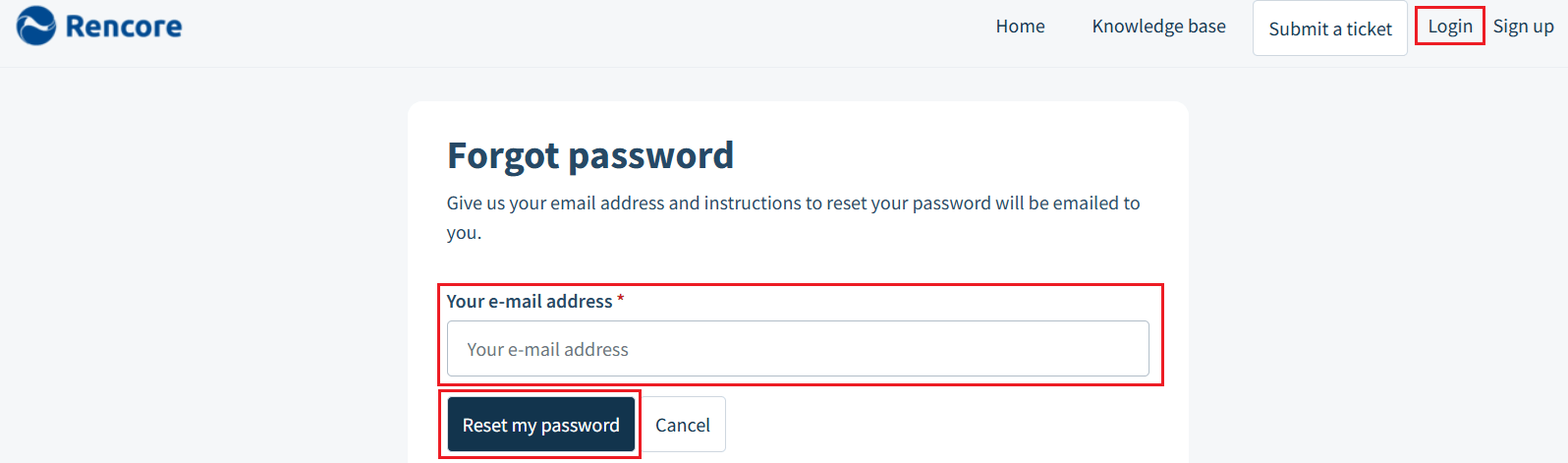
On the login page, select Forgot your password?.
-
Enter the email address of your Support Portal account.
-
Click Reset my password. The portal sends a password reset link to that address.
-
Open the password reset email (if it is not there, check your Spam or Junk folder) and click the reset link.
-
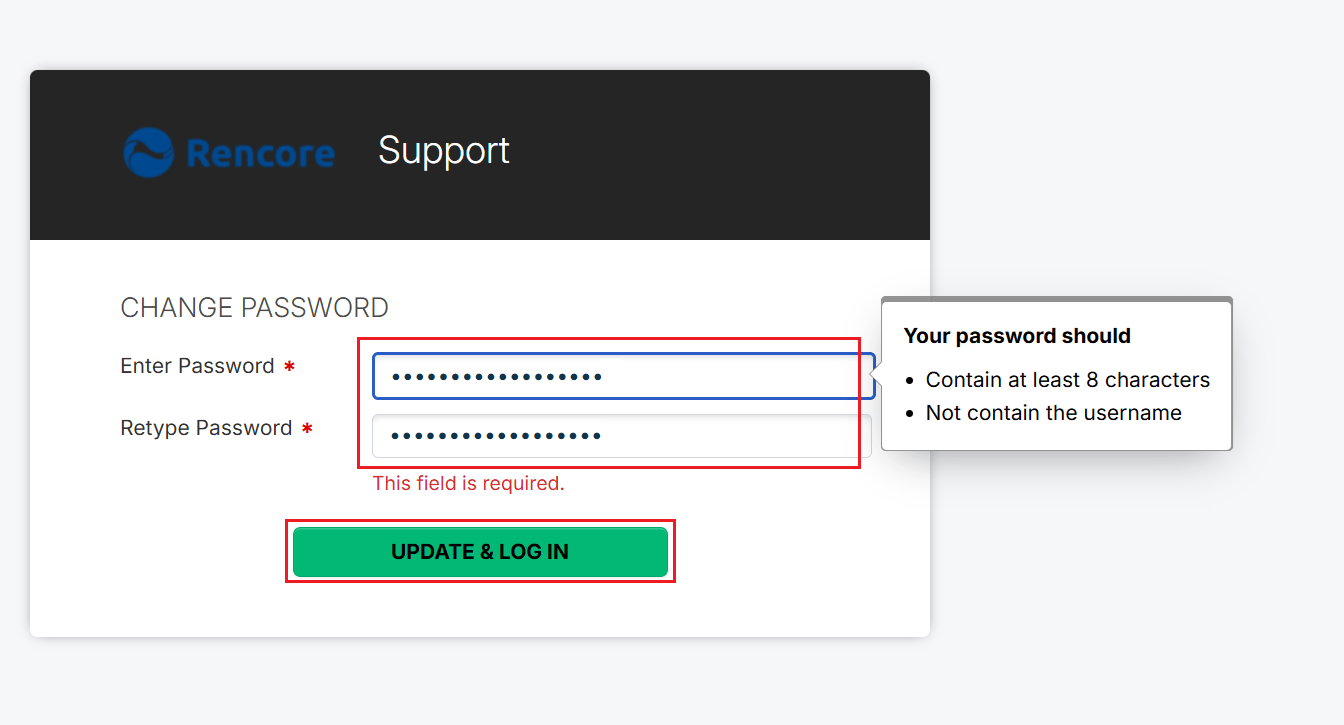
Enter your new password and retype it.
-
Click UPDATE & LOG IN.
-
Return to the login page, enter your email and new password, and click Login.
What you see
You are signed in to the Support Portal and can manage your support tickets.
Frequently asked questions
How do I reset my Rencore Support Portal password?
Go to support.rencore.com and select Forgot your password? on the login page. Enter the email of your Support Portal account and click Reset my password. Then open the reset email, click the link, enter and retype your new password, and click UPDATE & LOG IN.
I did not receive the Support Portal password reset email. What should I check?
Check your Spam or Junk folder. The Support Portal sends the password reset link to the email you entered for your Support Portal account, so also confirm you typed the right one.
Is my Support Portal account the same as my Rencore Governance sign-in?
No. The Support Portal account is separate from your Rencore Governance sign-in and does not depend on your Rencore role. You need to know the email of your Support Portal account to reset its password.
Was this page helpful?
Thanks for the feedback.
Thanks. What was wrong?